Secured at every level, with evidence
Where your data lives, who can access it, how it is backed up and restored, and what Cursus Connect keeps for you under the GDPR, the Swiss FADP and quality frameworks. It is all written here, with no gray areas.
Where your data lives
Your center’s data, database and files, is hosted in Europe. Each provider has only the role described here.
| Role | Provider | Location | What it sees |
|---|---|---|---|
| Database | OVHcloud | Europe | Your center’s data |
| Files | OVHcloud | Europe | Attachments and documents, encrypted, versioned for 30 days |
| Backup copy | OVHcloud | Europe, second data center | Weekly archive, locked for 35 days |
| Application | Vercel | Europe | Runs the application, keeps only technical logs for 3 days |
| Scaleway | European Union | The emails Cursus Connect sends | |
| Backup test | GitHub | Possibly outside the EU | A full copy for the duration of the weekly restore test, on a machine wiped afterwards |
| Domain names and status page | Cloudflare | — | Name resolution, status page and monitoring, with no center data |
Vercel, GitHub and Cloudflare are US companies. Vercel runs the application in Europe; GitHub provides the machine for the weekly restore test; Cloudflare handles name resolution, the status page and service monitoring.
Every center in its own space
Each center has its own space; none can see another’s data. Separation is checked twice: by the application and by the database itself.
- Every request is tied to a single center
- Row-level security in the database, enforced
- A dedicated isolation test suite on every release
- Every portal shows only the signed-in person’s data
Access that has to be earned
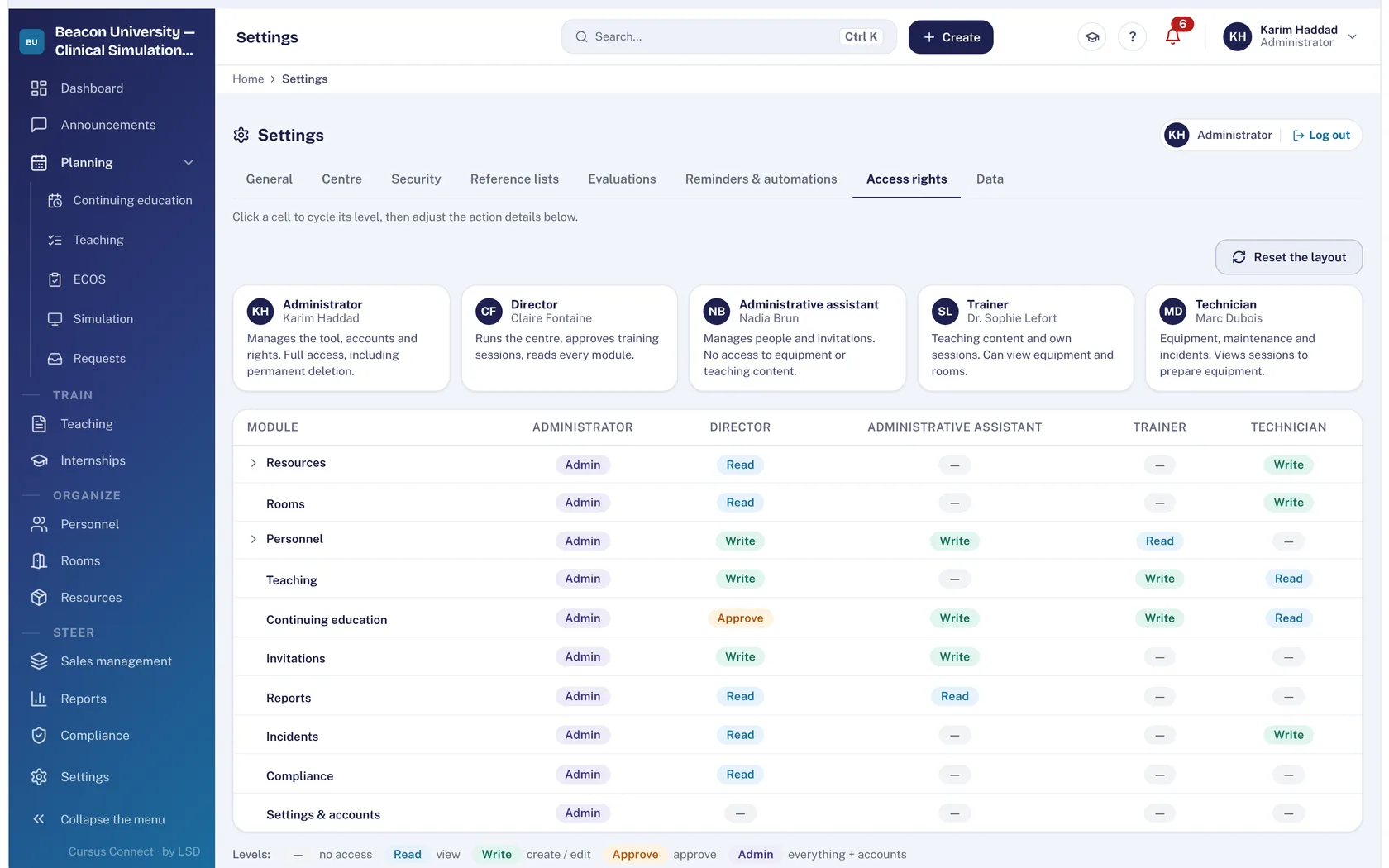
Access rights are enforced by the server, not just by the screen: an action you can’t see is an action you can’t perform.
- Passwords hashed with argon2id, 10 characters minimum
- Known leaked passwords rejected
- Progressive lockout after 5 failures
- Screen lock after inactivity, adjustable per center
- Secure session of 12 rolling hours, 7 days at most
- Publisher support access with a stated reason, limited to 2 hours and visible to the center
Backups we have already restored
A backup is only worth something if it restores. Cursus Connect’s is restored every week, from scratch, and recounted table by table.
- Snapshot of every center twice a day, kept 7 days
- Center-by-center restore, without touching the others
- 14 days of database backups, with point-in-time recovery
- Weekly off-site archive in a second data center, locked for 35 days
- Full restore already rehearsed, written procedure
- Public status page (in French), probe every minute, 90-day history
GDPR and Swiss FADP, kept by the server
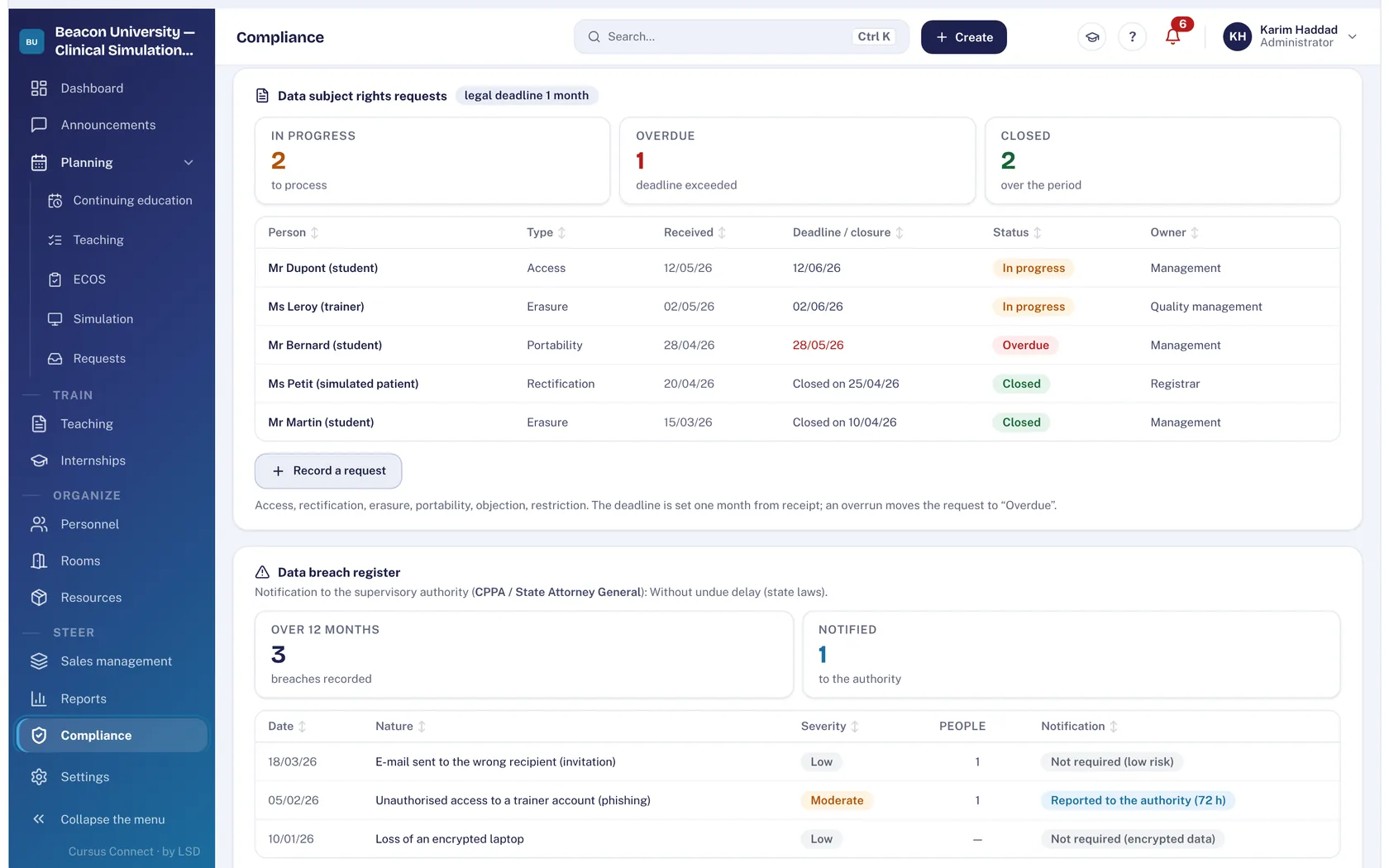
The registers you must keep are kept by Cursus Connect, append-only. Deadlines are calculated according to the center’s country.
- Record of processing activities with the center’s actual headcounts, printable
- Data subject requests: one month in the EU, 30 days in Switzerland, delays flagged
- Data breaches: 72-hour deadline (GDPR) or notification when the risk is high (FADP)
- Export and deletion of a person’s data from their record
- Image rights given or withdrawn by the person, on their portal
- Technical data purged every night according to its retention period
- Audit log, including the publisher’s access
Serious adverse events
A learner, an instructor or a simulated patient can report a serious adverse event from their portal. The register keeps the report exactly as it was made.
- Reports from the learner, instructor and simulated patient portals
- Anonymous reports possible
- Reference number assigned by the server
- Append-only register, read by the director and the administrator
- Severity set with a reason, reported severity locked
- Acknowledgment, analysis and closure on record
Documents that stand up
End-of-course documents are produced by the server, numbered and locked. They stay intact even after a person is deleted: they prove that training took place.
- Numbering by center, type and year
- No editing or deletion in the register
- Reissue under a new number, with a reason
- Center signature and identity required
- Sign-in sheet to sign by hand: a ticked box is not a signature
Quality frameworks and obligations
Cursus Connect applies the framework of your center’s country. It gathers the evidence; sign-off stays with your quality lead.
| Framework | Country | What Cursus Connect provides |
|---|---|---|
| GDPR | European Union | Record of processing activities, data subject requests, data breaches, export and deletion of a person, audit log |
| Swiss FADP | Switzerland | The same registers, with Swiss deadlines |
| Qualiopi (RNQ) | France | Checklist of the 32 indicators, evidence file from your activity, full report in PDF and Excel workbook |
| eduQua:2021 | Switzerland | 16-indicator grid, certification cycle, share of SVEB-certified instructors |
| BPF (Cerfa 10443) | France | Teaching section calculated, financial section prefilled from invoices, in PDF and Excel; filing remains manual |
| SRC statistics | Switzerland | Count of the year’s BLS-AED-SRC certificates, in Excel and PDF |
The framework grids are currently available in French. Qualiopi criterion 7 registers (complaints, stakeholder feedback, continuous improvement) are kept outside Cursus Connect; the report says so.
What Cursus Connect doesn’t do
So you know exactly where you stand.
- It doesn’t store real patient records: it manages training
- It doesn’t record sound or video of sessions
- It doesn’t sign on your behalf: sign-in sheets are signed by hand
- It doesn’t send anything silently: an email shown as sent really went out
Service status is public: status.cursusconnect.com (in French).
See your center in Cursus Connect
An online demo built around your courses, your OSCEs and your documents. You leave knowing what Cursus Connect will change for you.