Fewer spreadsheets. More time to teach.
Cursus Connect brings together in one tool what your center manages today across spreadsheets, emails and binders: courses, simulation, OSCEs, portals, documents and compliance. Nothing to install, help on every screen, and your data hosted in Europe, protected at every level.
- Nothing to install
- Data hosted in Europe
- In English, French and German
Course scheduled
ACLS: room, instructor and equipment booked
Invitations sent
An email to every enrollee, reply on the portal
Sign-in sheet ready
To print and sign by hand on the day
OSCE set up
Wave 1, circuit A: SP, instructor and rooms assigned
Certificate issued
ATT-2026-00042, sent and available on the portal
What takes up your time, Cursus Connect takes care of
Scattered schedules, invitations sent by hand, evidence pieced together before the audit: here is what changes.
| Today | With Cursus Connect |
|---|---|
| The schedule lives in three spreadsheets that contradict each other. | One schedule: room and instructor clashes are flagged before it’s too late. |
| Invitations go out one by one, replies get lost in inboxes. | An email to every enrollee in one go, and the reply arrives on their portal. |
| Simulated patients are recruited by phone the day before. | They accept or decline commitments from their portal, and their compensation is calculated for you. |
| OSCEs get finalized late at night. | The planning status spells out what’s missing; the assistant suggests an allocation, you decide. |
| Certificates are typed in Word, one at a time. | They are numbered, locked and sent by the server, then found again on the learner’s portal. |
| The quality audit is prepared in a rush. | Evidence from your activity is gathered as you go, in PDF and Excel. |
| Data protection lives in a binder opened once a year. | Registers kept by the server, deadlines calculated, delays flagged. |
What Cursus Connect changes for you
The same tool, set up for your institution. First what everyone gains, then what matters most to you.
Included, whatever your institution
- Courses scheduled without clashes
- Invitations, sign-in sheets and certificates
- One record per person, rights by role
- Portals on computer and phone
- Rooms, equipment and consumables
- End-of-course and follow-up evaluations
- Reports and Excel exports
- GDPR and Swiss FADP kept by the server
- Data hosted in Europe
- Built-in help in three languages
Choose your institution at the top of the page, or browse the four profiles below.
For a simulation center
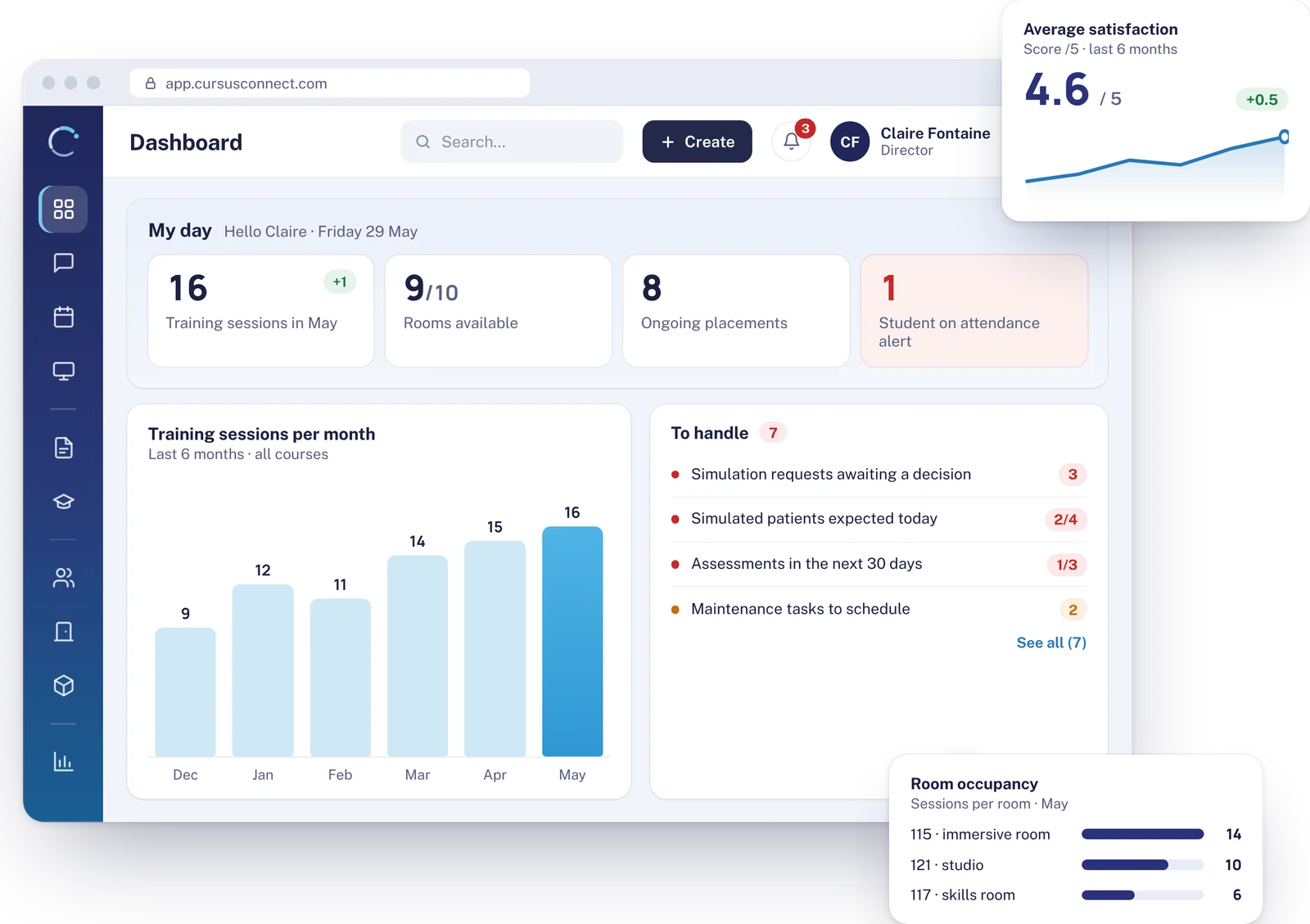
Sessions and OSCEs ready on time, simulated patients well managed
A simulation center runs on the rhythm of sessions, simulated patients and equipment. Cursus Connect prepares what has to be ready before the session and keeps a record of what has to be proven after it.
- Sessions: scenario locked in its version, room, instructor and simulated patients
- OSCEs in waves and paired circuits, planning status calculated
- Simulated patients matched to the expected profile, commitments and check-in on their portal
- Simulated patient compensation: rate scale, cancellation, on-call, Excel export
- Simulation requests from teams, approved or declined with a reason
- Manikins, maintenance, consumables and lots
- Serious adverse events reported from the portals
Recommended modules: core and Simulation package.
For a nursing or allied health school
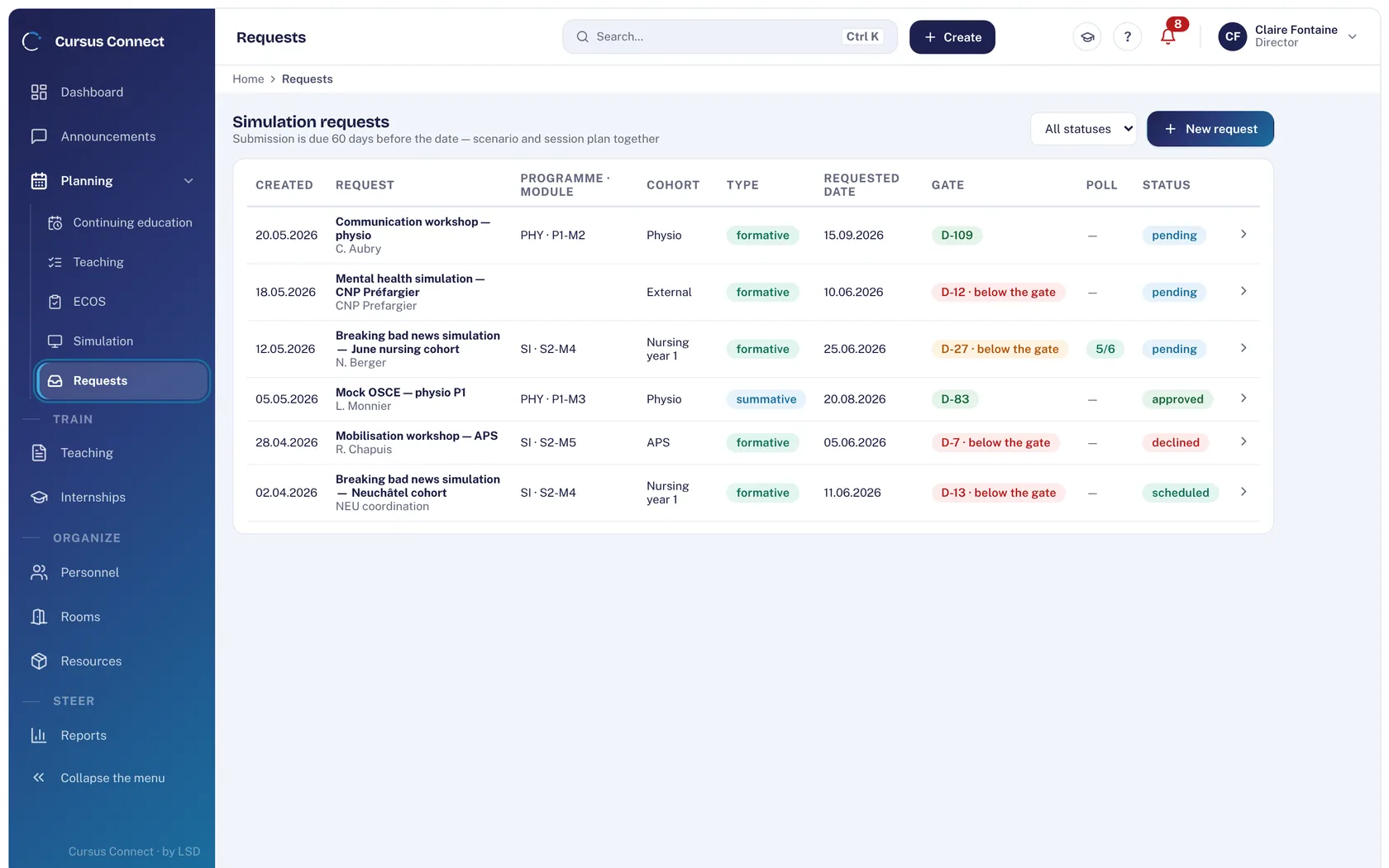
Every cohort followed, from classes to internships
Nursing and allied health schools manage whole cohorts over several years, across classes, simulation and internships. Cursus Connect follows every student from start to finish.
- Ready-made French curricula (IFSI 2009, IFAS 2021) or your own, with ECTS credits
- Weekly schedule for each cohort, clashes flagged
- Roll call, attendance and attendance rate with a threshold, warnings and supporting documents
- Internships: sites, student preferences, assignments, agreements in bulk
- Internship supervisor space: places, competencies rated, reviews
- Course materials shared by email and on the learner portal
- Formative and summative OSCEs
Recommended modules: core, Teaching and Simulation packages.
For a university or health college
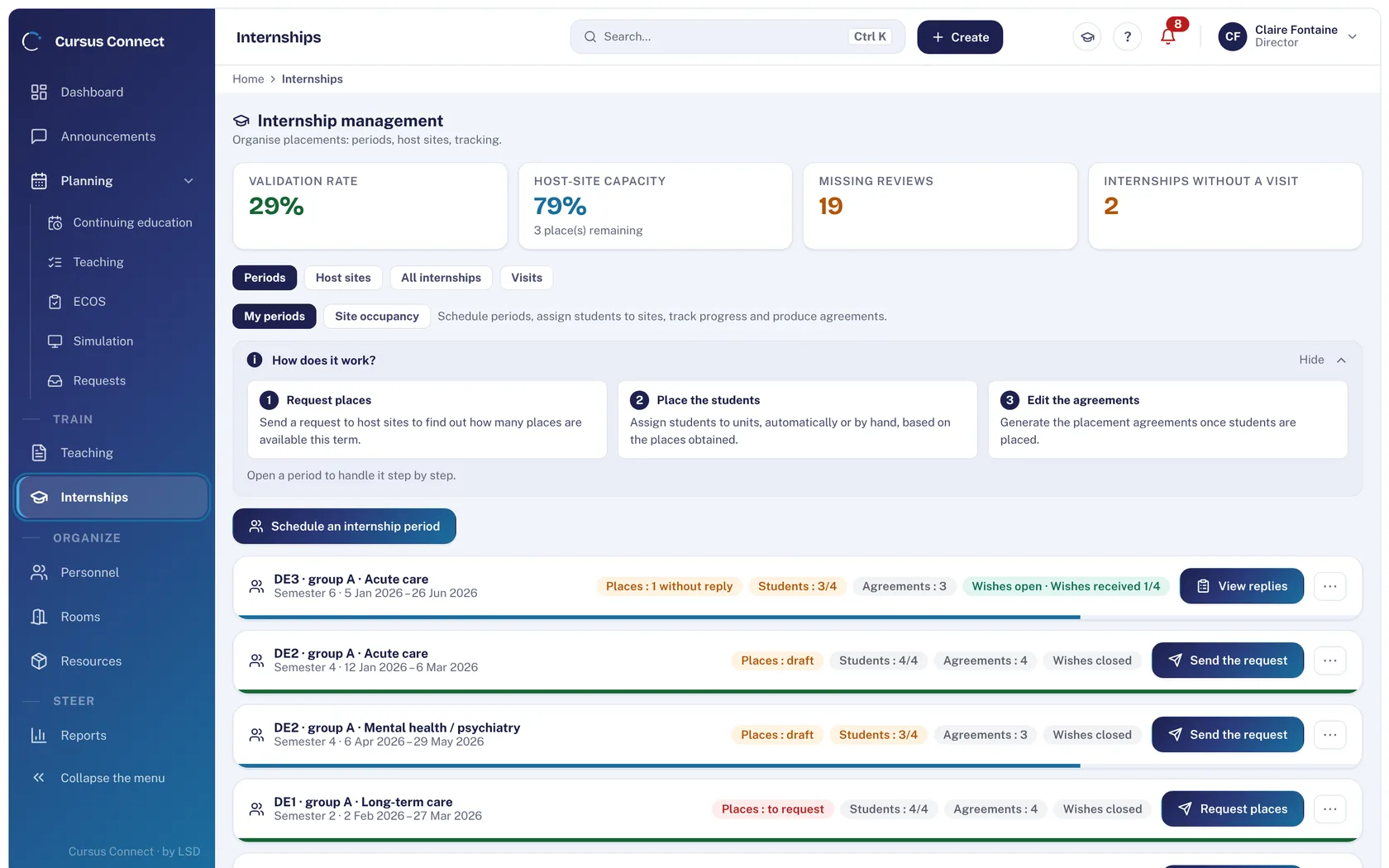
Large-scale exams, structured and documented
Large cohorts, summative OSCEs that have to run without a hitch, and accountability. Cursus Connect handles exam planning and produces the reports.
- OSCEs in waves and paired circuits, allocation assistant
- Printed score sheets with a sealing instruction
- Results by station and pass mark
- OSCE circuit display in real time, in the corridor
- Curricula with ECTS credits and a schedule for each cohort
- Activity reports in PDF and Word
- In Switzerland: FADP, deadlines calculated by country
Recommended modules: core, Simulation and Teaching packages.
For a training provider
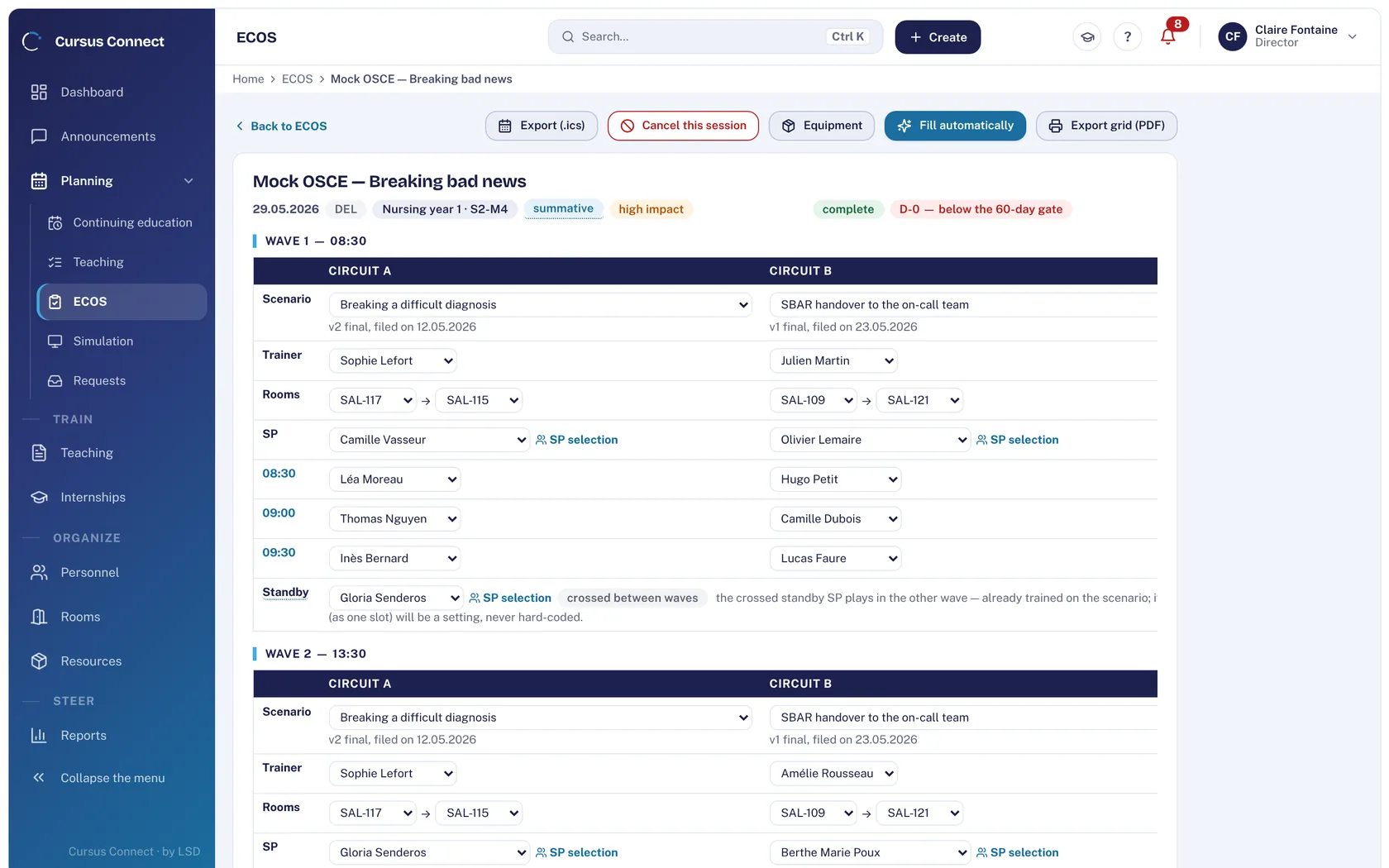
Every session invited, signed in, evaluated, invoiced and documented
Open and in-house courses, emergency skills, refreshers: Cursus Connect links every step of a session and keeps the evidence you will be asked for at audit time.
- Invitations by email, sign-in sheet to sign, numbered certificates
- End-of-course and follow-up evaluations
- Quotes, purchase orders, invoices and credit notes
- Mixed funding per enrollment, funder payment file
- Rate catalog, euro or Swiss franc, VAT by country
- In France: Qualiopi and the BPF annual report
- In Switzerland: eduQua and SRC statistics
Recommended modules: core, Invoicing and Quality packages.
Simple from day one
Designed for teams with better things to do than learn software.
Nothing to install
Cursus Connect opens in the browser, on a computer, tablet or phone. Updates arrive on their own.
Your data brought over in one go
One Excel file is enough: each person’s record, account and first sign-in email are created at once.
Only what you use
A module you haven’t turned on disappears from the screen. Menus stay short, and everyone finds what they need.
Help on every screen
An article for every screen in English, French and German, a glossary and a guided tour for the first steps.
Really simple portals
Learners, instructors and simulated patients sign in with the email address the center has on file, and reply from their phone.
Real support
The Life Support Distribution team prepares setup and your data migration with you, and stays reachable afterwards.
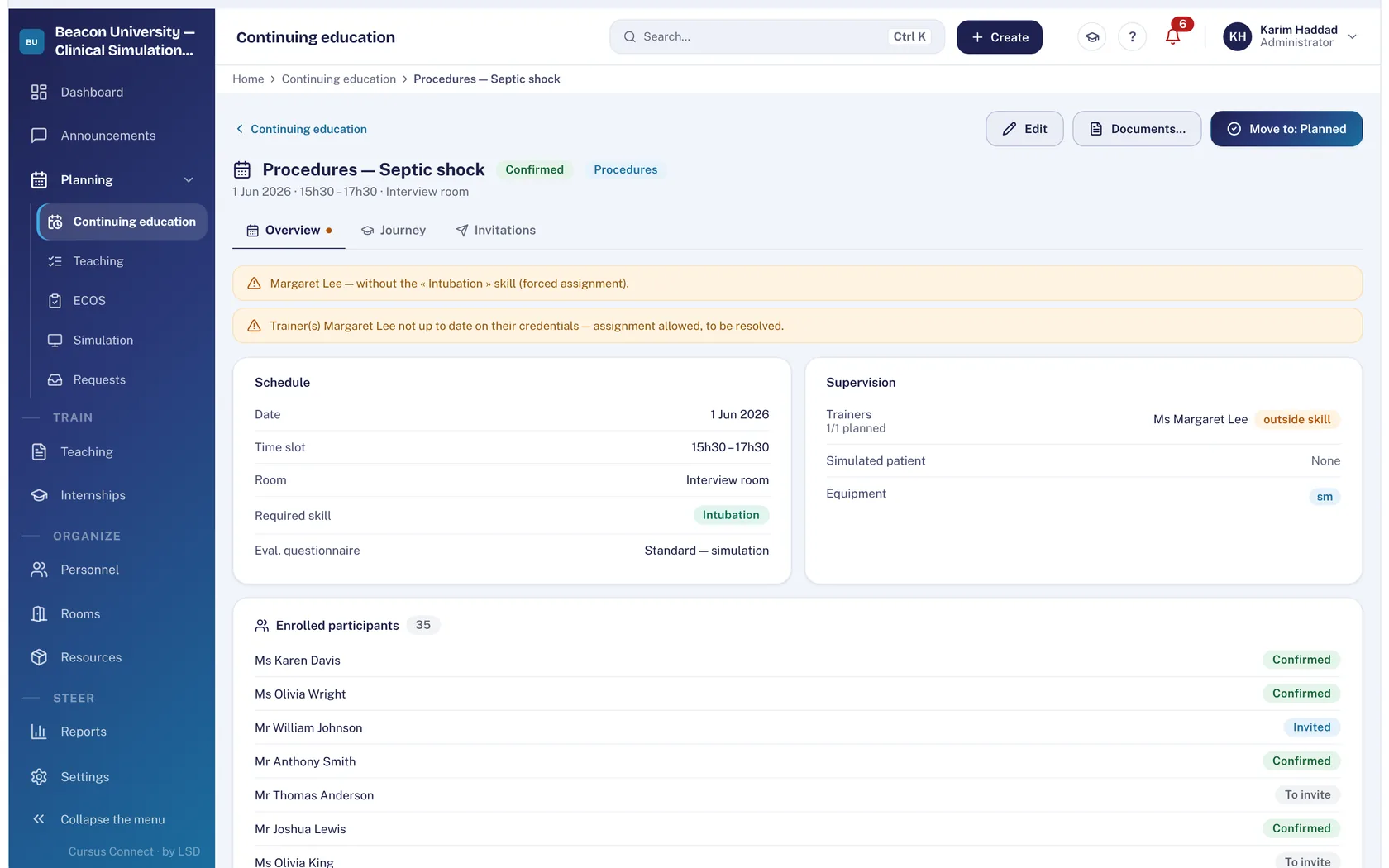
One course, from planning to certificate
Twenty seconds in Cursus Connect: the course is created, learners are invited, the attendance sheet is ready and the certificate goes out by email.
- Plan The assistant creates the course in three steps: what, when and where, who. With or without a template.
- Invite One click invites learners by email. Acknowledgements and late replies show up.
- Take attendance The attendance sheet is generated in your center’s name, ready to print and sign.
- Certify The attendance certificate unlocks for each learner marked present who has completed the evaluation, and goes out by email or by post.
Every job in the center has its module
Turn on only the modules you need: the rest disappears from the screen. Short menus, clear screens, and a team that finds its way right away.
Courses
Schedule without clashes
Create a course in three steps: program, room, instructors, equipment. Cursus Connect flags clashes and checks that every instructor’s qualifications are up to date.
- Email invitation and invitation letter with the same text
- Sign-in sheet to sign by hand
- Fees, funding and course review
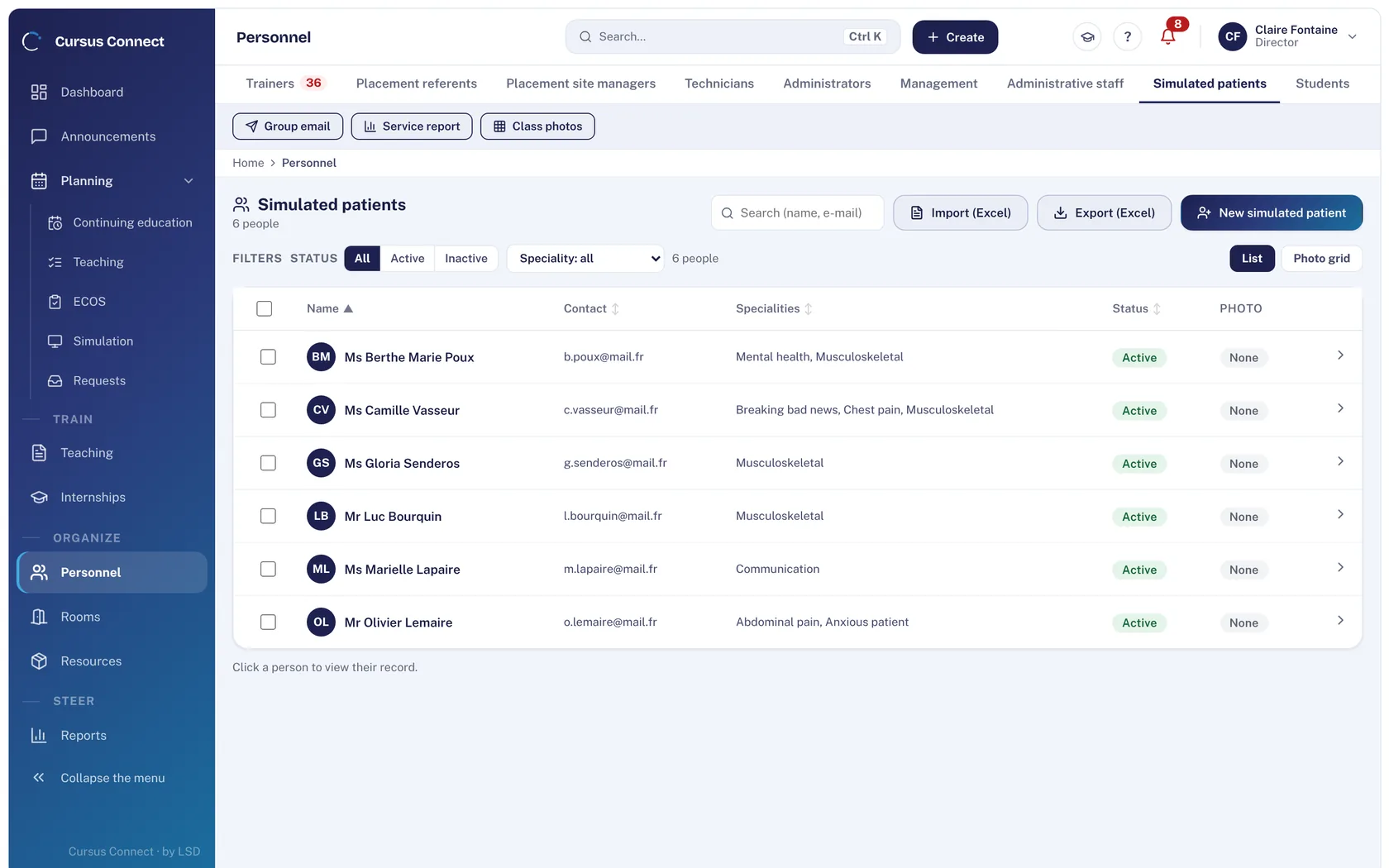
Simulation
Simulated patients, well managed
Every simulated patient has a record: acting specialties, documents, unavailability. They accept or decline commitments from their portal, and their compensation follows your rate scale.
- Matched to the profile the scenario calls for
- Commitments, check-in, image rights
- Excel import and export, compensation exported
OSCE
OSCEs ready on time
Waves, paired circuits, stations, on-call simulated patients: the planning status calculates itself and tells you what’s missing. An assistant suggests an allocation, you decide. In the product, the module is called ECOS.
- Versioned scenarios and role sheets
- Printed score sheets with a sealing instruction
- Scoring by station with a pass mark
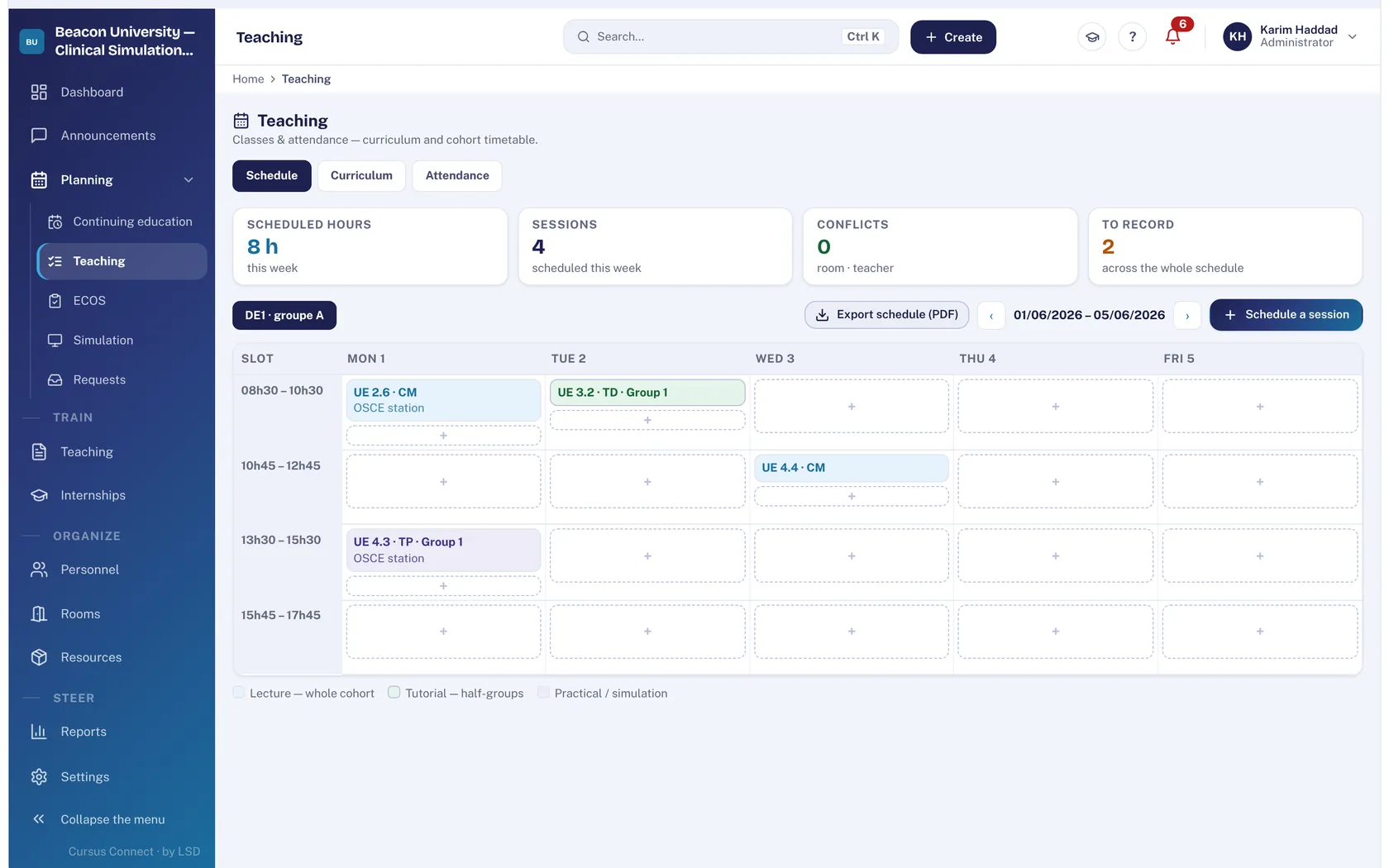
Teaching
A whole cohort’s schedule
Ready-made French curricula (IFSI 2009, IFAS 2021) or your own, with ECTS credits. Room and lecturer clashes are flagged, internship weeks block classes.
- Attendance and calculated attendance rate
- Internships: sites, assignments, preferences and agreements in bulk
- Course materials shared by email
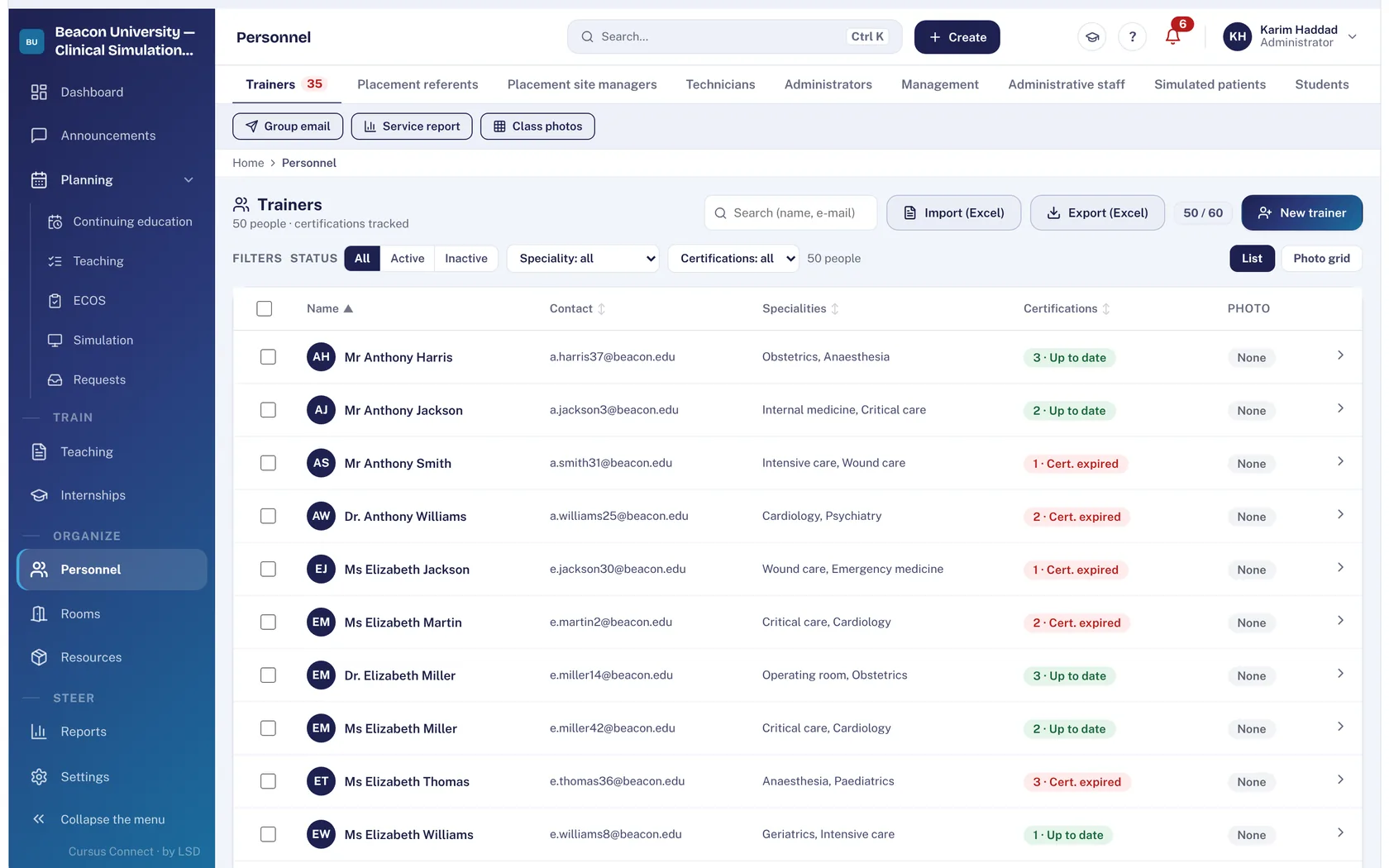
People
One record per person
Instructors, lecturers, simulated patients, learners: import an Excel file and the record, the account and the first sign-in email are created in one go.
- AHA, ERC or SRC certifications tracked with their expiry dates
- Access rights by role, adjustable per center
- Image rights consented to and on record
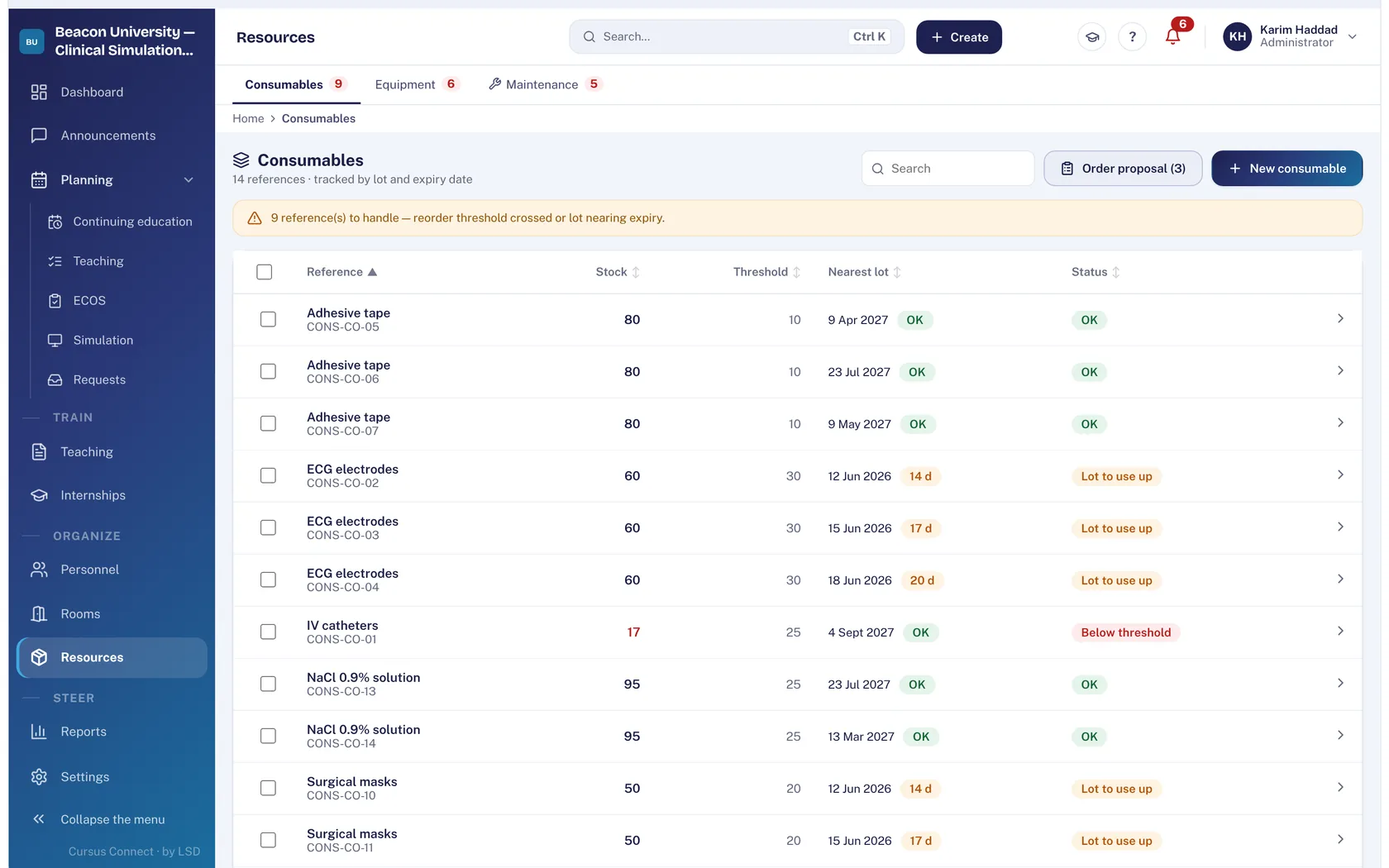
Equipment
Rooms, manikins and consumables under control
Equipment maintenance and wear parts, consumables with alert thresholds, lots and expiry dates, guided inventories with discrepancies recorded.
- Capacity and equipment of every room
- Faults and incidents reported
- History of every stock movement
Reports
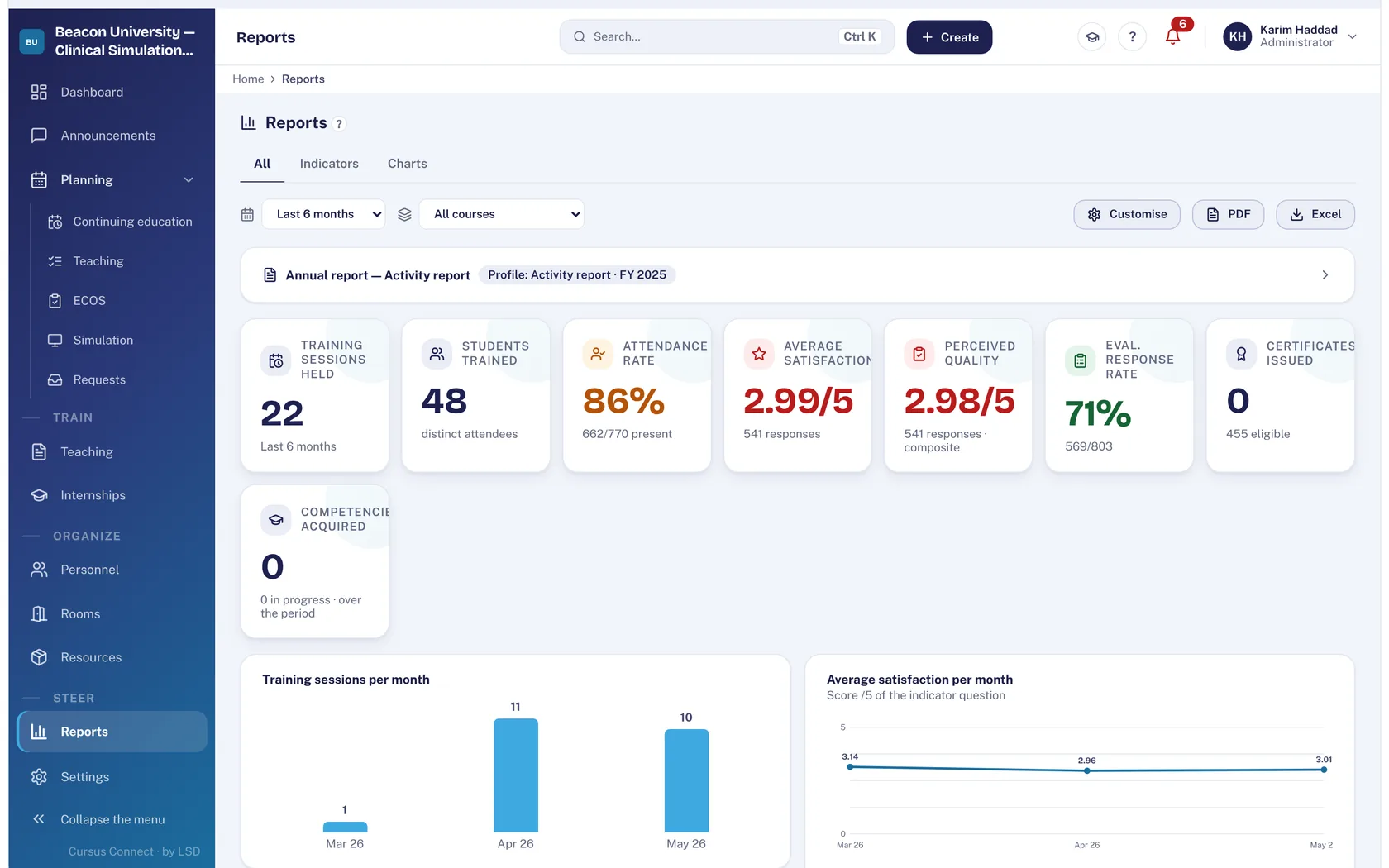
The figures you’re asked for, already counted
Indicators by period, Excel exports, activity report in PDF and Word, SRC statistics for Switzerland, BPF for French training providers.
- Attendance, satisfaction and response rate
- End-of-course and follow-up evaluations
- Quizzes scored by the server, answer key never exposed
Twelve modules, one tool
You only switch on what you need. Each module has its own page: what it changes, how it works, what it saves you.
Courses
From the idea to the certificate, with nothing typed twice
Simulation
Every session ready: scenario, room, trainer, simulated patients
OSCE
OSCEs that keep to the clock
Teaching materials
A library that loses nothing
Teaching and internships
The whole cohort, from curriculum to placement
People and portals
The right people, with the right rights
Rooms and equipment
Rooms available, a fleet that holds up
Reports
Your figures, ready to present
Invoicing
From quote to payment, with nothing typed twice
Quality
The audit is prepared all year, not the night before
GDPR
Compliance kept by the server, not by a binder
Day to day
A day that starts with what matters
A space for everyone, nothing to install
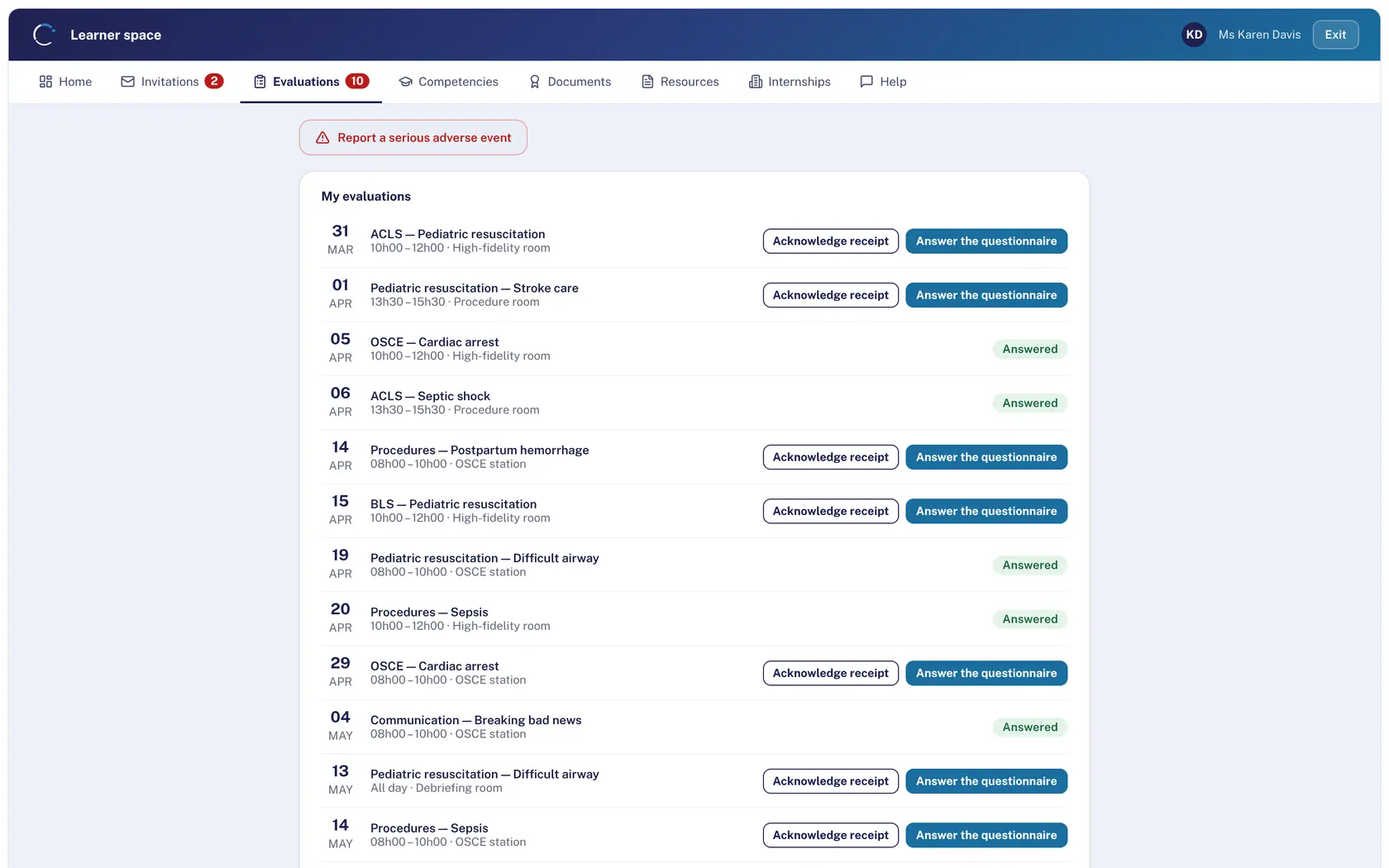
Learners, instructors, simulated patients and internship supervisors have their own space, on computer and phone alike. Each person sees only their own data.
Learners
Invitations to confirm, quizzes and pre-tests, course materials, internship preferences, certificates in “My documents”.
Instructors and lecturers
Reply to availability requests, report a serious adverse event.
Simulated patients
Accept or decline a commitment, check in on the day, consent to image rights.
Internship supervisors
Places requested, competencies rated, reviews and documents.
Display screens
Today’s program at reception, the OSCE circuit in the corridor, with no session open.
Secured at every level. With the evidence.
Your data trains healthcare professionals: it deserves the same rigor as patient care. Hosting, isolation, access, backups, traceability: every level is protected, and we show you how.
2
isolation checks on every request: first the application, then the database
2× a day
backup of every center, restorable center by center
1× a week
full restore from scratch, recounted table by table
35 days
of locked off-site archive in a second data center
Hosted in Europe
Database and files with OVHcloud; off-site copy in a second data center. The application is served from Europe.
Isolated twice
Every request is tied to a single center, and the database itself refuses access to another center’s data.
Restored every week
A backup only counts if it restores: ours is actually restored every week.
Well-guarded access
Passwords hashed with argon2id, known leaked passwords rejected, progressive lockout after repeated failures.
Nothing quietly erased
Append-only audit log, locked documents, publisher support access with a stated reason and visible to your center.
Monitored every minute
A probe checks the service every minute; the last 90 days are public at status.cursusconnect.com (in French).
The rules of your field, kept for you
GDPR, Swiss FADP, Qualiopi, eduQua: Cursus Connect applies the rules of your center’s country and keeps registers, evidence and reports up to date. You arrive at your audit with your activity evidence already gathered.
GDPR
European Union
Record of processing activities, data subject requests and data breaches, with deadlines calculated.
FADP
Switzerland
The same registers with Swiss deadlines: 30 days for a request, notification when the risk is high.
Qualiopi
France
The 32 indicators as a checklist and an evidence file assembled from your activity.
eduQua
Switzerland
The 16-indicator grid, the certification cycle and the share of SVEB-certified instructors.
BPF
France
The annual teaching and financial report (Cerfa 10443), calculated, in PDF and Excel.
SRC
Switzerland
Annual statistics for BLS-AED-SRC courses, in Excel and PDF.
Adverse events
All countries
Serious adverse events reported from the portals, anonymously if needed, and handled in the register.
Audit
All countries
A log of sensitive actions and of the publisher’s support access, by name and printable.
Cursus Connect works with your tools
Today, exchanges go through files and email, with nothing to install. Direct connections to your tools are in preparation.
Available today
- Excel and CSV
- PDF and Word
- Calendars (.ics)
- Display screens
- SimGen, REALITi360
Cursus Connect
In preparation
- Microsoft 365, Entra ID
- Google Workspace
- Moodle (LTI 1.3)
- Outlook, Google Calendar
- Your registration website
- API and webhooks
Solid line: available today. Dashed line: in preparation.
Documents that hold up
Cursus Connect produces end-of-course documents on the server, numbers them and locks them. Once issued, they can no longer be changed.
ATT-2026-00042
Numbered and locked
Attendance certificates, certificates of completion and diplomas, numbered by center, type and year. A reissue gets a new number and a reason.
In your center’s name
Your center’s letterhead, contact details and signature on every document. Without a complete identity, no document is issued.
Sent and easy to find
The PDF goes out by email, stays available on the learner’s portal and is kept in the register.
Still valid after deletion
A certificate stays intact even after the person is deleted: it proves that training took place.
Built by an educator, for educators
Cursus Connect is designed and operated by Life Support Distribution, a partner to healthcare simulation centers in France, Switzerland, Belgium and Luxembourg.
It was born in the field, conceived by a nurse educator, with one simple rule: what the screen shows is what it does. An email shown as sent really went out; a ticked attendance box is never presented as a signature.
2,000+
automated checks before every new version
2× a day
backup of every center, restorable center by center
90 days
of public service status history
3 languages
for the interface, built-in help and documents
Frequently asked questions
Another question? Write to us from the Book a demo page.
Do we need to install anything?
No. Cursus Connect runs in the browser, on a computer, tablet or phone. Portals open with the email address the center has on file.
Is it hard to learn?
No. Only the modules you chose appear, every screen has help in three languages, and a guided tour walks you through the first steps. Learners, instructors and simulated patients have just a simple portal that works on a phone.
Can we turn on only some of the modules?
Yes. A core is included for everyone: courses, rooms, personnel, resources, teaching materials and reports. The Simulation, Teaching, Invoicing and Quality packages are added as you need them.
Which languages?
The interface, built-in help and documents are available in English, French and German. The language follows the center’s country: English for the United States and the United Kingdom, German for Germany and Austria, French for France, Switzerland, Belgium and Luxembourg.
Which countries?
France and Switzerland, with their rules: funders, VAT, BPF, Qualiopi, eduQua, SRC statistics, GDPR and FADP. Cursus Connect is also open to centers in Germany and the United States. Currencies: euro and Swiss franc.
Is our data safe?
It is hosted in Europe, with OVHcloud, and every center is isolated twice: by the application and by the database. Backups are restored every week to check them. The details, provider by provider, are on the Security and compliance page.
Does it connect to Moodle or Microsoft 365?
Not yet: these connections are in preparation. Today, exchanges go through Excel, CSV, PDF, Word and .ics files, and email. The details are on the Integrations page.
How do we bring over our existing data?
People are imported from an Excel or CSV file: the record, the account and the first sign-in email are created in one go. The rest of the migration is prepared with you during setup.
Do simulated patients and lecturers need an account?
They get a personal portal, opened with the email address the center has on file. They see only their commitments, availability and documents.
Does Cursus Connect handle real patient data?
No. Cursus Connect manages training: sessions, people, evaluations and documents. It is not designed to store real patient records.
See your center in Cursus Connect
An online demo built around your courses, your OSCEs and your documents. You leave knowing what Cursus Connect will change for you.