Home › Resources › Running a simulated patient program: the guide
Running a simulated patient program: the guide
Available, well-trained and loyal simulated patients raise the quality of training sessions and OSCEs alike. Here is how to build a program and keep it alive, without depending on an address book and dozens of phone calls.
In this guide
Simulated patient, standardized patient: what are we talking about?
A simulated patient is a person trained to portray a patient realistically and reproducibly. We speak of a standardized patient when the portrayal must be exactly the same from one candidate to the next, as in an OSCE.
In training sessions, the simulated patient can also join the debriefing and give feedback, from the patient’s point of view, on the learner’s communication.
1. Recruit
- varied profiles: ages, genders, languages, body types, features useful to your scenarios;
- an interview to check motivation, availability and comfort with role play;
- a clear framework from the start: commitments, compensation under your institution’s rules, confidentiality;
- consent to the use of their image, given separately and revocable.
2. Train
Initial training covers the simulated patient’s role, standardization, everyone’s safety and structured feedback. Then plan rehearsals before each new role and calibration between simulated patients playing the same case.
Record a performance level for each person: it helps assign complex cases to the most experienced and develop the others.
3. Write the roles
- the patient’s story, history and living context;
- what they say spontaneously and what they only say when asked;
- the signs to portray and the physical examinations allowed;
- the limits and the stop signal, for everyone’s safety.
Send the final role sheet, not a draft: a simulated patient who learns an outdated version puts the whole session in trouble.
4. Schedule and invite
The most time-consuming part is often booking: calling, chasing, replacing. Poll availability by time slot, choose by the profile the scenario requires, invite in writing and plan an on-call person for important exams.
5. Look after your simulated patients
- time to step out of role after difficult scenarios;
- consent to each physical examination, and the right to refuse;
- confidentiality of their data: each person sees only their own engagements;
- administrative documents tracked with their expiry dates.
6. Follow up and retain
A program proves itself over time: number of sessions, reliability, feedback from educators and learners. Say thank you, train people for new roles, share the center’s results: simulated patients who feel involved stay.
In Cursus Connect
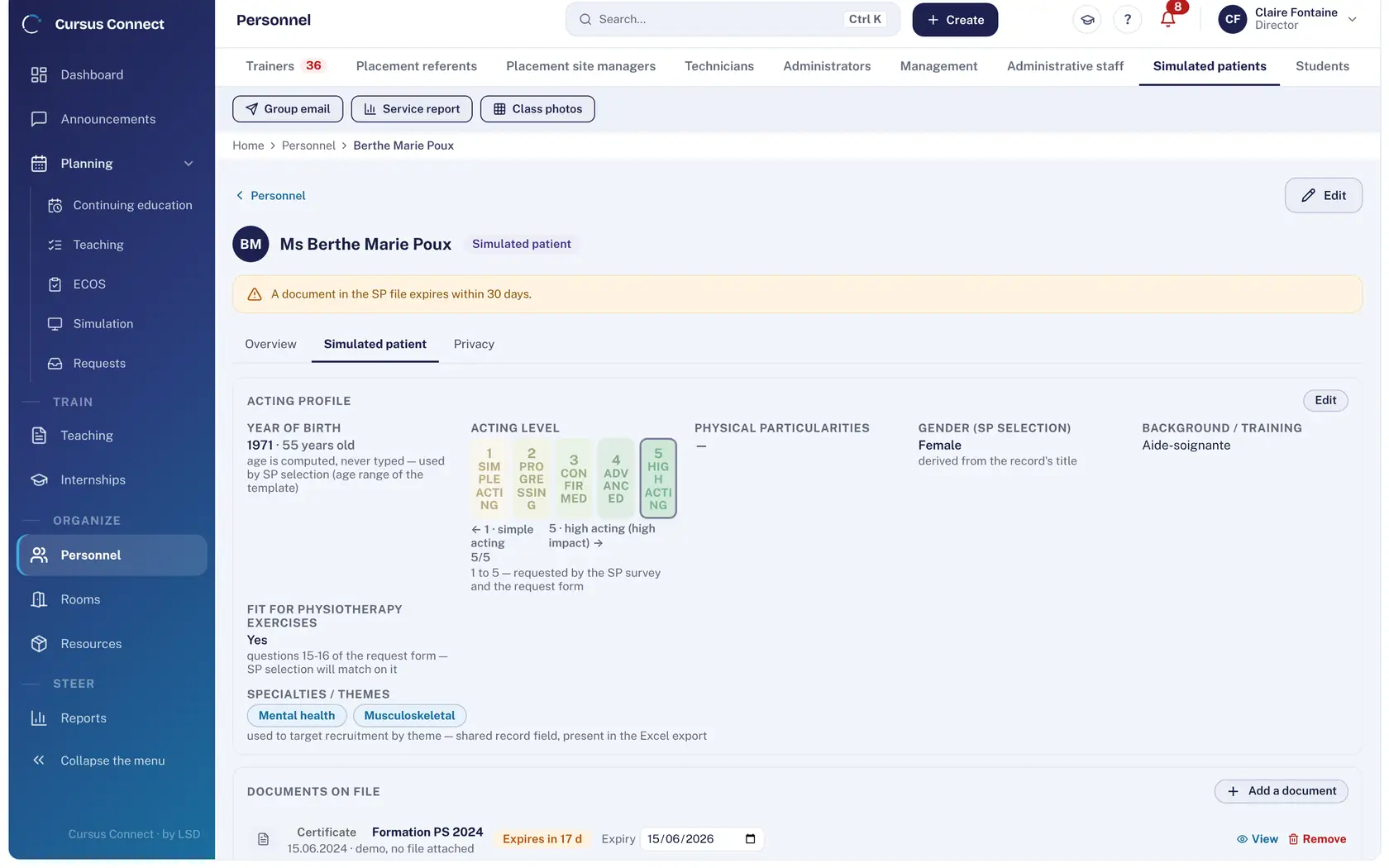
Each simulated patient’s record holds their profile (gender, age range, features, performance level from 1 to 5). A time-slot poll goes out to everyone; each person answers from their portal, accepts or declines engagements and checks in on arrival. A simulated patient only receives a scenario once a final version is filed, and documents nearing expiry surface on the dashboard.
Frequently asked questions
Can students or colleagues play the role?
For simple practice situations, yes. For summative assessment, trained simulated patients who are independent of the candidates ensure fairness.
Should simulated patients be paid?
Practices vary between institutions and countries. What matters is a rate known in advance and applied equally to everyone, including on-call duty and late cancellations.
How many simulated patients to get started?
Enough to cover your scenarios’ profiles, with at least one stand-in per profile. The pool then grows with your sessions.
Read next
How to run an OSCE: a step-by-step guide
Competencies, stations, scoring grids, standardized patients, circuits and rounds, exam day and results: the complete method to run an OSCE without spreadsheets.
Qualiopi for a simulation center: criteria and evidence
Who must be certified, the 7 criteria explained, the evidence an auditor asks for in a simulation center, and how to produce it as you go. For centers in France.
See your center in Cursus Connect
An online demo built around your courses, your OSCEs and your documents. You leave knowing what Cursus Connect will change for you.