Features › Simulation and simulated patients
Simulation package
Every session ready: scenario, room, trainer, simulated patients
A simulation session brings together many people and many details. Cursus Connect keeps them together, says what is missing and proposes the simulated patients who fit. You decide.
Today
- Simulated patients are booked by phone, their availability lives in a notebook, their fees in a spreadsheet.
- A scenario changed the night before, and nobody knows which version was played.
- Requests from schools and wards arrive by email and get lost between two inboxes.
With Cursus Connect
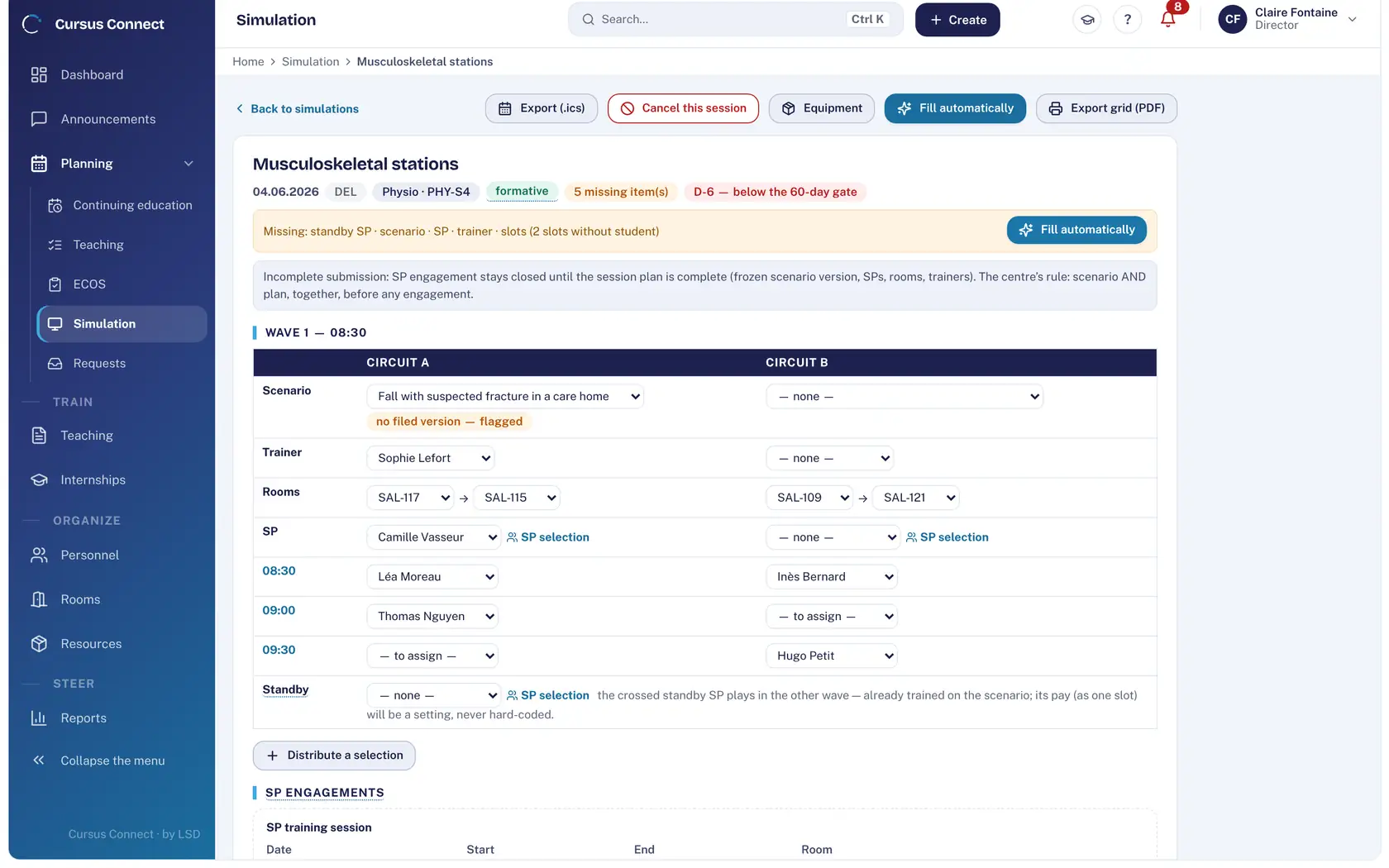
The session carries its scenario version, its room, its trainer and its simulated patients. Its state is computed: as long as something is missing, it says so. Requests from teams come in with their reason and become planned sessions, without a break.
How it works
1
Plan a session
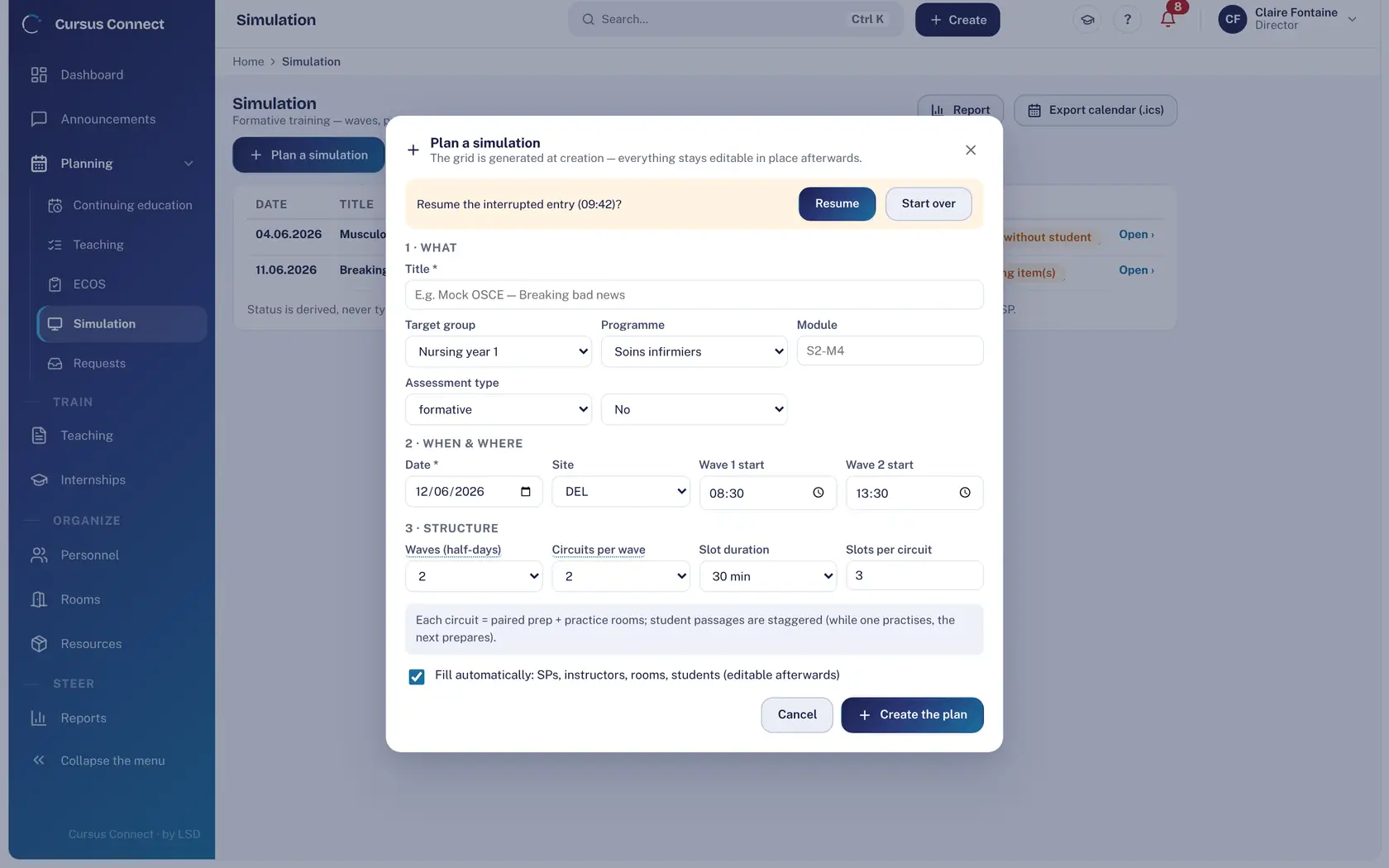
The what, the when, the who: waves, paired circuits and slot length are set in one window. Auto-fill proposes trainers, rooms and simulated patients.
2
Pick simulated patients by profile
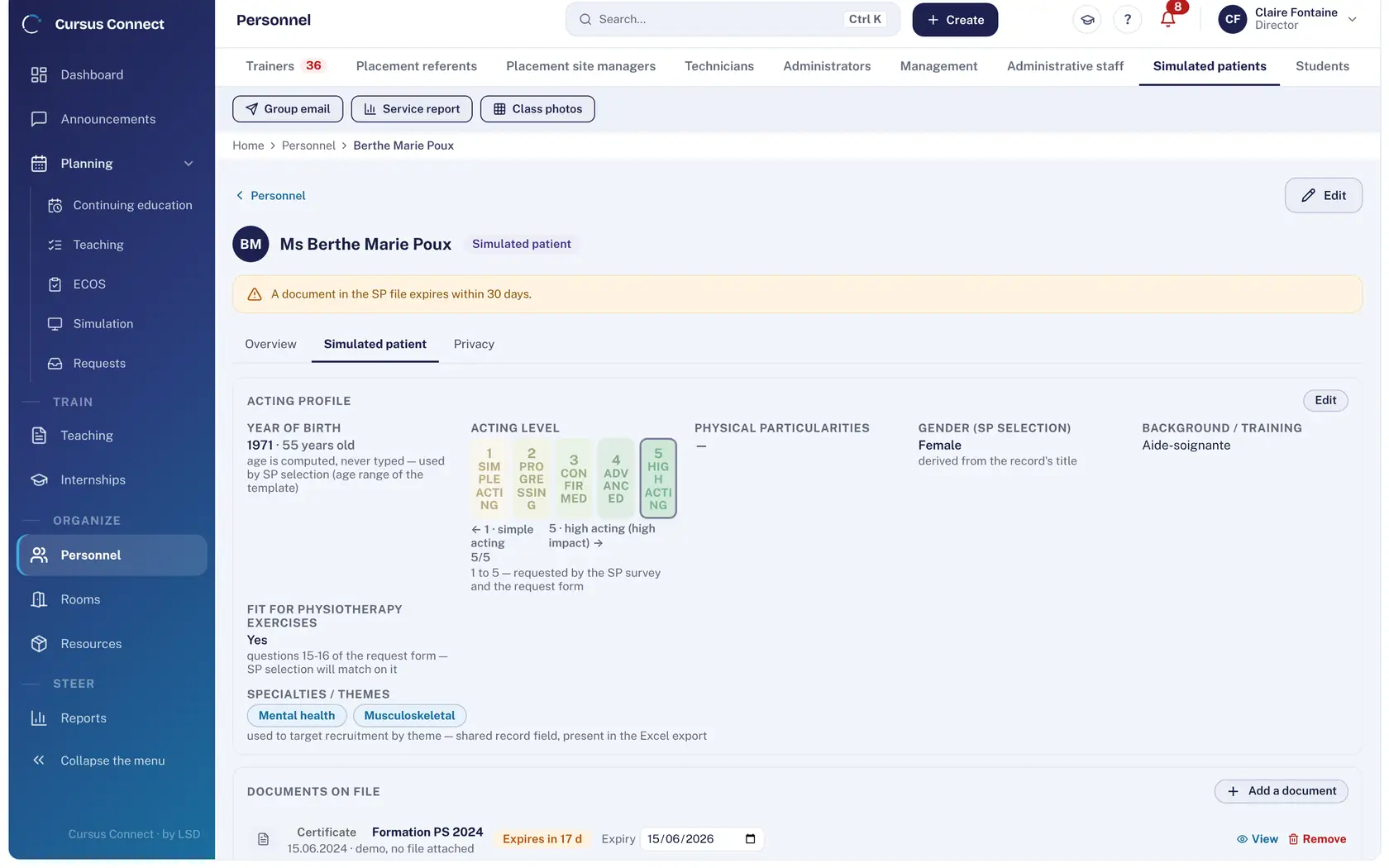
Gender, age range, particularities, acting level from 1 to 5, fitness for physiotherapy exercises: the simulated patient’s sheet carries what the scenario asks for.
3
Ask for availability
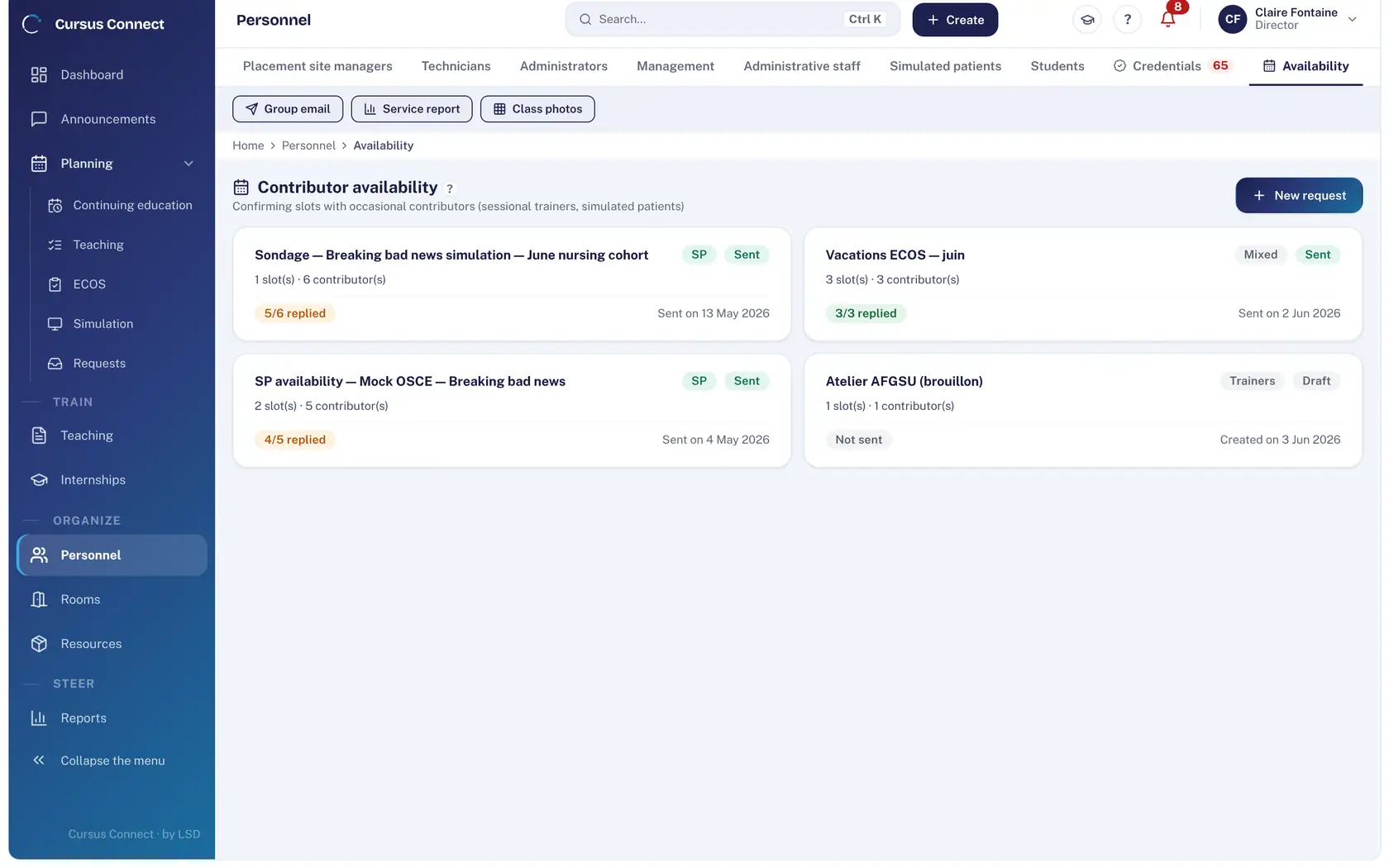
A poll of time slots goes to simulated patients and occasional contributors; each answers from their portal, replies are aggregated and feed the selection.
4
Receive requests from teams
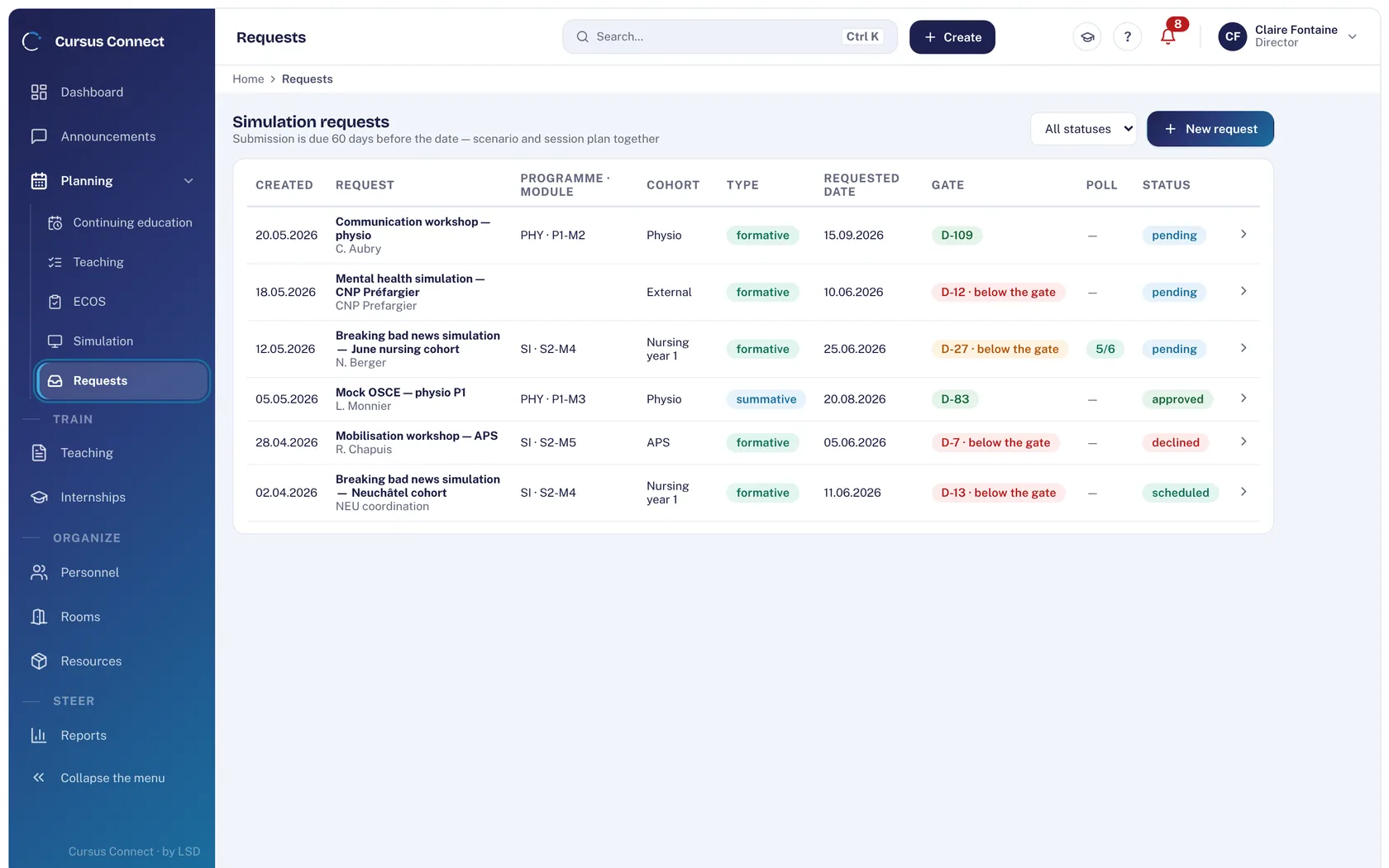
A school or a ward requests a simulation; you qualify it, accept it or decline it with a reason, then it becomes a session. The original link is kept.
What you gain
Nothing is forgotten
The session state is derived: scenario deposited, simulated patients, trainer, rooms, slots. What is missing is spelled out.
The right simulated patients, fast
Selection ranks proposals by the expected profile; the decision stays yours.
Commitments kept
Each simulated patient accepts or declines in the portal and checks in on arrival; the standby SP is planned and paid as a slot.
Fair fees
Center scale, cancellation fee, standby: the table of slots per simulated patient exports to Excel.
One scenario version, not three
The session carries the version deposited when it was attached; it no longer changes.
Everyone’s calendar
Plans export to calendar (.ics); simulated patients’ invitations go by email.
More time to teach
What you no longer do by hand
- No more phone calls to book a simulated patient: availability poll and replies in the portal.
- Auto-fill of the session, editable afterwards.
- The simulation center report is derived from the plans: nothing is entered separately.
- Team requests turn into sessions in one click.
Your data, under lock and key
What is guaranteed
- A simulated patient’s portal shows only their commitments, availability and documents.
- A simulated patient receives a scenario only after a final version has been deposited.
- Their photo appears only if they consented to image rights, and they can withdraw that consent from their portal.
- Their file documents have expiry dates; those coming up surface on the dashboard.
Made for
Related modules
OSCE
OSCEs that keep to the clock
Teaching materials
A library that loses nothing
People and portals
The right people, with the right rights
Rooms and equipment
Rooms available, a fleet that holds up
Frequently asked questions
What is the difference between a simulation and an OSCE in Cursus Connect?
The formative session is for practice and debriefing, with no grading and no sequestration. The OSCE is a graded exam, with sequestered grids and results per station: it has its own module.
Do simulated patients see the other participants?
No. Each portal shows only the data of the person signed in.
See your center in Cursus Connect
An online demo built around your courses, your OSCEs and your documents. You leave knowing what Cursus Connect will change for you.