Features › Day to day
Included for everyone
A day that starts with what matters
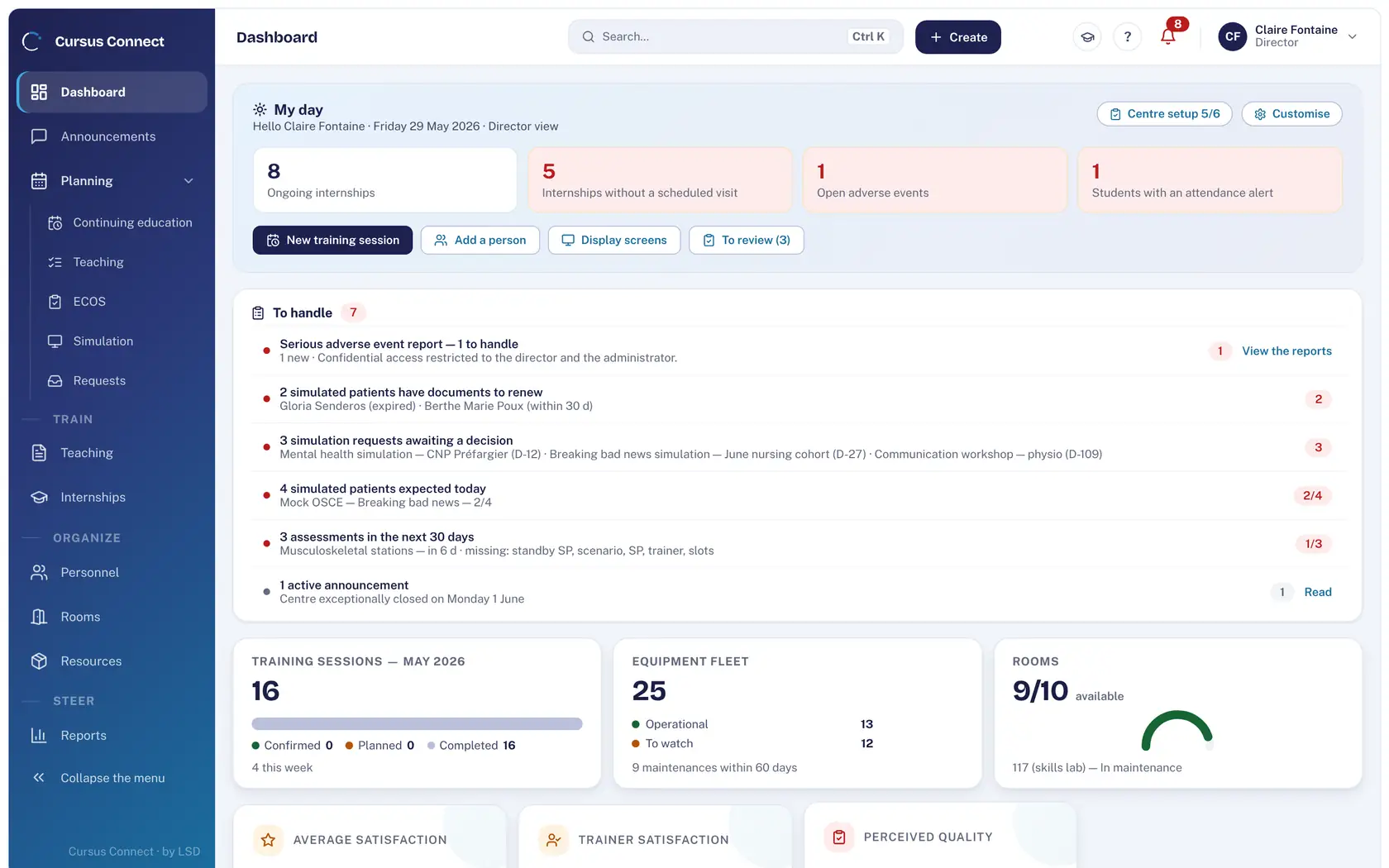
The dashboard shows what awaits an action, sorted by severity. Announcements reach the right people and keep track of who read them. A TV shows the day’s programme. And every screen has its help.
Today
- An important instruction sent by email, read by half the team.
- The day’s programme printed and taped up at reception.
- A question about a screen, and an 80-page PDF manual to browse.
With Cursus Connect
The dashboard gathers what awaits an action: serious events, documents to renew, pending requests, simulated patients expected. Announcements are targeted, pinnable, with named read receipts. The display screen is activated on a TV with a single-use code.
How it works
1
Open the dashboard
Tiles tailored to the profile, movable and resizable; the “To handle” tile cannot be hidden: it carries serious events and read receipts.
2
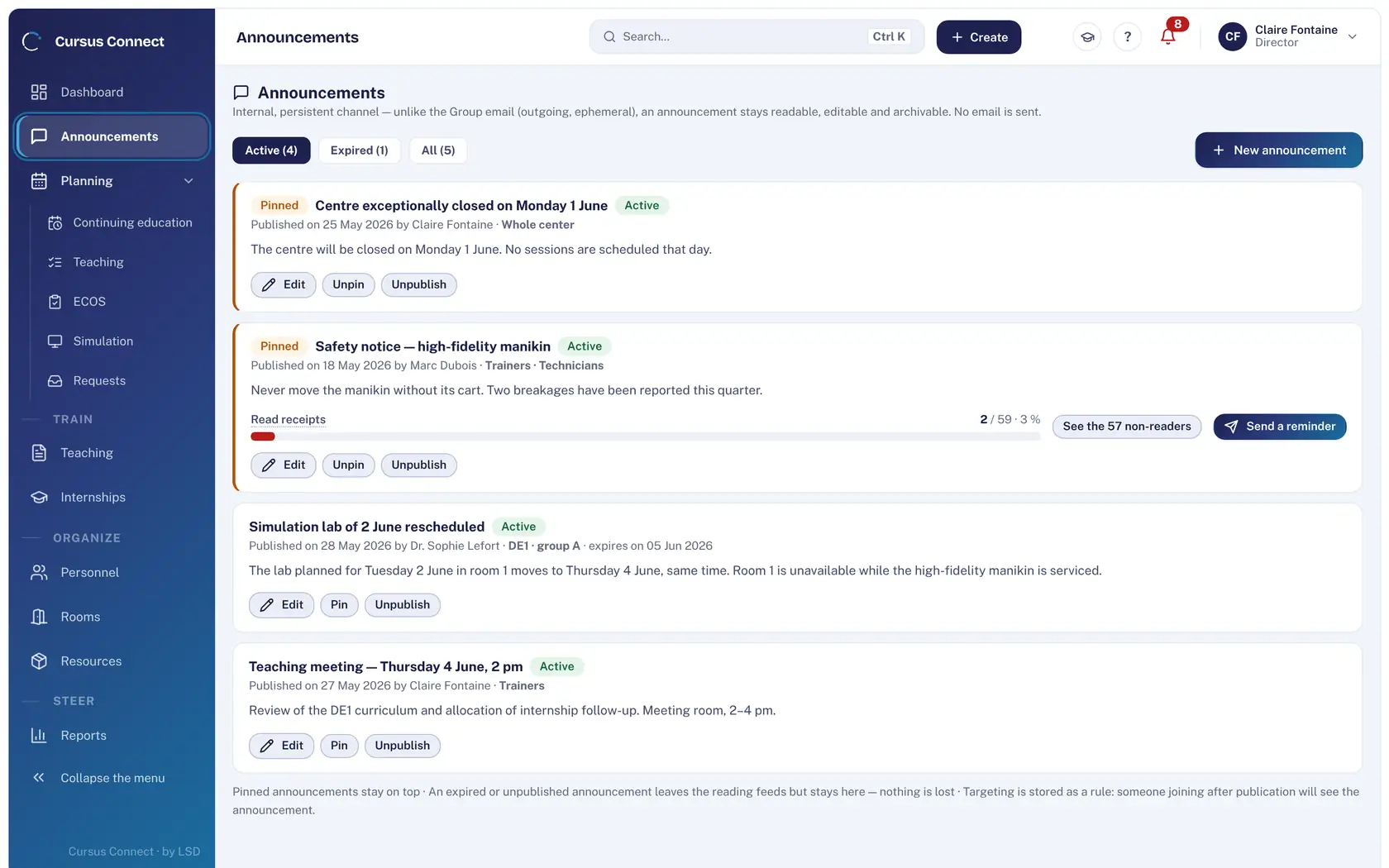
Publish an announcement
Title, message, recipients, pinning, expiry. Targeting is a rule: someone arriving after publication sees it too. Timestamped, named read receipt, reminder of non-readers.
3
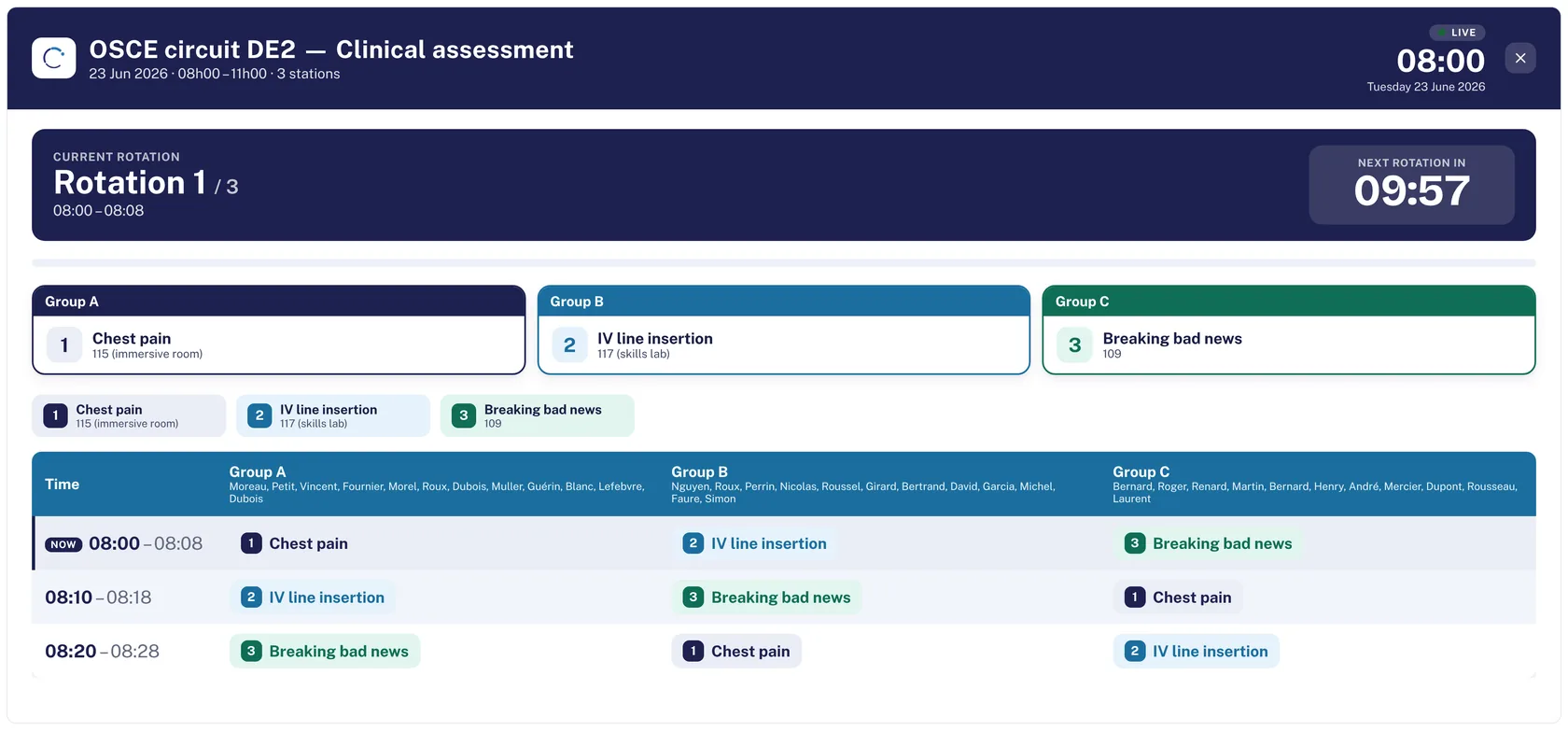
Switch on the display screen
The day’s programme at reception or the OSCE circuit, on a TV, activated with a single-use code.
4
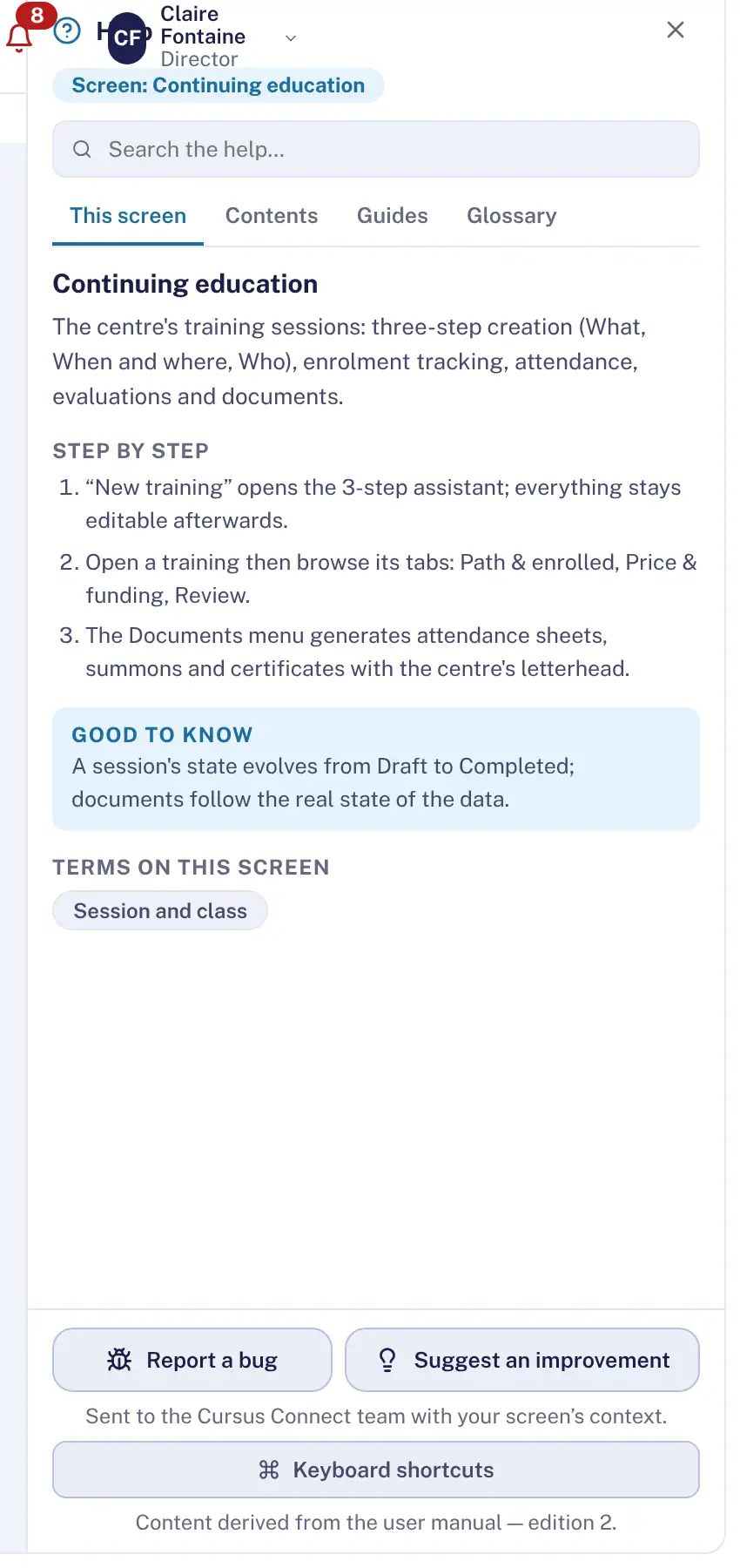
Find help on the spot
One article per screen, in English, French and German, a glossary, a guided tour, and a button to report a fault or suggest an improvement to the Life Support Distribution team.
What you gain
What matters first
Actions to handle, sorted by severity, clickable.
Instructions that get read
Named read receipt, reminder of non-readers.
Display with no dedicated PC
A TV and a single-use code.
Help that speaks your language
Three languages, one article per screen, a guided tour.
Readable settings
Center identity and signature, lock after inactivity, rights, frameworks: each setting states its effect.
A team that listens
Fault or idea: sent from the screen concerned, with its context.
More time to teach
What you no longer do by hand
- The list of actions to handle builds itself every morning.
- Announcements replace emails to the whole team.
- The day’s screen updates by itself.
- Help is on the screen, not in a binder.
Your data, under lock and key
What is guaranteed
- Read receipts are timestamped and named.
- The display screen is activated with a single-use code and shows no personal data beyond the programme.
- Lock after inactivity is set per center.
- Reports go out with the screen’s context, with no real patient data: Cursus Connect hosts none.
Made for
Related modules
People and portals
The right people, with the right rights
GDPR
Compliance kept by the server, not by a binder
OSCE
OSCEs that keep to the clock
Frequently asked questions
Do announcements send an email?
No: an announcement is an internal, persistent channel. For a send with attachments, bulk email is there.
See your center in Cursus Connect
An online demo built around your courses, your OSCEs and your documents. You leave knowing what Cursus Connect will change for you.