Features › Continuing education
Included in the core
From the idea to the certificate, with nothing typed twice
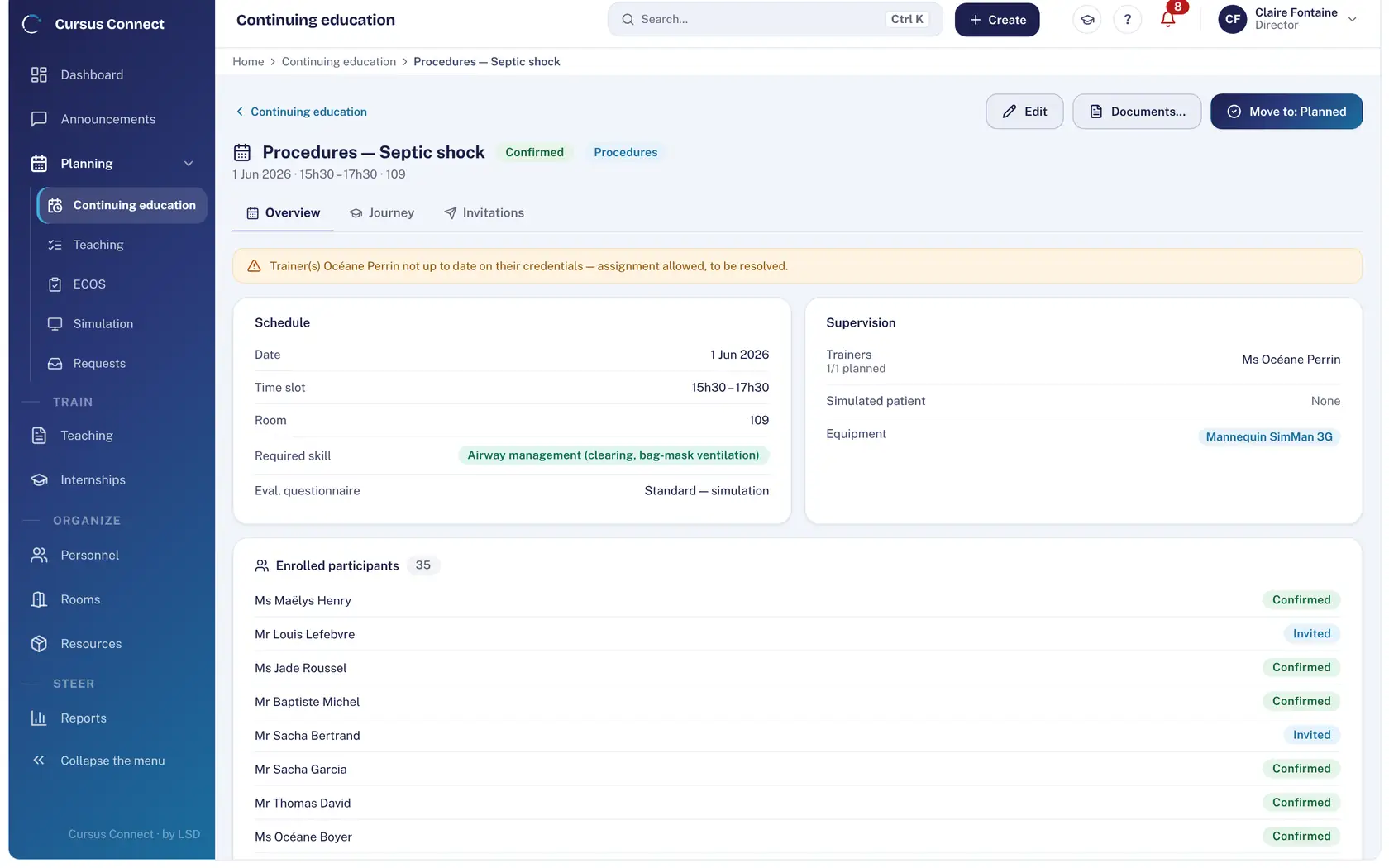
A course is created in three steps and then runs on its own: invitations, pre-test, attendance sheet, end-of-course evaluation, certificate. You keep watch; Cursus Connect does the work and keeps the record.
Today
- One spreadsheet per session, another for participants, and invitations copied by hand into the mail client.
- A room booked twice, a trainer whose certificate has expired: you find out on the day.
- The certificate is built in Word, the night before, for each participant.
With Cursus Connect
The course is a single file: its programme, participants, invitations, attendance, evaluations and documents. Conflicts are flagged before they happen, and every document goes out in your center’s name, numbered.
How it works
1
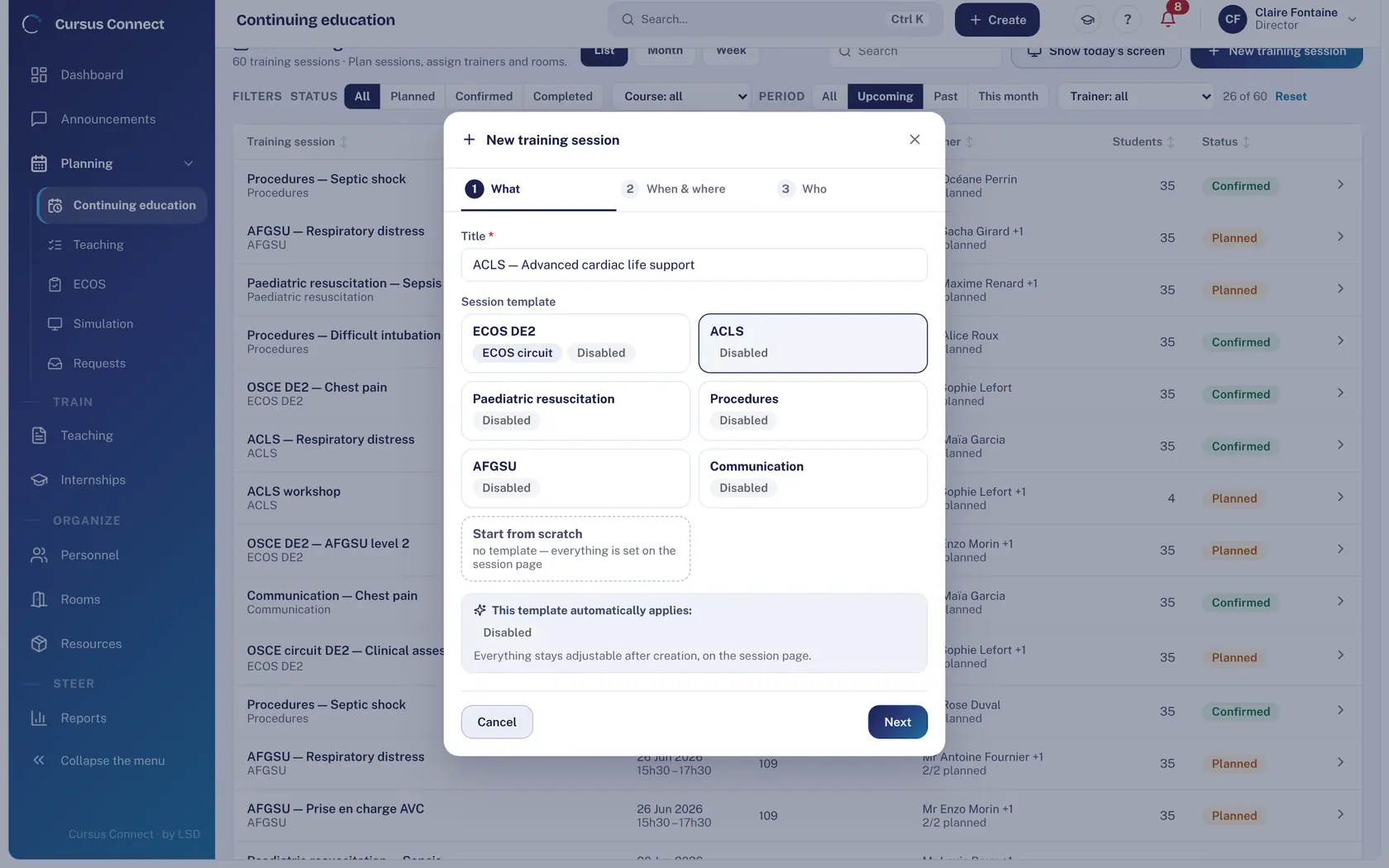
Create it in three steps
What, when and where, who. A course template pre-fills the programme, the pre-test and the closing document; everything stays editable on the course sheet.
2
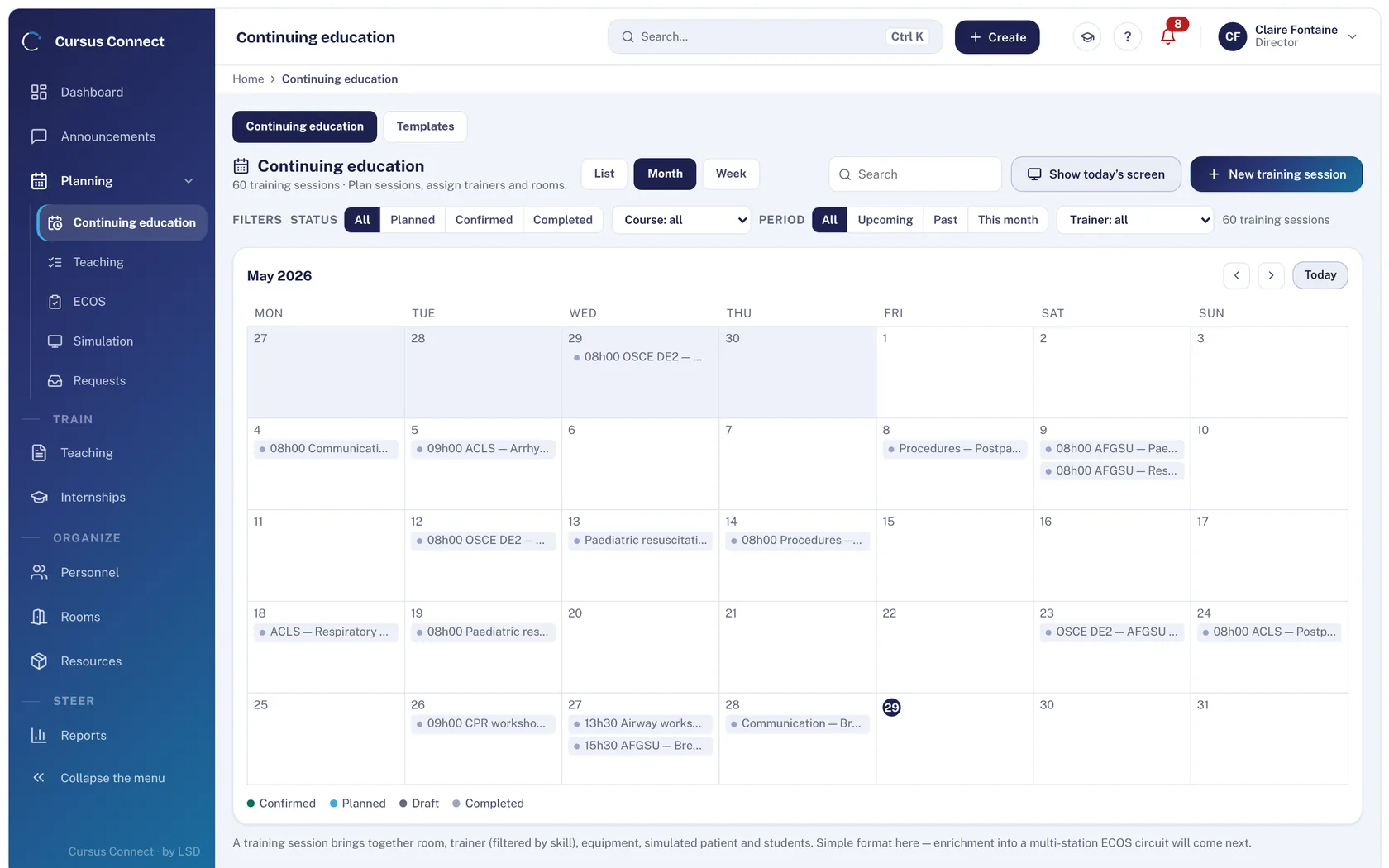
Place it in the calendar
By month or week, by room and trainer. A double booking of a room or a trainer is flagged at assignment, and so is a credential due for renewal.
3
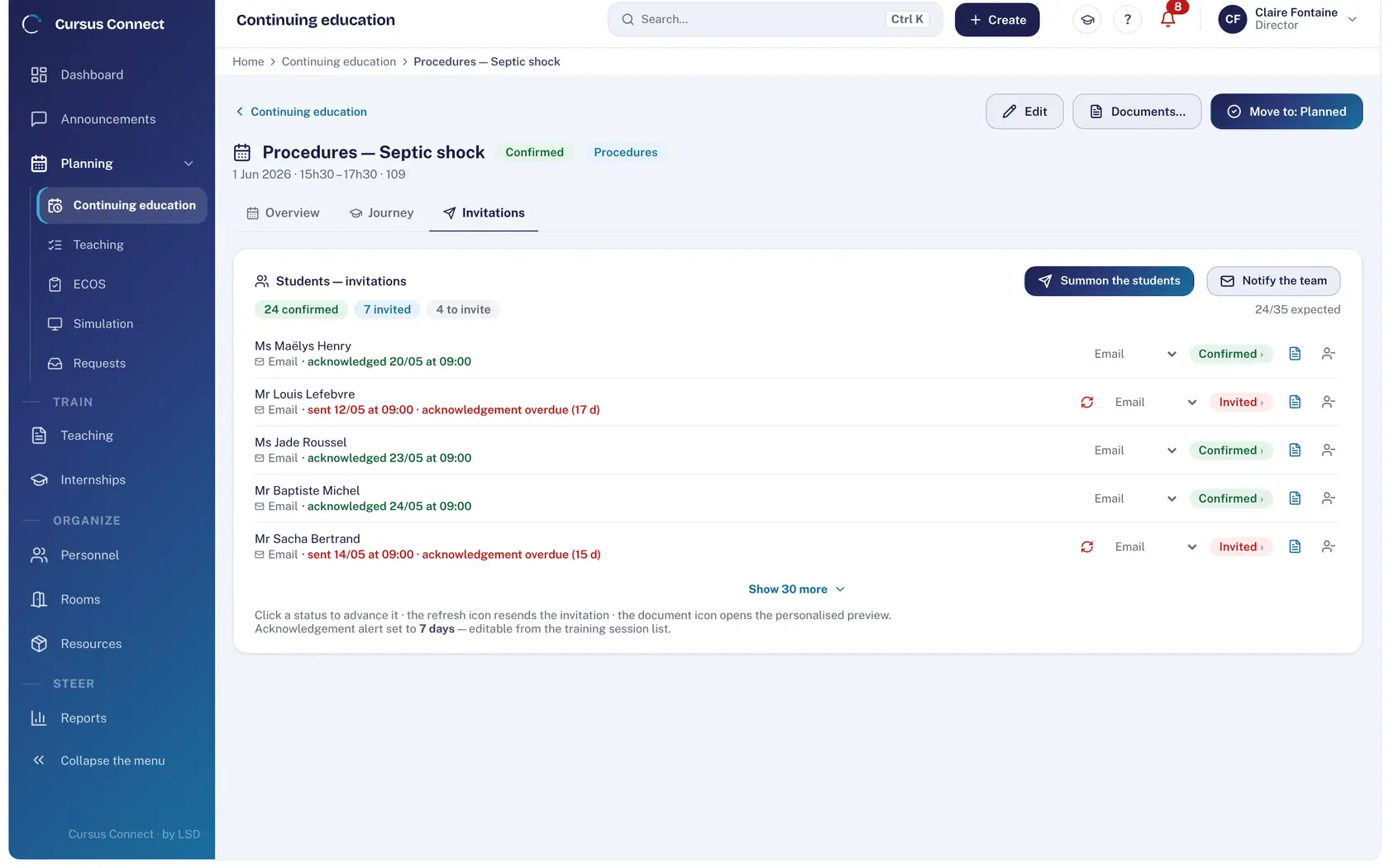
Invite and follow the replies
Invitations go out by email with read receipts. Who confirmed, who has not answered, who to remind: everything on the same line.
4
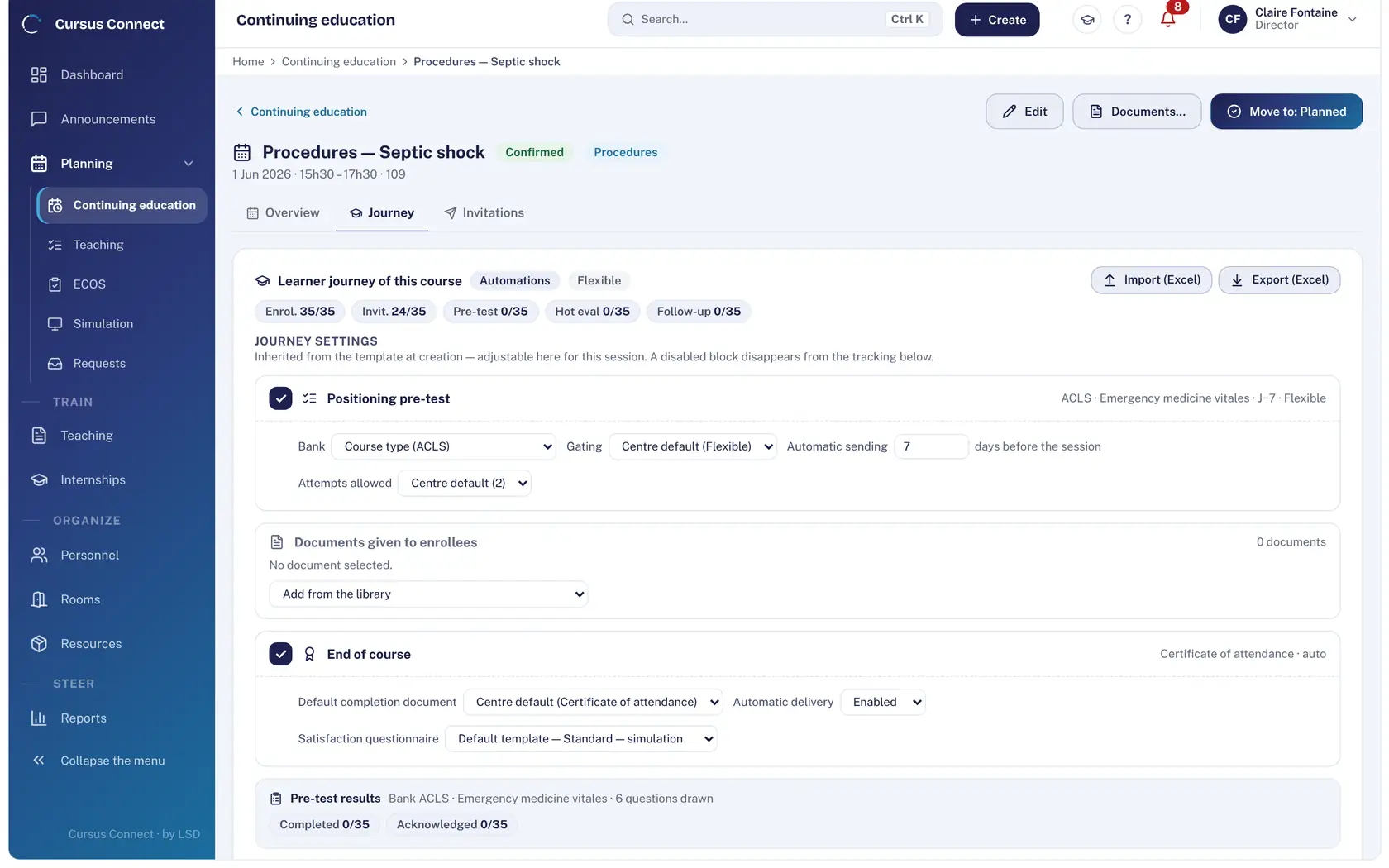
Let the journey run
The pre-test goes out by itself a few days ahead, the evaluation when you close the course, the attendance certificate right after. You only have to approve.
5
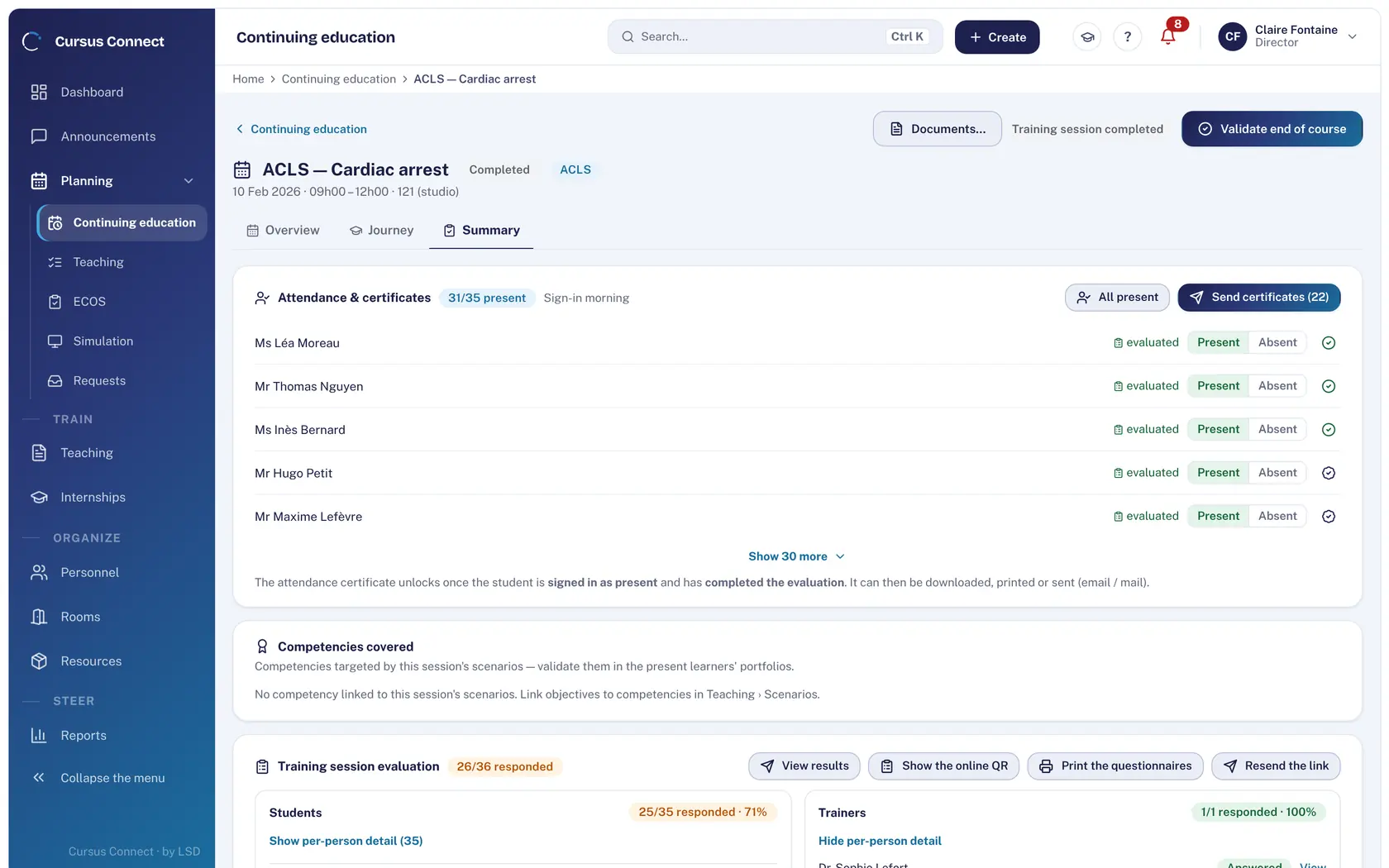
Close out: attendance and certificates
Mark each participant present or absent, print the attendance sheet and validate the end of the course. The attendance certificate unlocks as soon as a learner is signed in as present and has completed the evaluation; it goes out by email or by post.
What you gain
Courses created in minutes
The three-step assistant and course templates mean you never start from scratch.
No more double bookings
Room and trainer conflicts are flagged at assignment; so is an expired credential.
Invitations that are tracked
Email with read receipt, confirmation in the learner portal, reminder in one click.
An attendance sheet that counts as proof
Printed with the center’s letterhead and signed by hand: a ticked box is never presented as a signature.
Country-compliant mentions
The mandatory programme mentions are checked against the center’s regime, France or Switzerland.
Participants in one import
Excel import and export of participants; the evaluation and the certificate trigger themselves.
More time to teach
What you no longer do by hand
- Invitations, reminders, pre-test, evaluation and certificate: sent by Cursus Connect, on the right date.
- Attendance sheet, invitations and certificates generated in one click, in the center’s name.
- Course templates: programme, pre-test and documents already set.
- Excel import of participants, export for your accounting or your authority.
Your data, under lock and key
What is guaranteed
- Certificates are built by the server, numbered by center, type and year, and locked: a reissue takes a new number, with a reason.
- An email shown as sent really went out; the read receipt is timestamped.
- Questionnaires are graded by the server; the answer key is never exposed.
- Every action on a course is written to the audit log.
Made for
Related modules
People and portals
The right people, with the right rights
Rooms and equipment
Rooms available, a fleet that holds up
Invoicing
From quote to payment, with nothing typed twice
Quality
The audit is prepared all year, not the night before
Frequently asked questions
Can we keep our invitation and certificate templates?
Documents carry your center’s identity, contact details and signature. Their structure is Cursus Connect’s: it guarantees numbering and the locked nature of the records.
Can a course run over several days?
Yes. The session is the whole; each slot has its date, room and trainer, and attendance is recorded slot by slot.
See your center in Cursus Connect
An online demo built around your courses, your OSCEs and your documents. You leave knowing what Cursus Connect will change for you.