Features › Rooms and equipment
Included in the core
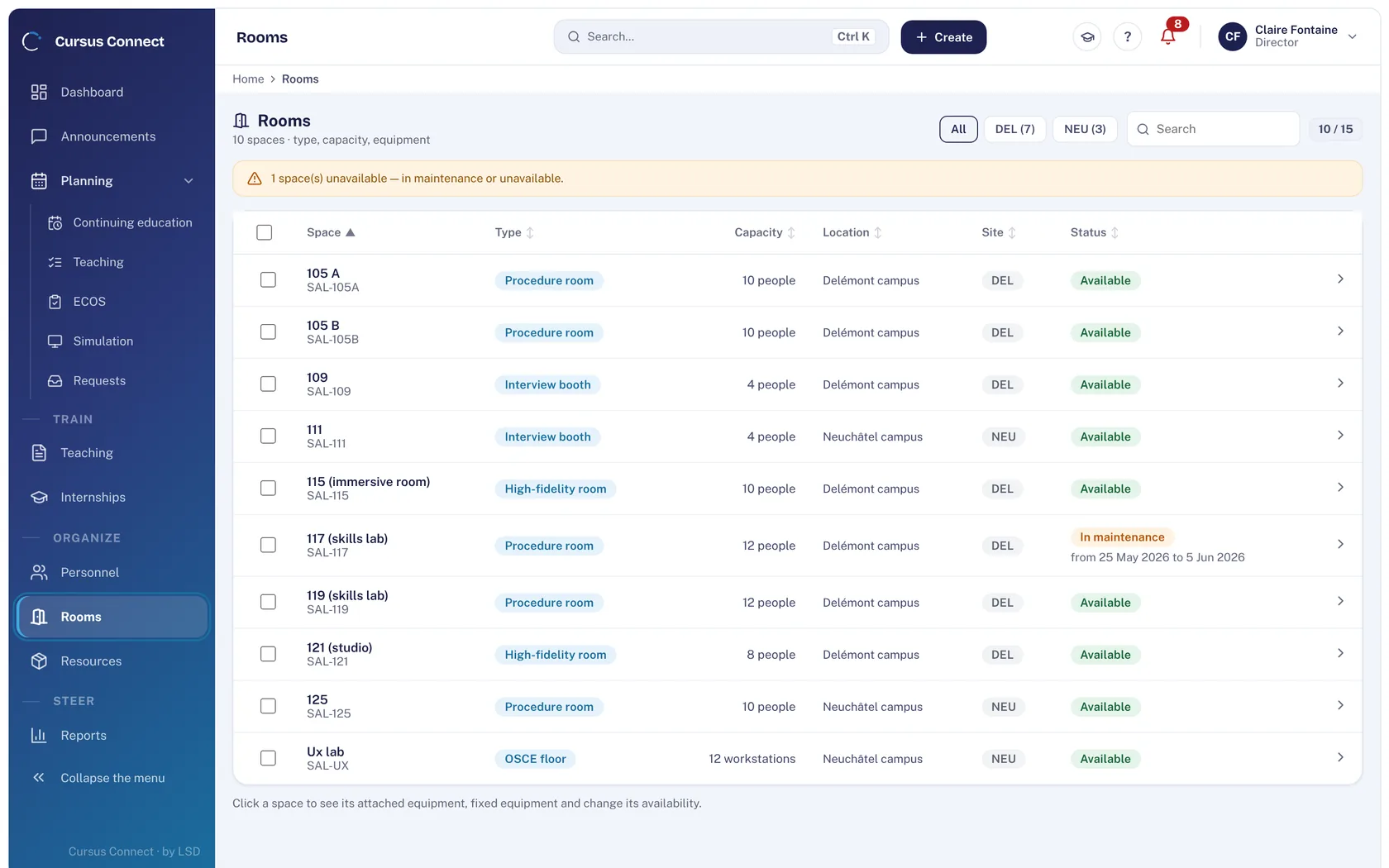
Rooms available, a fleet that holds up
Rooms with their capacity and fixed equipment, the fleet with its wear parts and maintenance plan, consumables with their batches and expiry dates. Whatever approaches a deadline surfaces by itself for the technician.
Today
- One room booked on a shared calendar, the other on a note on the door.
- The manikin breaks down on the morning of the session; the wear part was due a month ago.
- Consumables are ordered when the cupboard is empty.
With Cursus Connect
Planning relies on the room sheets and flags conflicts. Each piece of equipment has its wear parts with due dates and its service interval: the maintenance plan recomputes with every intervention recorded. Thresholds, batches and expiry dates of consumables surface by themselves.
How it works
1
Describe your rooms
Type, capacity, site, fixed equipment, status; a reported incident stays visible until it is closed, on the technician’s side too.
2
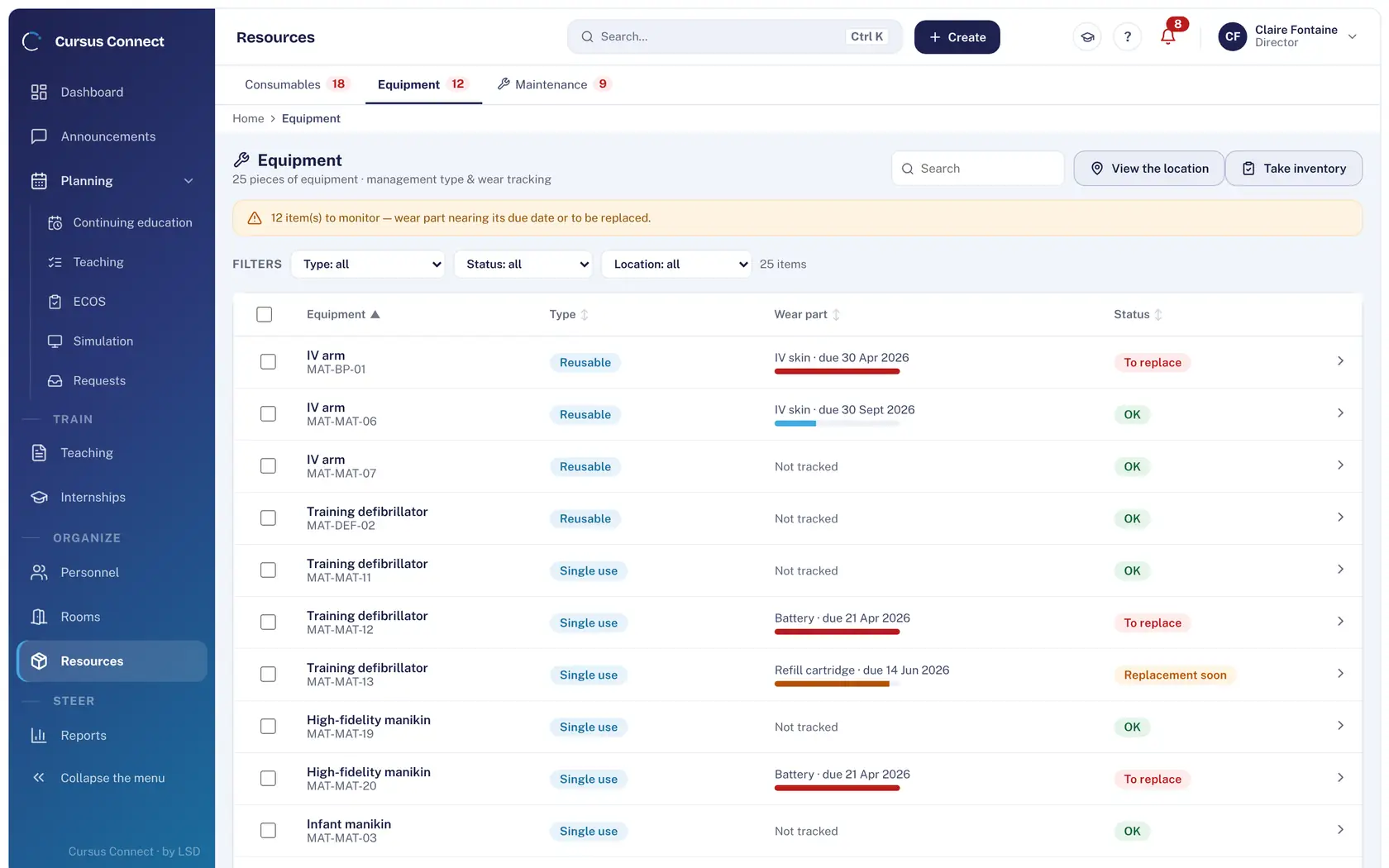
Track the fleet
Management type, wear parts with due dates, status: to watch, to replace. Loans, location and guided inventory.
3
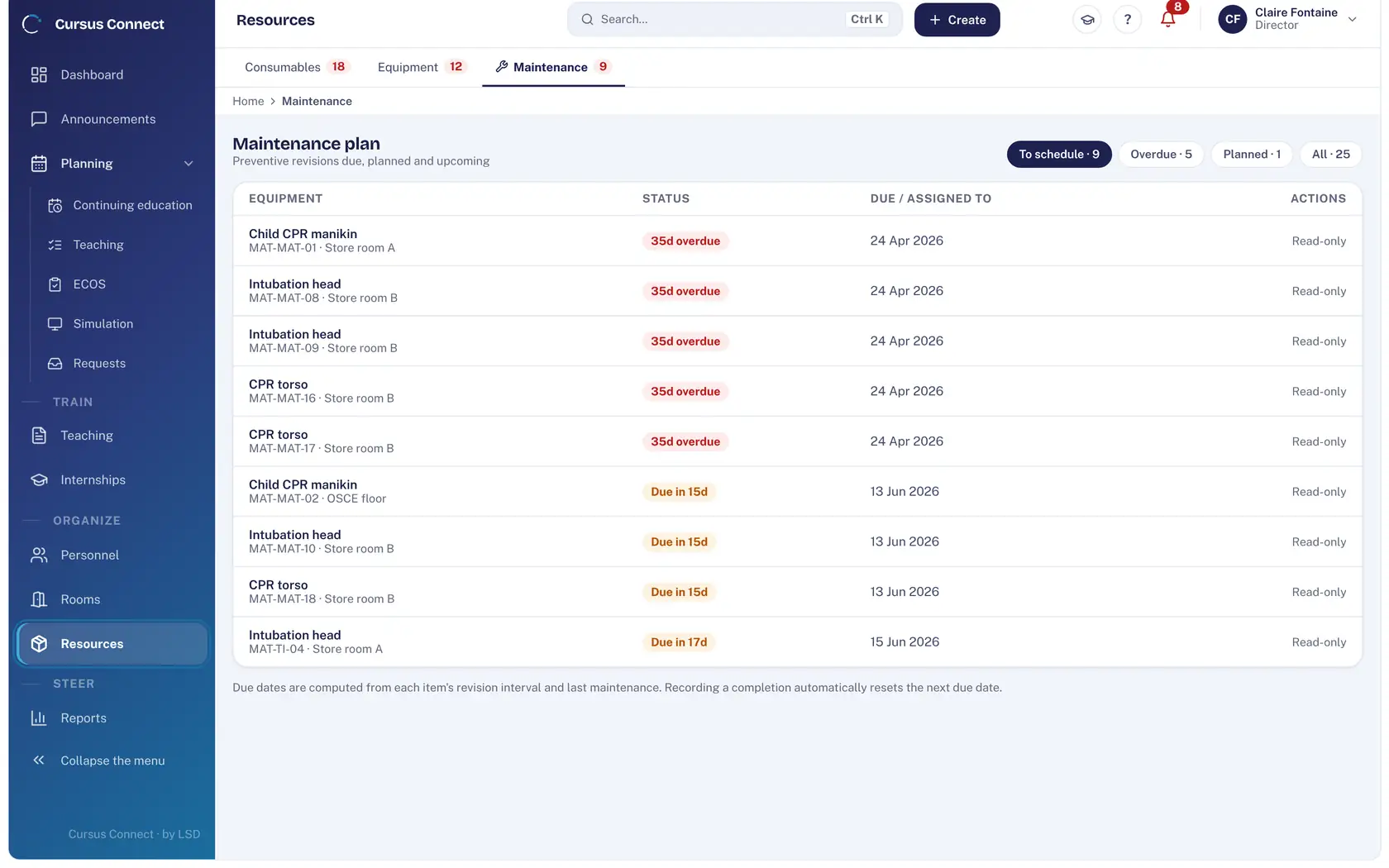
Let the maintenance plan compute itself
Preventive services due, planned and upcoming: due dates are computed from the service interval and the last maintenance.
4
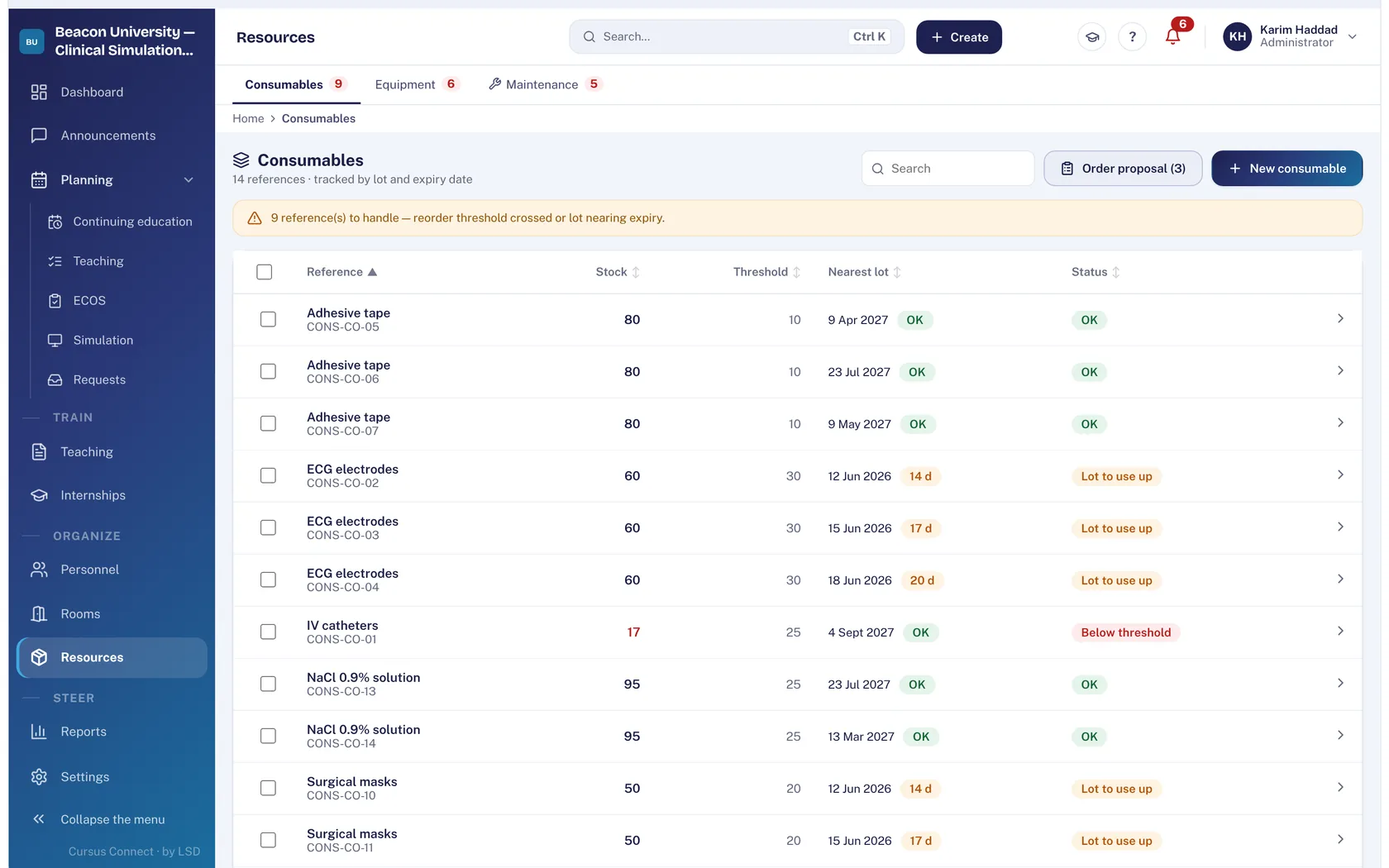
Keep consumables
Stock, alert threshold, nearest batch, status; guided inventory where discrepancies are recorded at closing; movement history, Excel export.
What you gain
Rooms without conflict
Availability is read across timetables; conflicts are flagged at scheduling.
Breakdowns avoided
Wear parts and services with due dates; alerts on the technician’s dashboard.
Expiry dates seen in time
Batches and expiry dates, alert thresholds.
An inventory with no surprise
Guided inventory: you count what is there, discrepancies are recorded.
Reporting open to all
Anyone reports a fault from the screen concerned.
The story of each item
Movements, loans and maintenance traced on its sheet.
More time to teach
What you no longer do by hand
- The maintenance plan recomputes with every intervention recorded.
- Thresholds, batches and expiry dates surface by themselves on the dashboard.
- Guided inventory, discrepancies recorded at closing.
- Movement history exported to Excel.
Your data, under lock and key
What is guaranteed
- Every stock movement is traced: the sheet’s history tells the life of the equipment.
- A room incident stays visible until it is closed.
- An incident concerns equipment; a serious adverse event concerns people: the two registers are separate.
- Rights on resources are set per profile, as for every module.
Made for
Related modules
Courses
From the idea to the certificate, with nothing typed twice
Simulation
Every session ready: scenario, room, trainer, simulated patients
Day to day
A day that starts with what matters
Frequently asked questions
Does Cursus Connect handle room bookings by teachers?
Rooms are assigned by the planning of courses, sessions and OSCEs; availability is read across those plans.
See your center in Cursus Connect
An online demo built around your courses, your OSCEs and your documents. You leave knowing what Cursus Connect will change for you.