Features › Teaching resources: scenarios, materials and assessments
Included in the core
A library that loses nothing
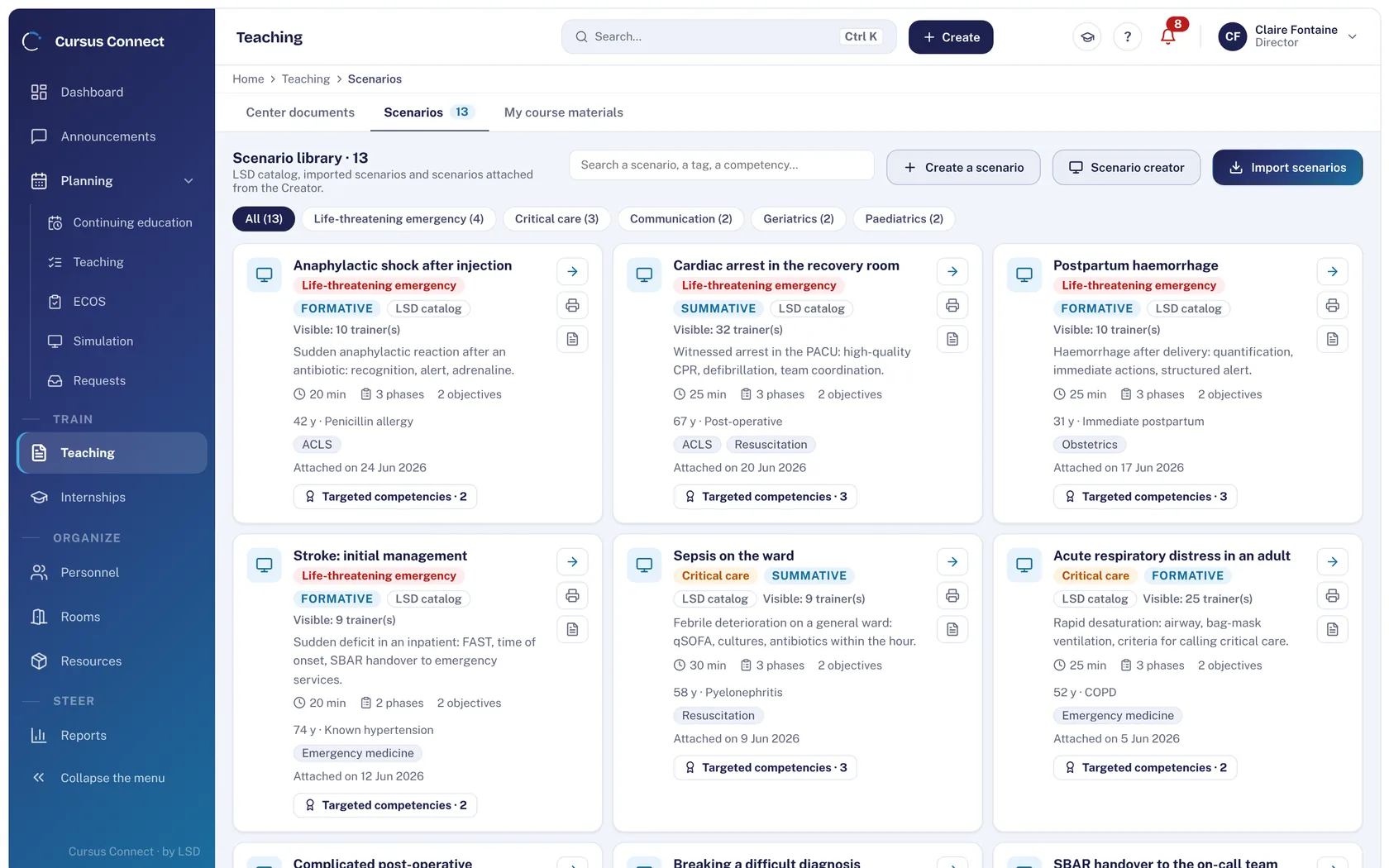
Scenarios, role sheets, course materials, questionnaires: everything your trainers produce is stored in one place, versioned, and shared by named link. What was played stays readable exactly as it was played.
Today
- Scenarios sleep on personal drives, in three versions with the same name.
- The pre-test is marked by hand, and its answer key circulates.
- A course handout goes out as an attachment, and nobody knows who received it.
With Cursus Connect
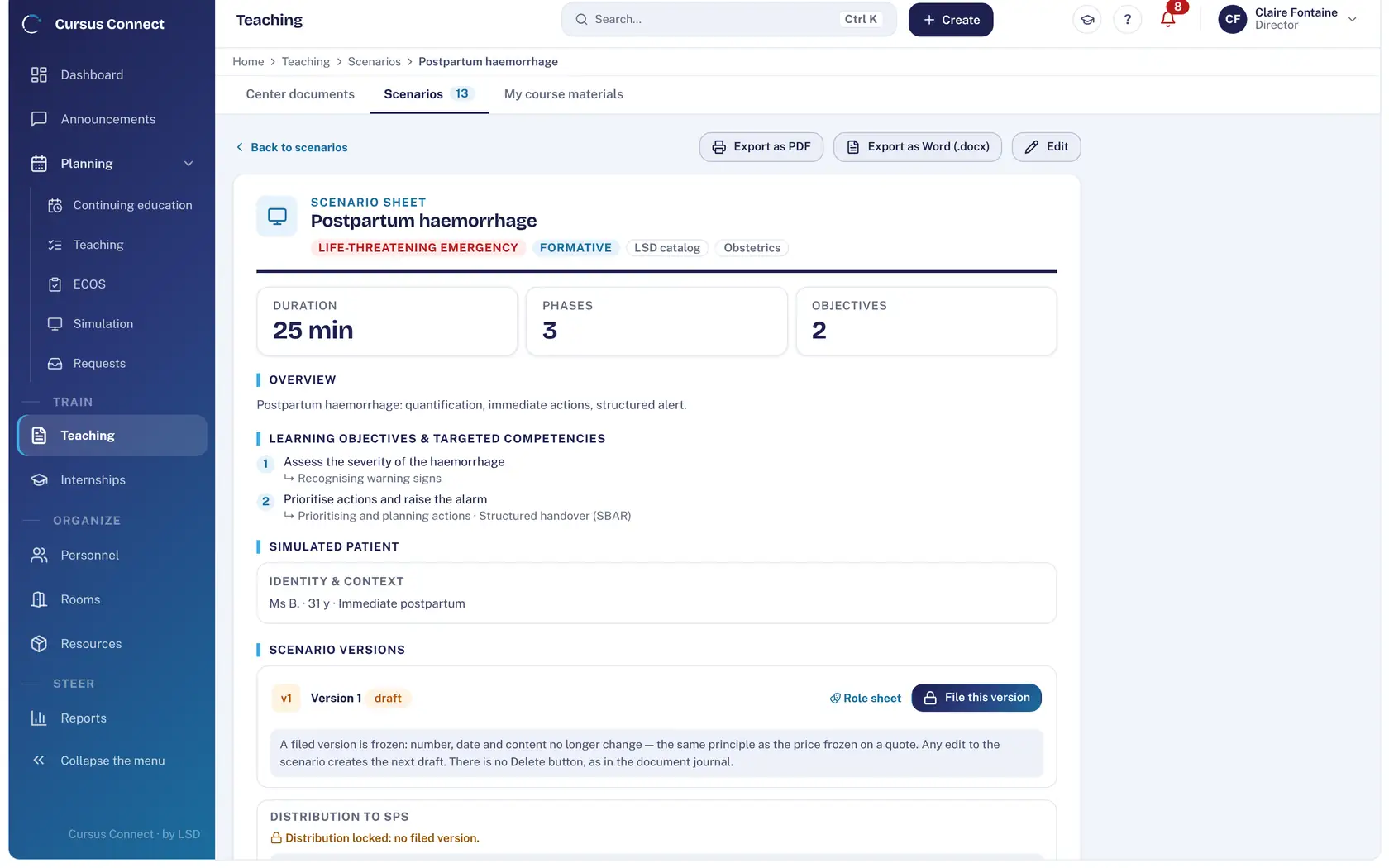
A deposited scenario takes a version number and no longer changes; any edit creates the next draft. Questionnaires are graded by the server, without exposing the answer key. Documents are shared by named link, with a 30-day bin.
How it works
1
Deposit a version
The scenario sheet carries the theme, duration, phases, objectives, simulated patient profile and targeted skills. Depositing freezes the version: number, date and content no longer change.
2
Import what you already have
SimGen or REALITi360 scenarios in .json, PowerPoint, PDF and Word materials: the library fills up with nothing retyped. The scenario sheet exports to PDF and Word.
3
Plug it into your courses
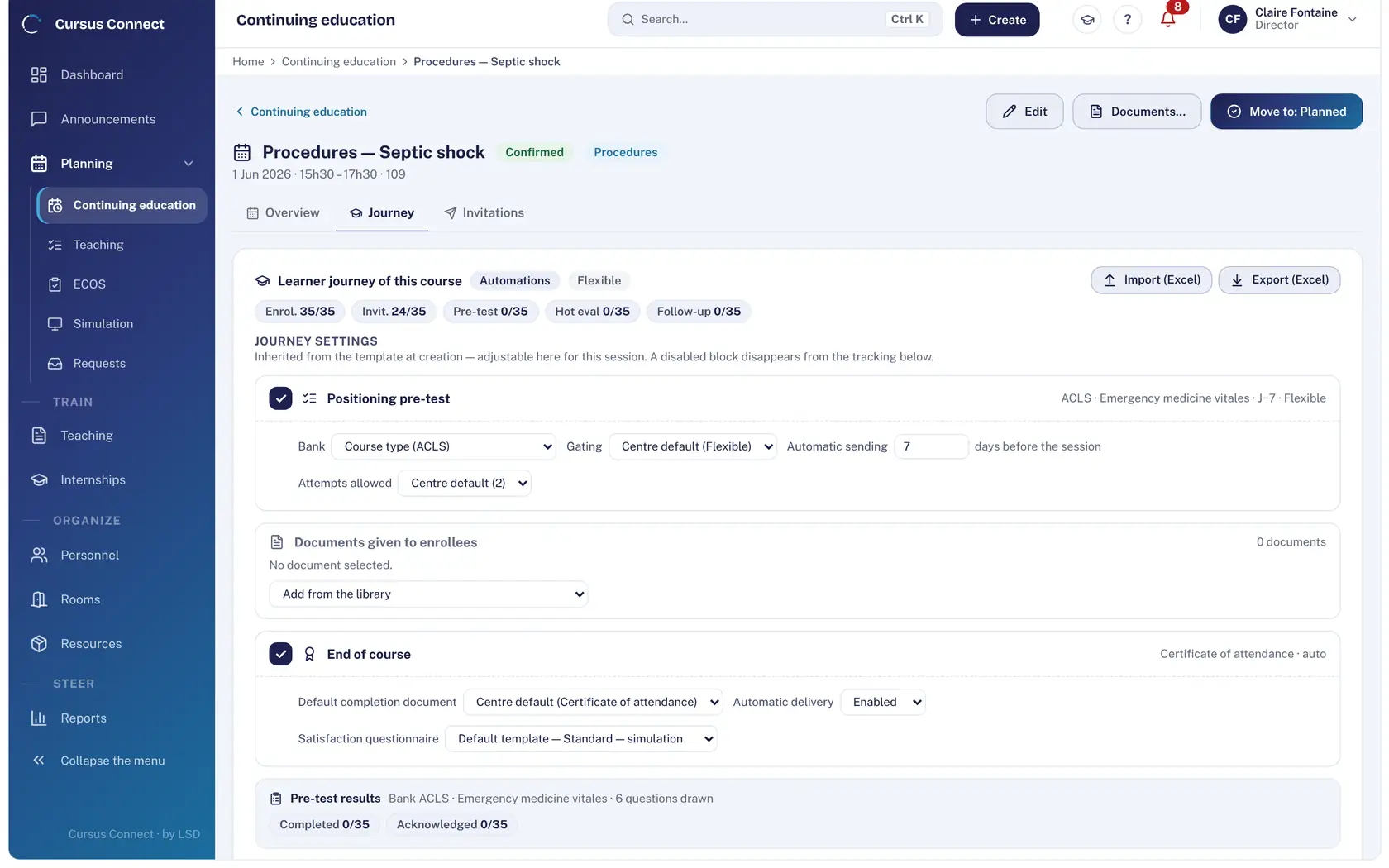
Placement pre-test drawn from a question bank, hot and cold evaluations: templates attach to courses and trigger themselves.
What you gain
One version that counts
The scenario attached to a session or an exam is the one deposited, dated, with its quality self-assessment.
Role sheets ready
Role sheets, targeted skills and video links on the same sheet; PDF and Word export for the room.
Your existing scenarios, imported
SimGen and REALITi360 import as .json.
Pre-tests with no marking
Question banks, allowed attempts, automatic sending: the server grades.
Materials that circulate cleanly
Center documents and course materials shared by named link, visible to colleagues if you decide so.
Room for mistakes
30-day bin on center documents.
More time to teach
What you no longer do by hand
- Marking pre-tests and questionnaires: done by the server.
- Sending the pre-test and the hot evaluation: automatic, following the course journey.
- Importing SimGen and REALITi360 scenarios.
- Exporting the scenario sheet to PDF and Word.
Your data, under lock and key
What is guaranteed
- A deposited version is immutable; there is no Delete button on a version.
- A questionnaire’s answer key is never exposed to the browser.
- A simulated patient receives a scenario only after a final version has been deposited.
- Access to a document is written to the audit log.
Made for
Related modules
Simulation
Every session ready: scenario, room, trainer, simulated patients
OSCE
OSCEs that keep to the clock
Courses
From the idea to the certificate, with nothing typed twice
Frequently asked questions
Can we create a scenario in Cursus Connect?
Yes, with the scenario builder; you can also import SimGen or REALITi360 scenarios in .json.
Are videos hosted?
No. The scenario sheet carries links to your videos; Cursus Connect records neither sound nor images of sessions.
See your center in Cursus Connect
An online demo built around your courses, your OSCEs and your documents. You leave knowing what Cursus Connect will change for you.