Features › OSCE
Simulation package
OSCEs that keep to the clock
An OSCE is precision work: waves, circuits, stations, simulated patients and documents that must not circulate. Cursus Connect computes its state and shows the circuit in real time.
Today
- A circuit plan in a spreadsheet, a sheet per station, and a scenario version that still changes the night before.
- On the day, nobody knows for sure which station is running late.
- Assessment grids circulate by email before the exam.
With Cursus Connect
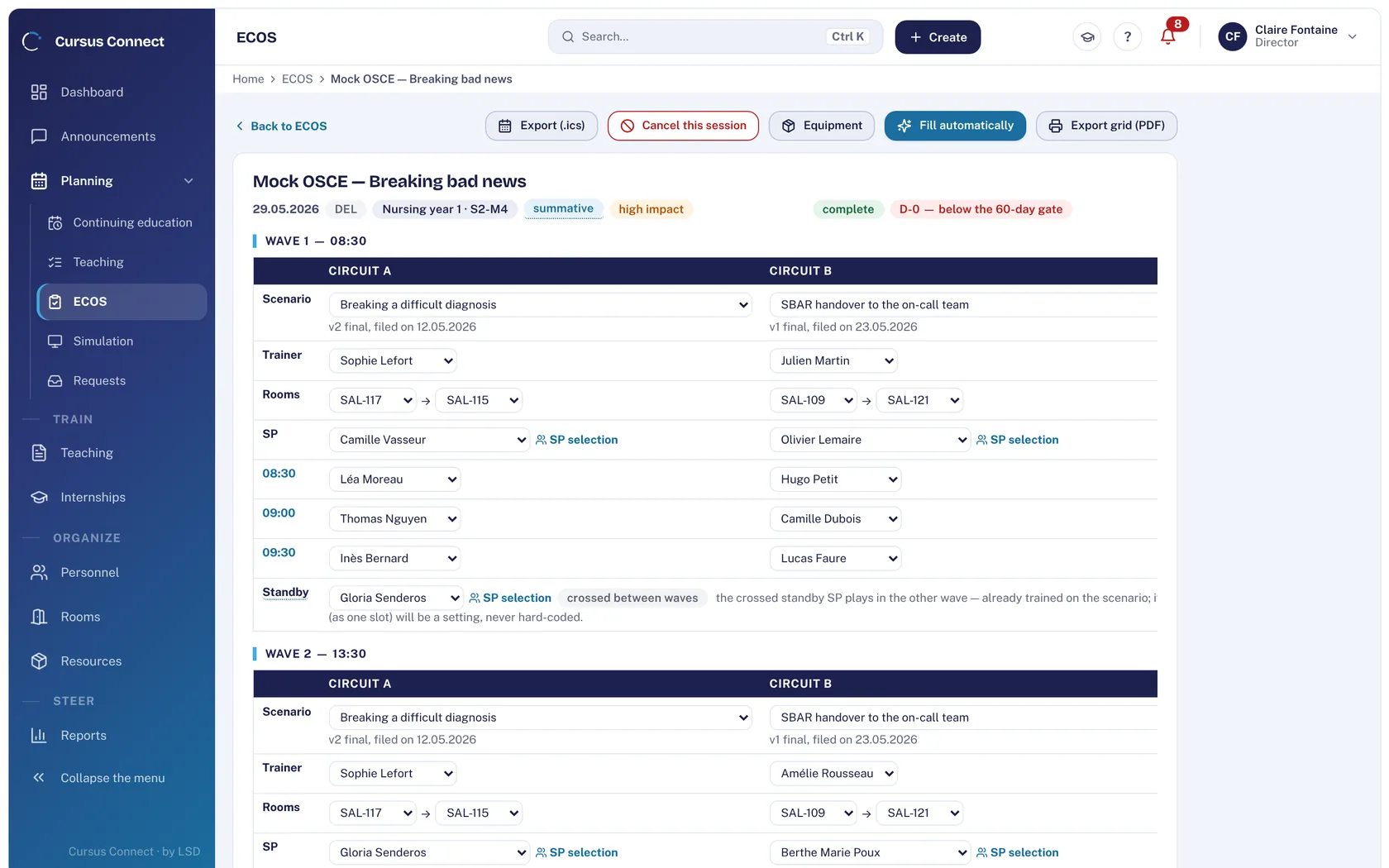
The exam is planned in waves and paired circuits, with scenarios in their final version. The state is computed and says what is missing. On the day, the circuit screen runs in real time, and results are read per station.
How it works
1
Plan the exam
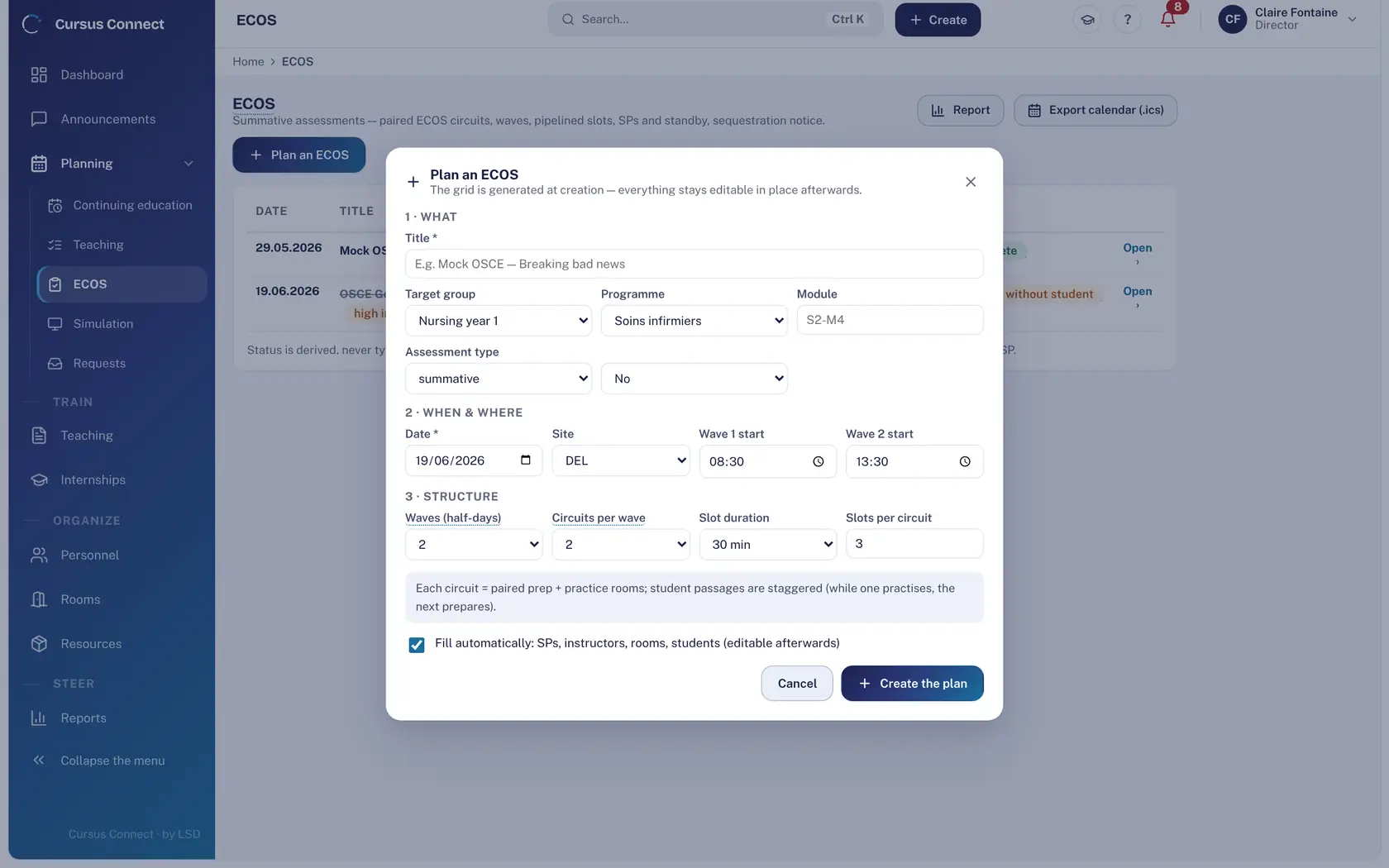
The what, the when, the who: target group, programme, module, waves, circuits per wave, slot length. The grid is generated at creation and stays editable in place.
2
Let the state compute itself
Scenario deposited, simulated patients, trainers, rooms, slots: the plan turns to “complete” by itself once nothing is missing. The assignment assistant proposes; you decide.
3
Show the circuit on the day
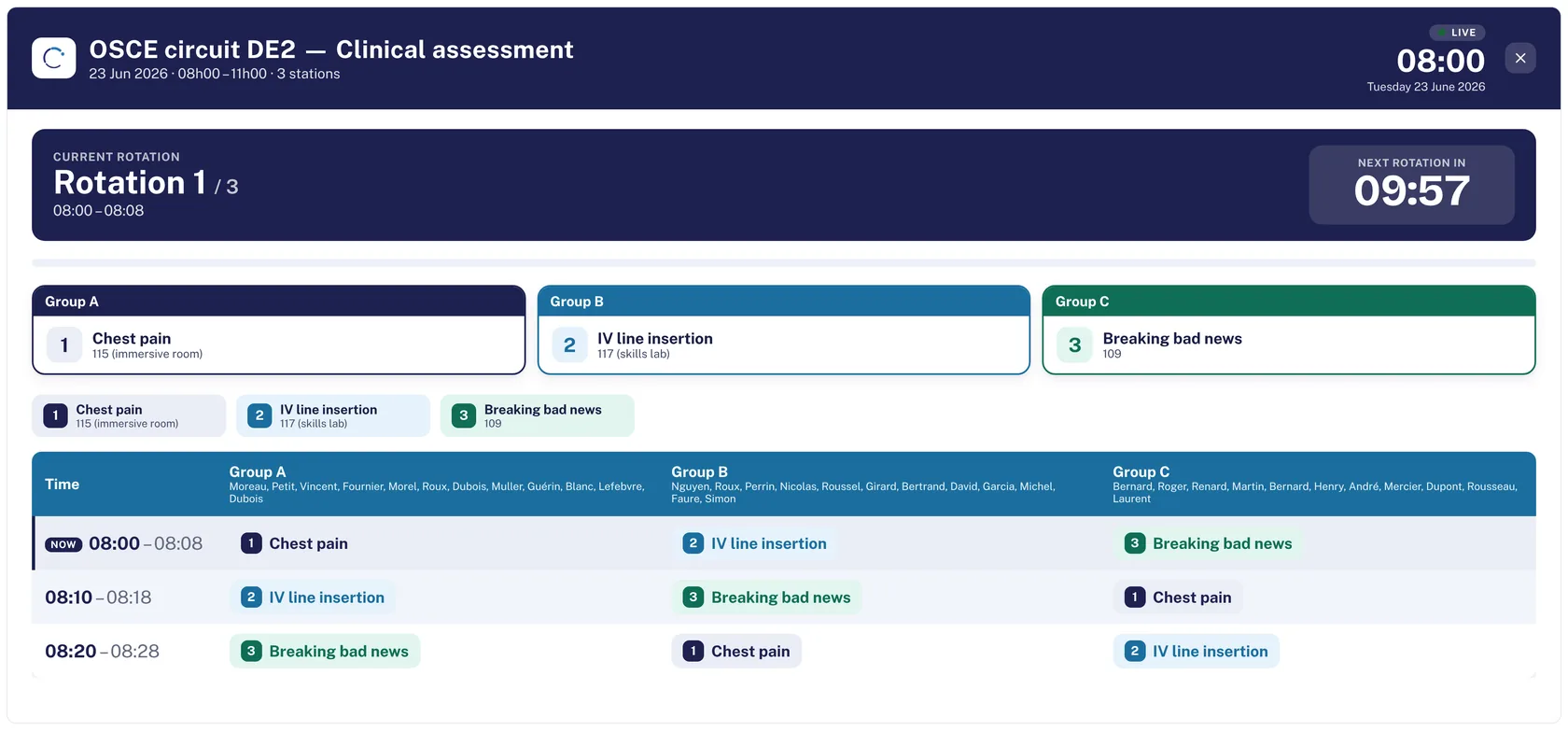
On a TV screen, the circuit display shows the current rotation, the countdown and each group’s station, in real time.
4
Read results and the report
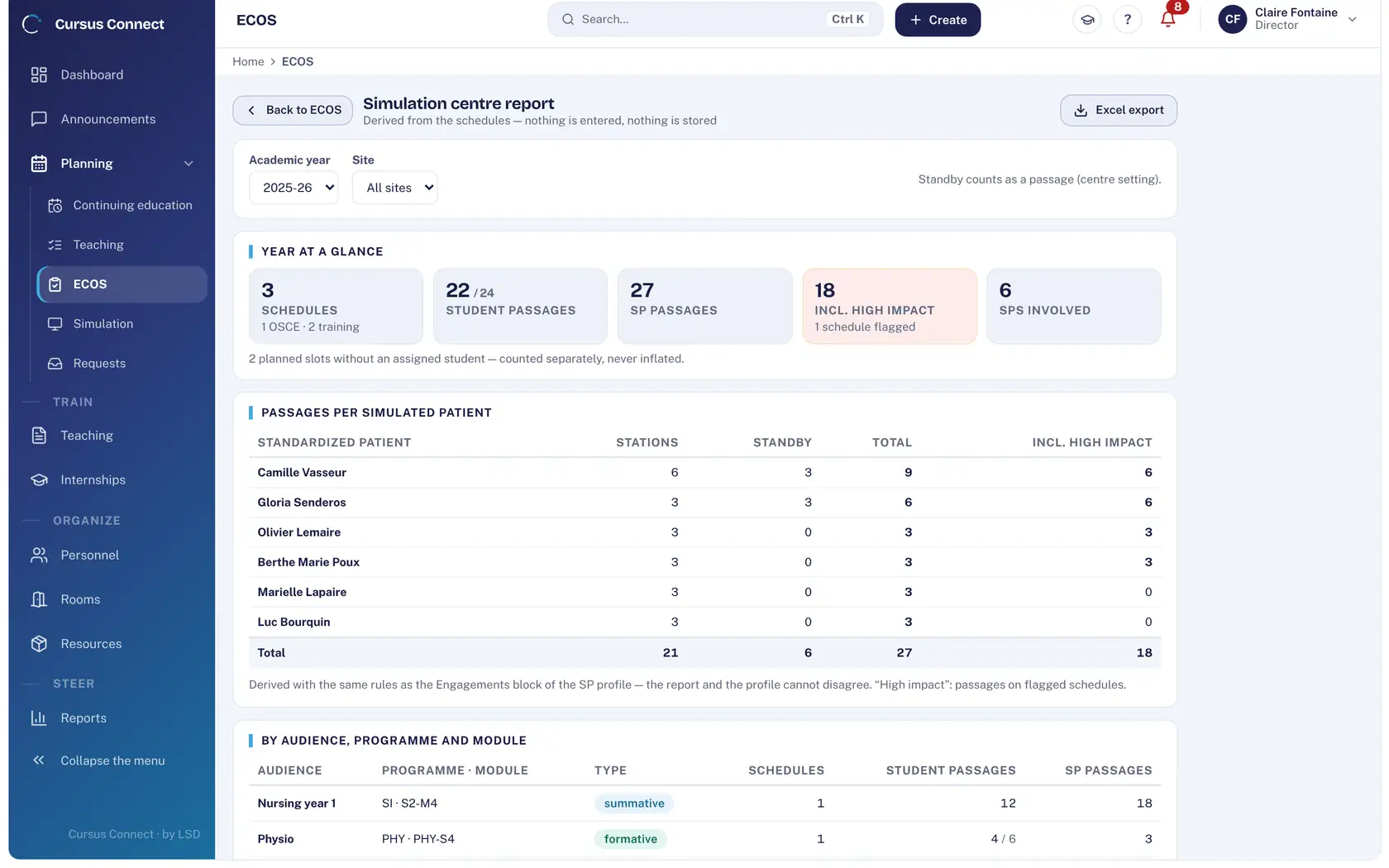
Results per station with pass mark; center report with slots per simulated patient, standby included, exportable to Excel.
What you gain
Nothing entered by hand
The planning state is derived from what is missing; it is not ticked.
Standby simulated patients planned
Scheduled between waves, they step in at short notice; their slot is counted.
Grids that do not leak
Grids print with the sequestration instruction in the footer.
A circuit everyone can see
The real-time circuit screen, activated on a TV with a single-use code.
Readable results
Per station, with the pass mark; PDF and Excel exports.
The team’s calendar
The plan exports to calendar (.ics).
More time to teach
What you no longer do by hand
- The exam grid is generated at creation: waves, circuits, slots.
- The assignment assistant proposes trainers, rooms and simulated patients.
- The center report is derived from the plans, in one click.
- The circuit screen replaces announcements over the microphone.
Your data, under lock and key
What is guaranteed
- A scenario attached to an exam is in its final version: it no longer changes.
- The sequestration instruction is printed on every grid.
- Simulated patient selection ranks proposals, never a verdict: the decision stays human.
- The display screen shows no personal data beyond each group’s station.
Made for
Related modules
Simulation
Every session ready: scenario, room, trainer, simulated patients
Teaching materials
A library that loses nothing
Day to day
A day that starts with what matters
Frequently asked questions
How many circuits in parallel?
Paired circuits double throughput with the same equipment. The number of circuits per wave is set at planning.
Do students see their results in the portal?
Results are read per station in the application; sharing them with students is governed by your exam regulations.
See your center in Cursus Connect
An online demo built around your courses, your OSCEs and your documents. You leave knowing what Cursus Connect will change for you.