Features › Teaching and internships
Teaching package
The whole cohort, from curriculum to placement
For schools and institutes: the curriculum, each cohort’s timetable, attendance, attendance alerts and internships, in one place. An internship week blocks the teaching week: the information flows by itself.
Today
- The curriculum in one binder, the timetable in another, absences in a third.
- A student in attendance difficulty spotted too late.
- Thirty internship agreements issued one by one, and visits scheduled by phone.
With Cursus Connect
The curriculum is attached to the cohort, the timetable is scheduled from the grid with conflict detection, attendance is computed from the sessions recorded, and internships are organised in collective periods with batch agreements, visits and reviews.
How it works
1
Attach the curriculum
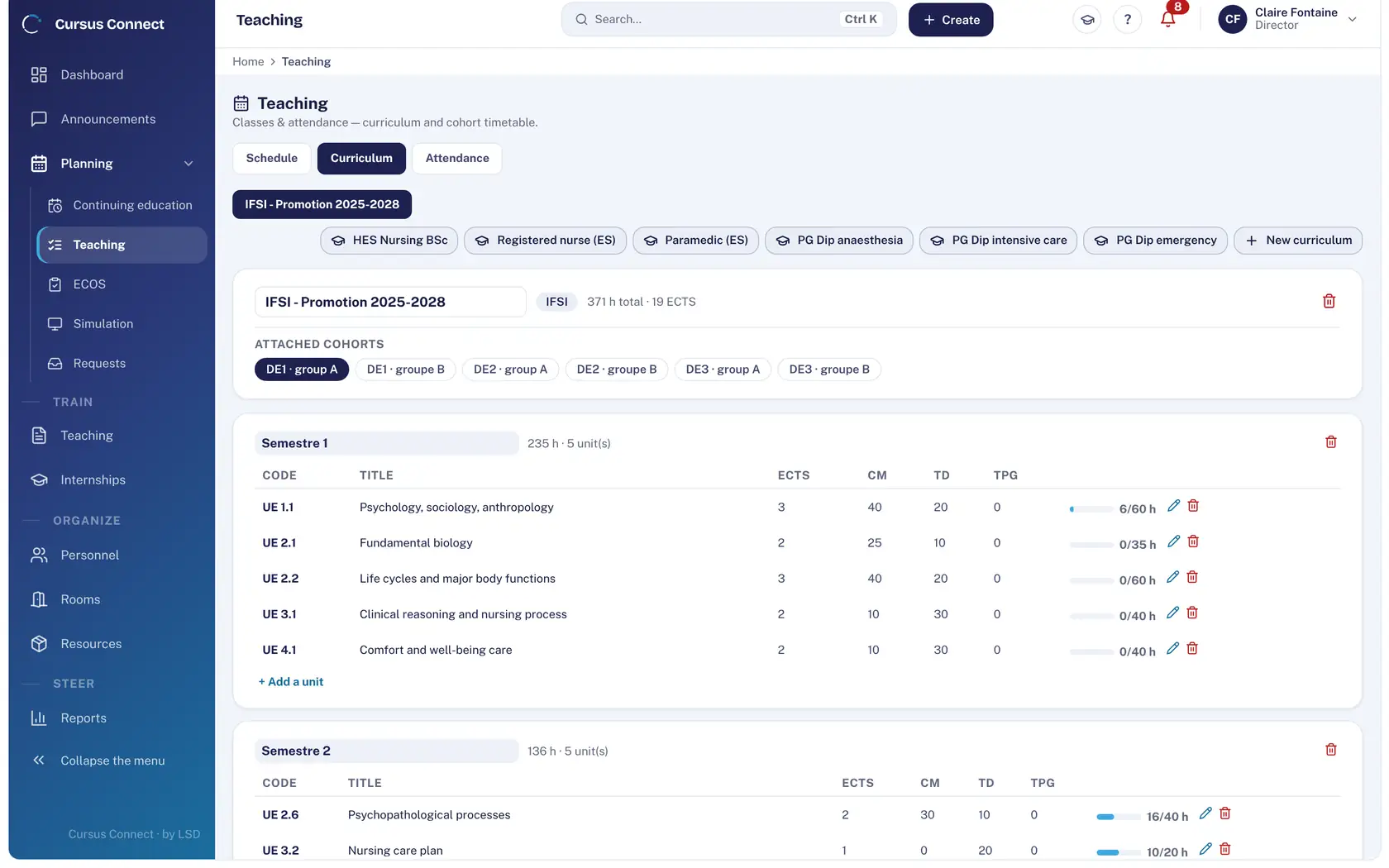
IFSI 2009, IFAS 2021 or a custom curriculum with ECTS: semesters, units, lecture, tutorial and practical hours, attached cohorts.
2
Schedule the sessions
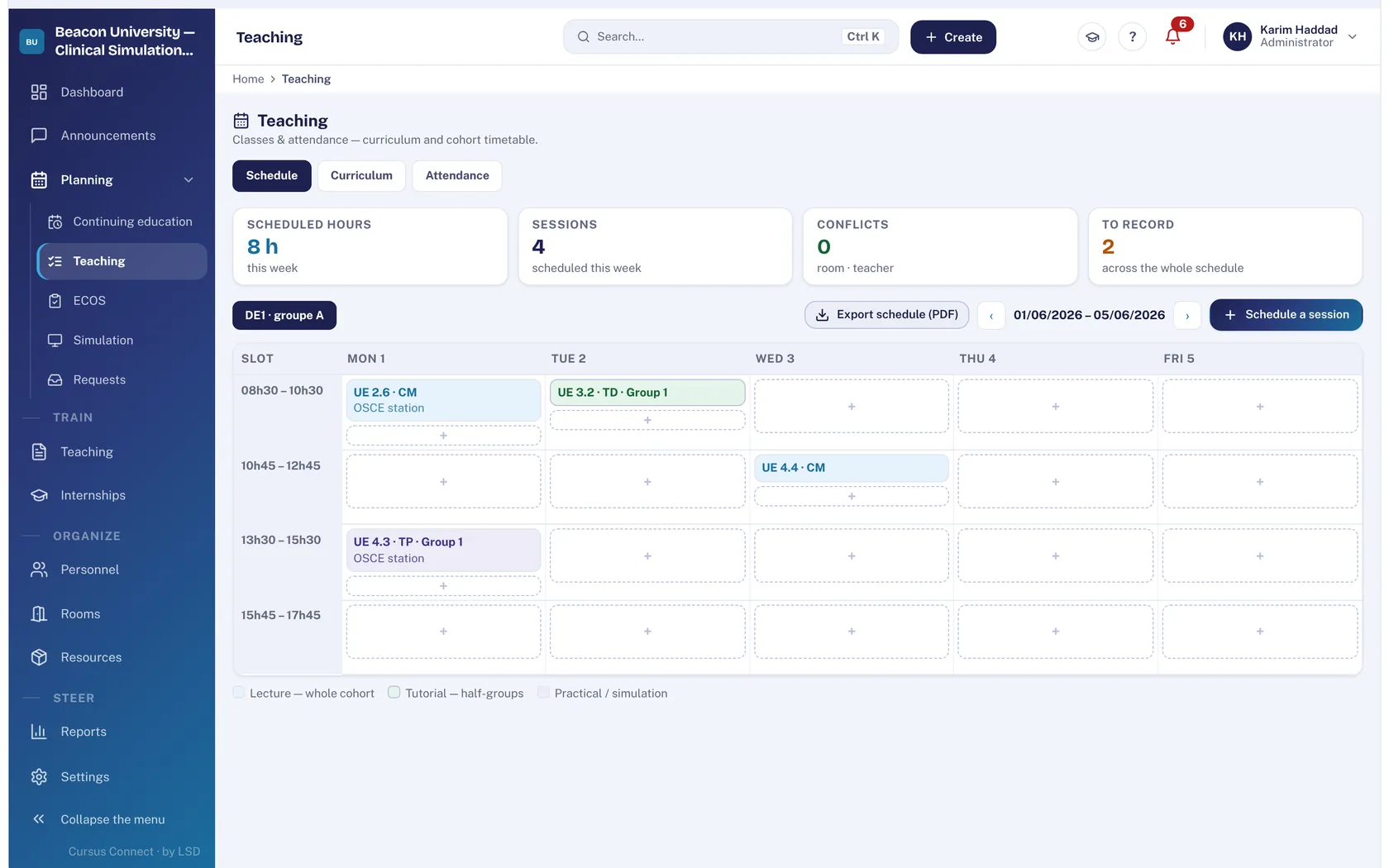
From the weekly grid; the tool flags room and lecturer conflicts. The timetable exports to PDF.
3
Take the register, attendance computes itself
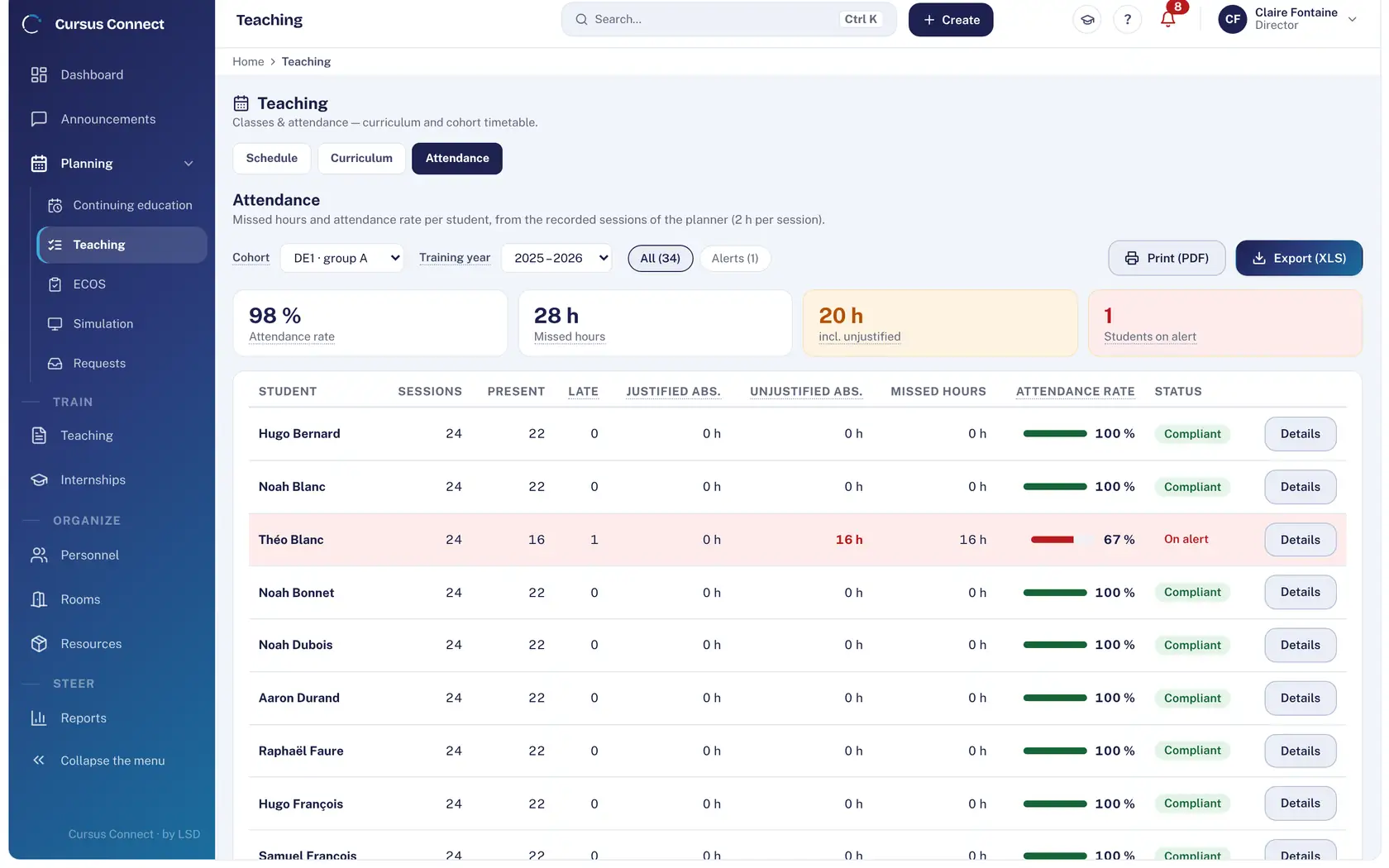
Presence, lateness, justified and unjustified absences, hours missed and attendance rate per student; alert threshold, warnings and supporting documents. PDF print, Excel export.
4
Organise internships
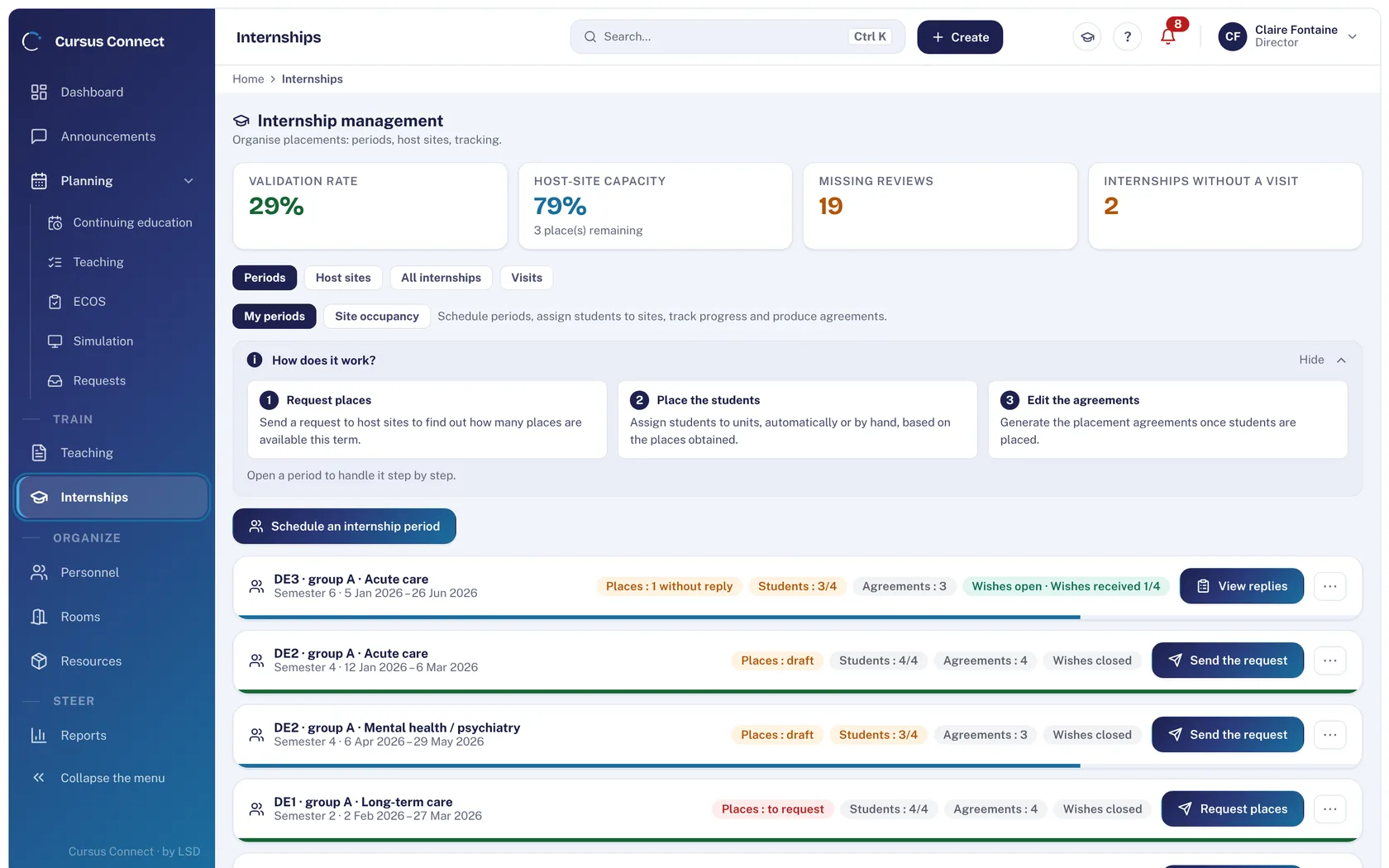
Collective periods, host sites and units, students’ wishes in the portal, place requests to mentors, PDF agreements in batch, visits, mid- and end-of-placement reviews.
What you gain
A living curriculum
Hours delivered are compared with hours planned, unit by unit.
A timetable with no double booking
Room and lecturer conflicts flagged at scheduling; internship weeks block teaching.
Attendance under control
Threshold, alerts and supporting documents; a student on alert surfaces on the dashboard.
Internship places requested in one send
Mentors reply from their portal.
Agreements in batch
Generated as PDF from the filtered list.
Reviews that belong to their author
The visit report can only be edited by the trainer who made the visit.
More time to teach
What you no longer do by hand
- Computing attendance and alerts from the sessions recorded.
- Internship agreements in batch, timetable as PDF, attendance as Excel.
- Place requests and mentors’ replies in the portal.
- Internship wishes collected in the student portal.
Your data, under lock and key
What is guaranteed
- The visit report belongs to the trainer who wrote it: nobody else edits it, management included.
- Skills are graded by the placement mentor, from their portal, for their own students only.
- Absence documents are attached to the person, in their file.
- Each portal shows only the data of the person signed in.
Made for
Related modules
People and portals
The right people, with the right rights
Courses
From the idea to the certificate, with nothing typed twice
Reports
Your figures, ready to present
Frequently asked questions
Are Swiss curricula covered?
The custom curriculum with ECTS covers university programmes; IFSI 2009 and IFAS 2021 are supplied for France.
Do placement mentors need an account?
They have a personal portal, opened with the email address recorded by the center, to answer place requests and grade skills.
See your center in Cursus Connect
An online demo built around your courses, your OSCEs and your documents. You leave knowing what Cursus Connect will change for you.