Features › People, rights and portals
Included in the core
The right people, with the right rights
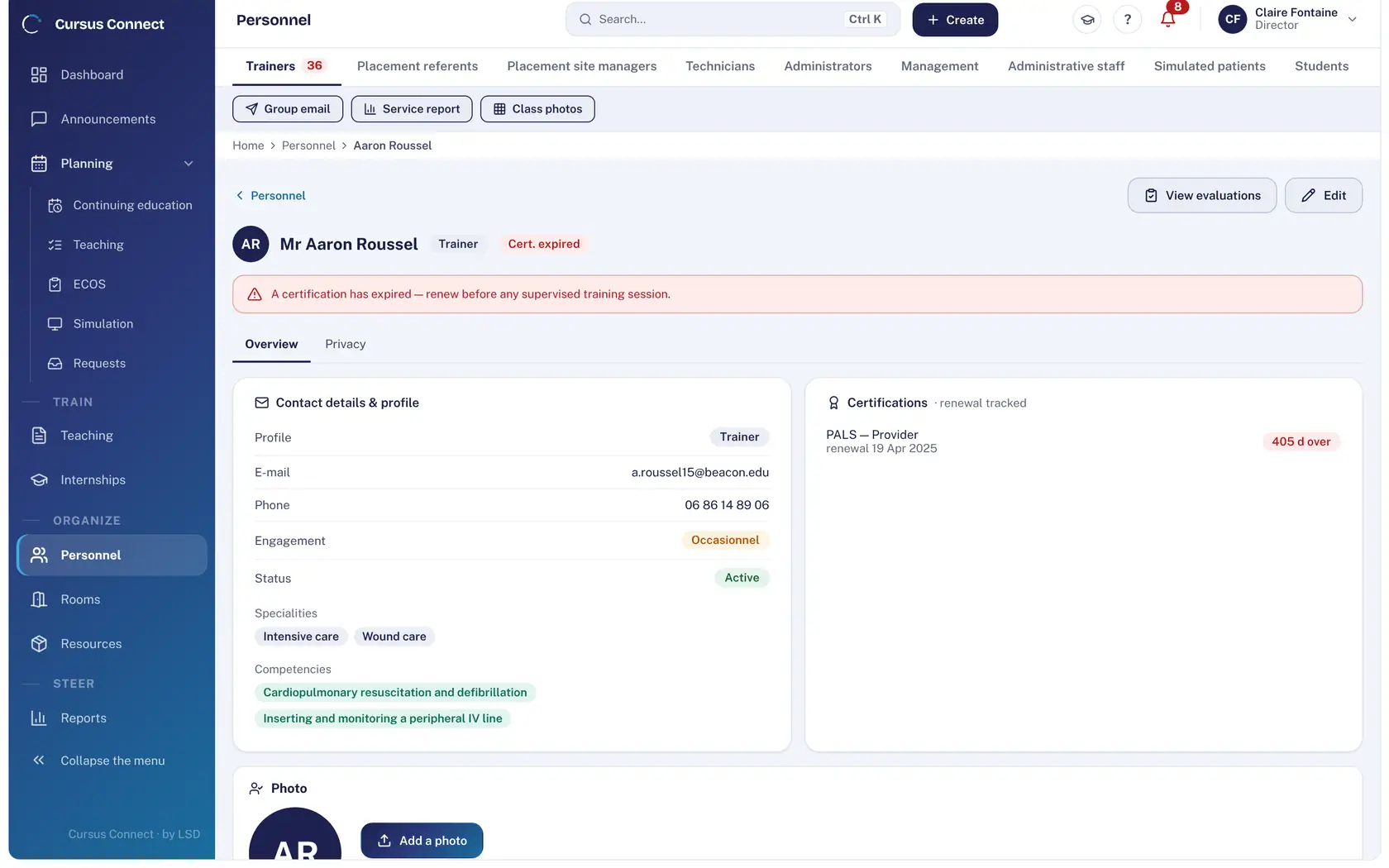
Trainers, students, technicians, simulated patients, mentors: one sheet per person, tabs per subject, and access rights set per module and profile, enforced by the server. Everyone has their portal, and sees only what concerns them.
Today
- Trainers’ certifications in a spreadsheet nobody re-reads.
- A shared “office” account that sees everything, an intern who kept their access.
- Simulated patients and contributors phone in to find out their slots.
With Cursus Connect
AHA, ERC and SRC certifications carry their expiry dates and surface when they lapse. Rights form a matrix per module and profile, adjustable per center and enforced by the server. Learners, trainers, simulated patients and mentors have a simple portal, on the phone.
How it works
1
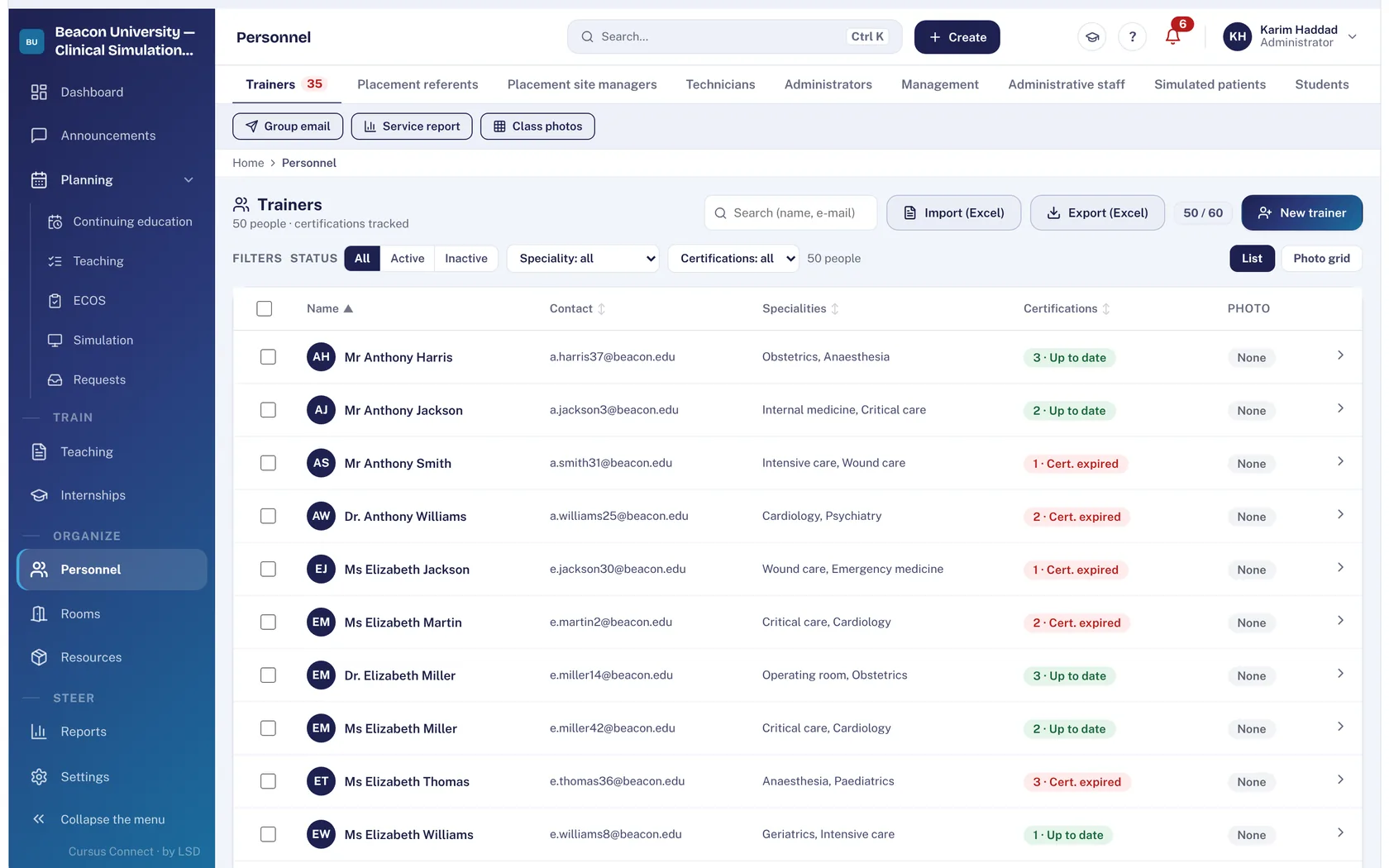
Import or create people
Excel or CSV import: the sheet, the account and the first-login email are created at once. The sheet fills the whole screen, with its tabs.
2
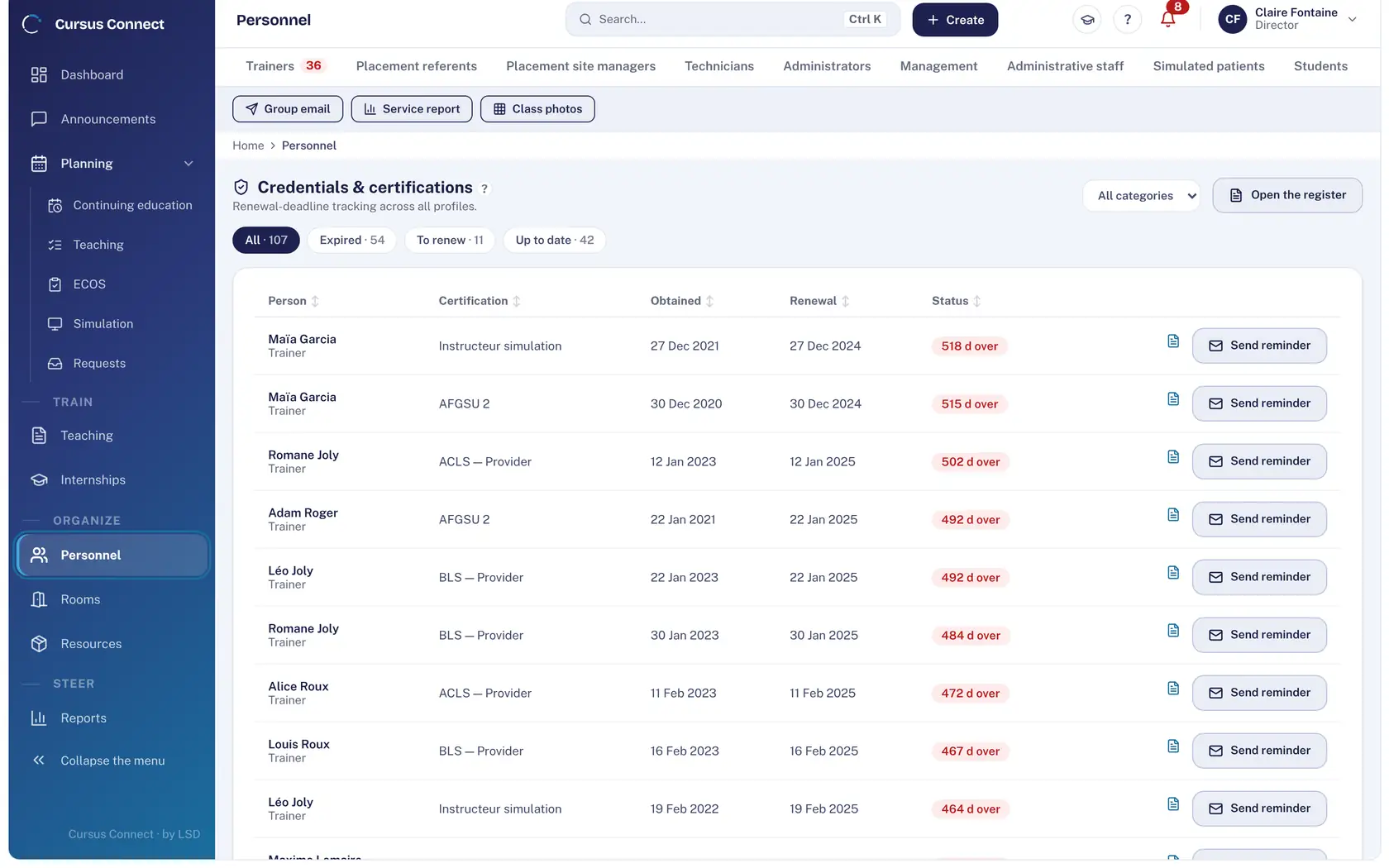
Track credentials
AHA, ERC and SRC certifications with date obtained, refresher and status; reminders in one click; open register. An expired certification is flagged when assigning a course.
3
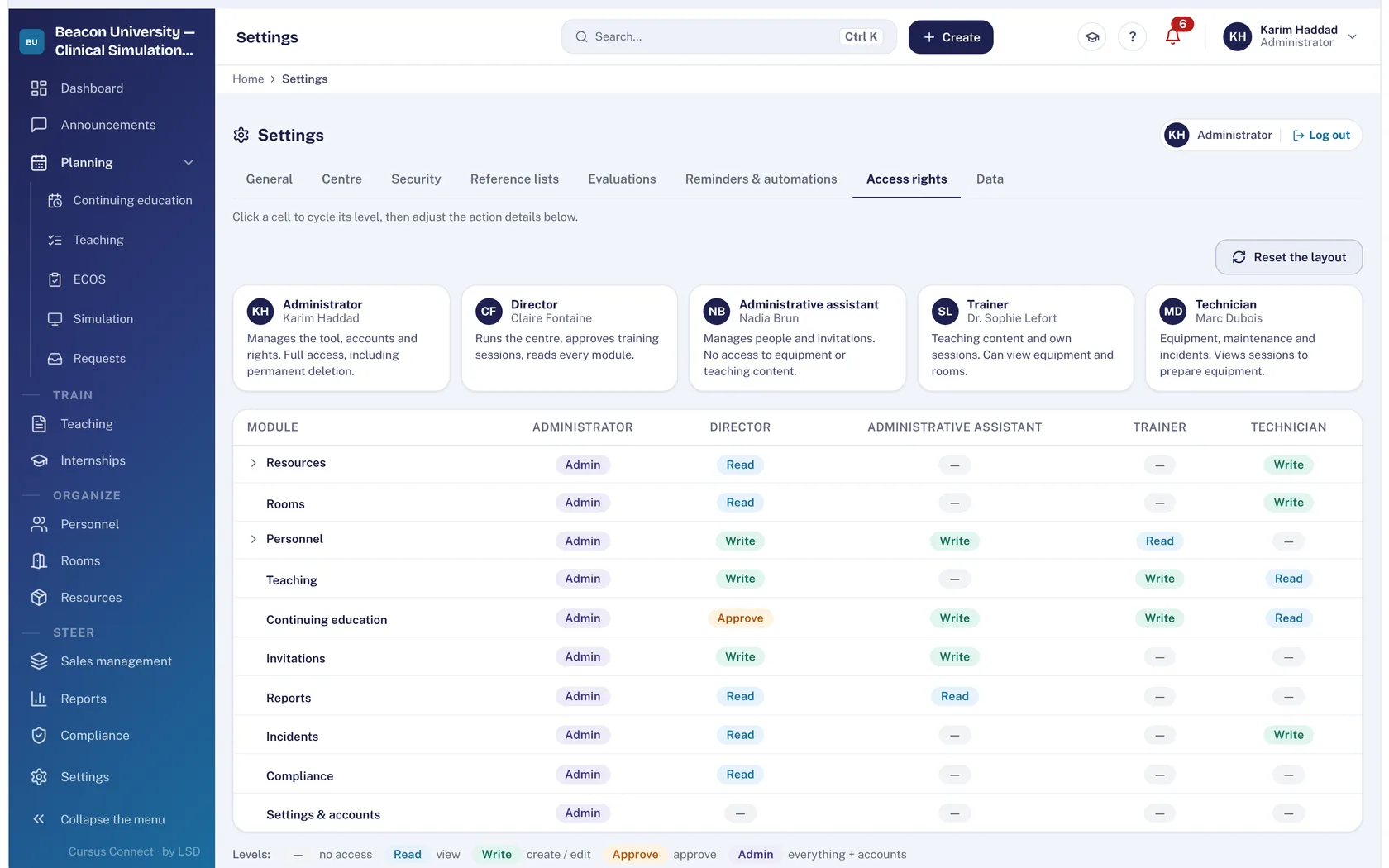
Set the rights
Five team profiles: administrator, director, assistant, trainer, technician. For each module: none, read, write, approve or administer. The server enforces.
4
Open the portals
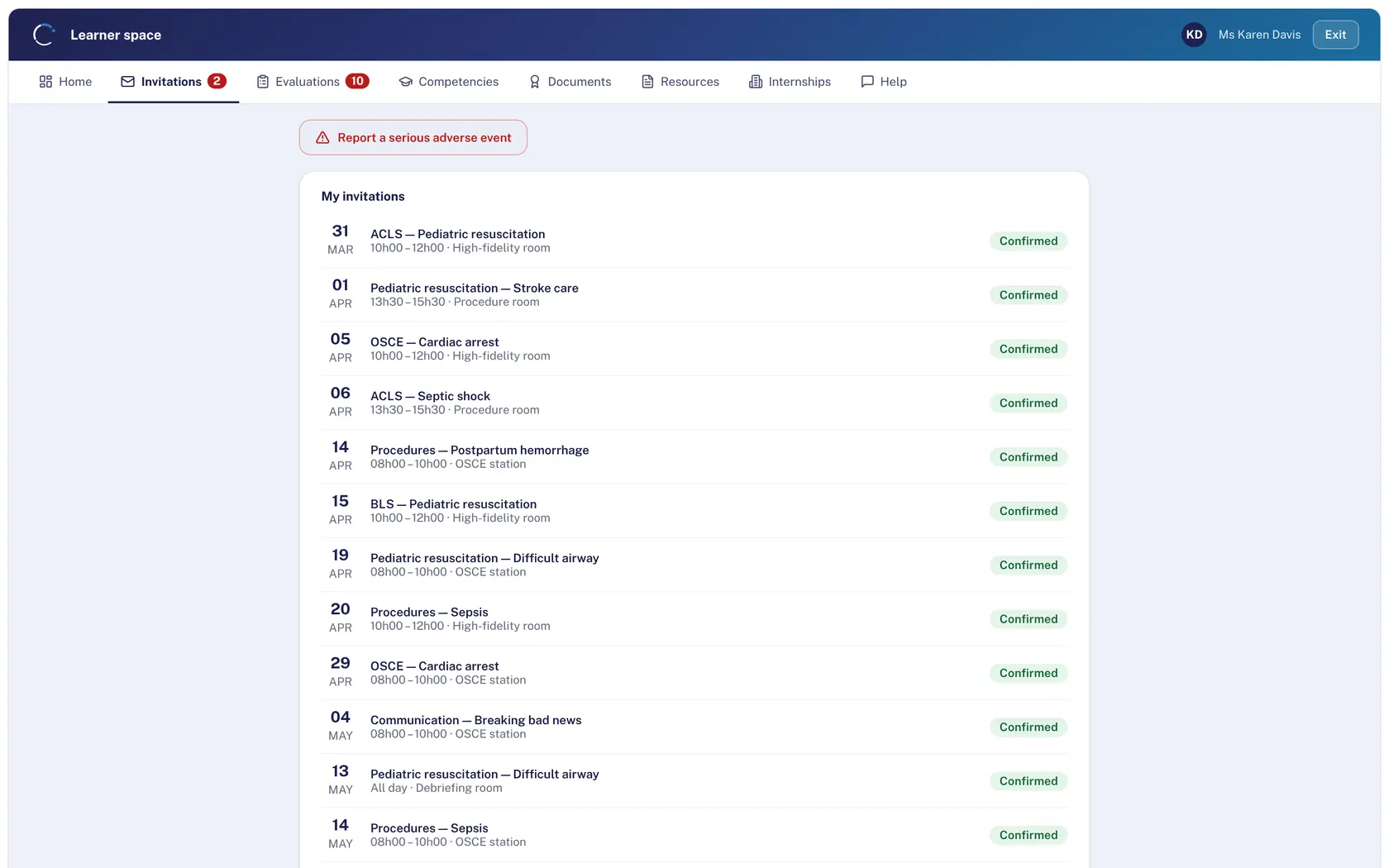
Learner, trainer, simulated patient and placement mentor: invitations, commitments, availability, documents, assessments. On the phone, no installation.
What you gain
One sheet, every role
The profile determines the fields: a simulated patient’s sheet carries availability, commitments and acting criteria.
Certifications up to date
Deadlines tracked, reminders, alert at assignment.
Access that is earned
Rights per module and profile, enforced by the server: what you cannot see, you cannot do.
Four portals, zero installation
Everyone replies, reads and uploads from their phone.
A team that knows itself
Photo directory, service record, bulk email with attachments.
GDPR from the sheet
Export and deletion of a person’s data, consents on the Privacy tab.
More time to teach
What you no longer do by hand
- Accounts and first-login emails created at import.
- Certification refresher reminders in one click.
- Availability published and replies collected in the portal.
- Bulk email to a chosen group.
Your data, under lock and key
What is guaranteed
- Passwords hashed with argon2id, 10 characters minimum, passwords known from leaks refused, progressive lockout after 5 failures.
- Screen lock after inactivity, adjustable per center; 12-hour sliding session, 7 days at most.
- A photo is displayed only if image-rights consent has been collected, on screen as in print.
- The vendor’s support access is justified, limited to 2 hours and written to your center’s audit log.
Made for
Related modules
Courses
From the idea to the certificate, with nothing typed twice
Simulation
Every session ready: scenario, room, trainer, simulated patients
GDPR
Compliance kept by the server, not by a binder
Teaching and internships
The whole cohort, from curriculum to placement
Frequently asked questions
How do we create, change or delete a person and their access?
From the Personnel module, and only there: it is the one way to create, manage and delete a person and their access.
Can the same trainer work in two centers?
Each center has its own space and its own sheets; a person present in two centers has two separate sheets.
See your center in Cursus Connect
An online demo built around your courses, your OSCEs and your documents. You leave knowing what Cursus Connect will change for you.