Features › Sales management
Invoicing package
From quote to payment, with nothing typed twice
For centers that invoice their courses: a price catalogue, clients and payers, quotes that become orders then invoices, and collection oversight derived from the document journal. The invoice is locked at issue.
Today
- Quotes in Word, invoices in Excel, and a numbering that skips.
- A training-fund grant and an employer balance on the same enrolment: two invoices by hand.
- Who has not paid? You have to open every file.
With Cursus Connect
The quote reads the client sheet live; the invoice locks the details at issue and no longer changes, it is cancelled by credit note. Mixed funding is set per enrolment, the funder’s payment file is tracked, and the overview shows invoiced, collected and overdue with nothing entered.
How it works
1
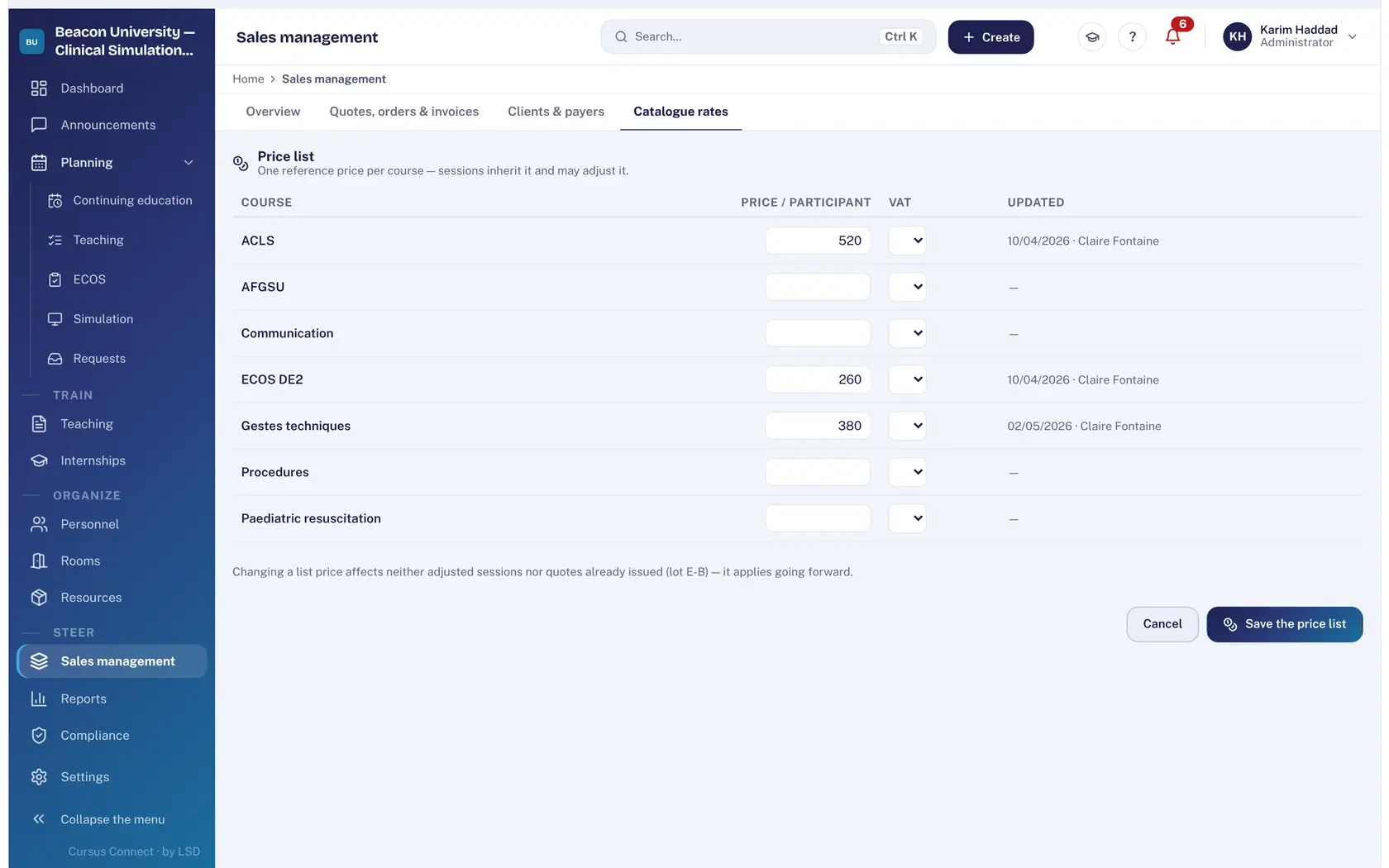
Set your catalogue
A reference rate per course and the VAT regime printed on the document; sessions inherit it and can deviate.
2
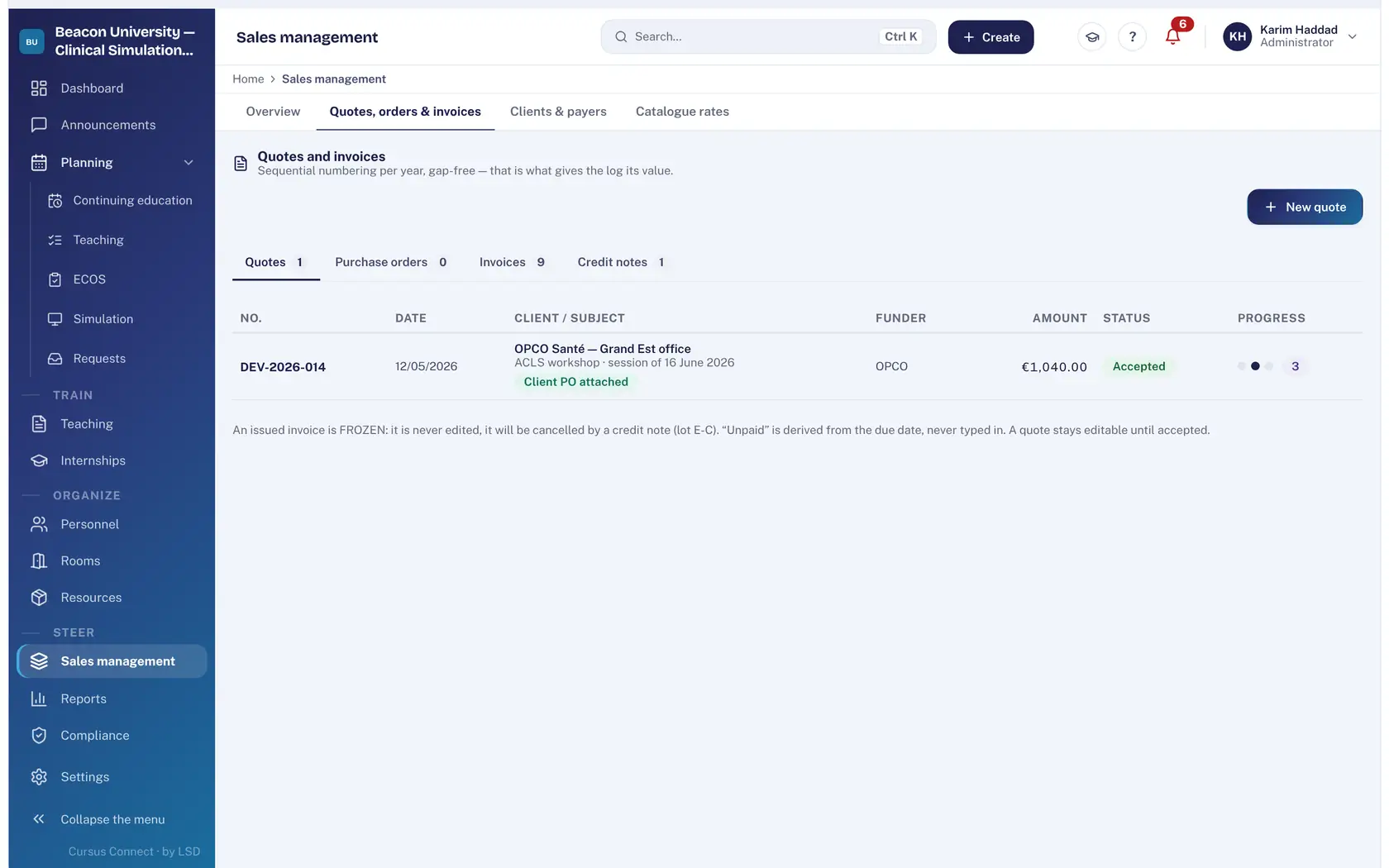
From quote to invoice
Create a quote from the catalogue, turn it into an order then an invoice; upload the client’s purchase order, consistency is checked. Sequential numbering per year and document type.
3
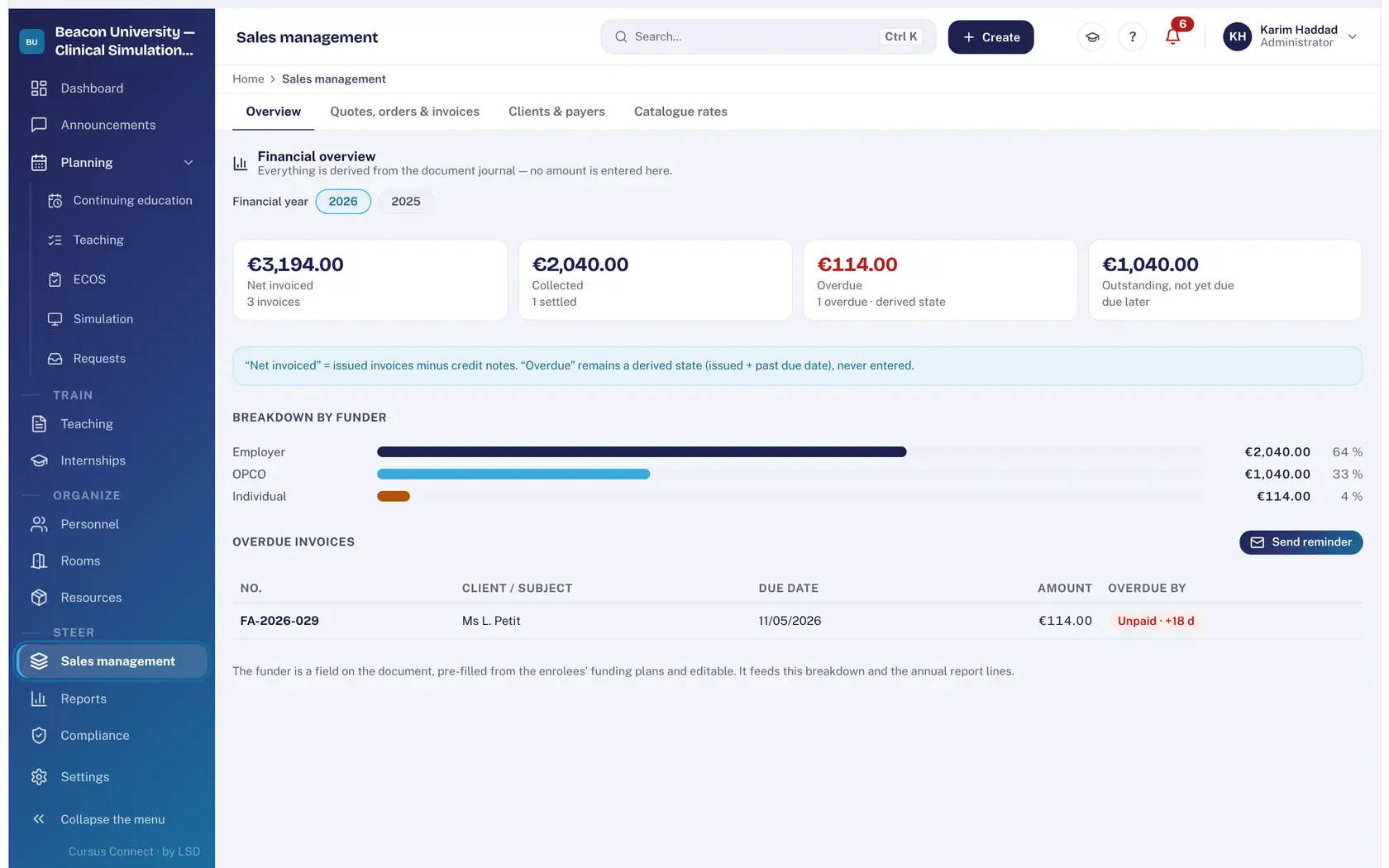
Oversee collection
Net invoiced, collected, overdue, outstanding: all derived from the document journal. Breakdown by funder, reminder of overdue invoices.
4
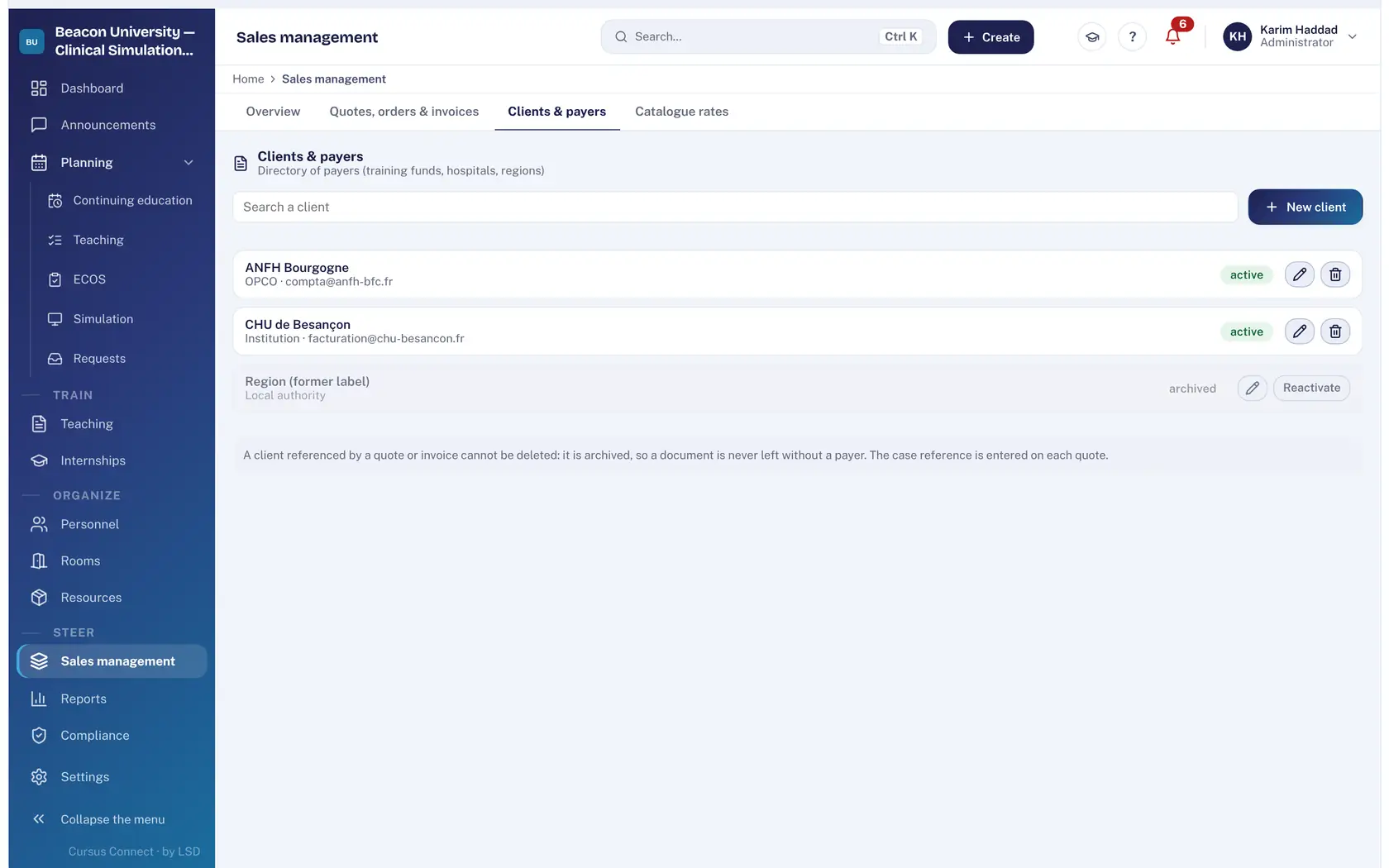
Keep clients and payers
Training funds, hospitals, regions, employers: a directory of payers. A client referenced by a document is not deleted: it is archived.
What you gain
Numbering with no gaps
Chronological per document type and year; that is what gives the journal its value.
Invoices that hold up
Locked at issue, cancelled by credit note, never edited.
Mixed funding handled
Several funders per enrolment; funder payment file.
Purchase order checked
Uploaded to the file, its consistency with the order is verified.
Euro or Swiss franc
Currency, VAT and mentions according to the center’s country.
The BPF pre-filled
The financial part of the return feeds from invoices.
More time to teach
What you no longer do by hand
- Quote, order and invoice follow on with nothing retyped.
- Collection oversight is derived: no amount is entered.
- Overdue reminders in one click.
- Financial part of the BPF pre-filled.
Your data, under lock and key
What is guaranteed
- An issued invoice is locked: it is not edited, it is cancelled by credit note.
- Numbering is sequential, per year and document type.
- A referenced client is never deleted, so no document is ever left without a payer.
- Rights on sales management are set per profile; every action is in the audit log.
Made for
Related modules
Courses
From the idea to the certificate, with nothing typed twice
Reports
Your figures, ready to present
People and portals
The right people, with the right rights
Frequently asked questions
Does Cursus Connect replace our accounting software?
No. It produces the commercial documents and the collection oversight; accounting is kept in your own tool, from the exports.
Are VAT mentions available for Switzerland?
Yes. The VAT regime is set per center, with the wording printed on documents, for France and Switzerland.
See your center in Cursus Connect
An online demo built around your courses, your OSCEs and your documents. You leave knowing what Cursus Connect will change for you.